
How to pay online and in stores worldwide with your phone

Olayoyin Olorunmota

TABLE OF CONTENT

SHARE THIS POST

I was halfway through buying coffee in Lisbon when I patted my pockets looking for my wallet and realised I’d left it in my hotel room. I wasn’t moved in the slightest. A worthy, some would even argue, better alternative — my phone — was already hovering over the card reader to complete the payment.

That was a moment of realisation of how much things had changed. A few years ago, travelling required carrying multiple cards, worrying about foreign transaction fees, and hoping the ATM wouldn’t “swallow” my card in some random city. Now I pay for nearly everything with my phone. Subscriptions, flights, groceries in foreign countries, late-night takeaway orders, anything in fact.

How does it work?

How paying with your phone actually works

When I first started using mobile payments, I assumed my phone was doing something complicated and vaguely magical. In a way, I was right.

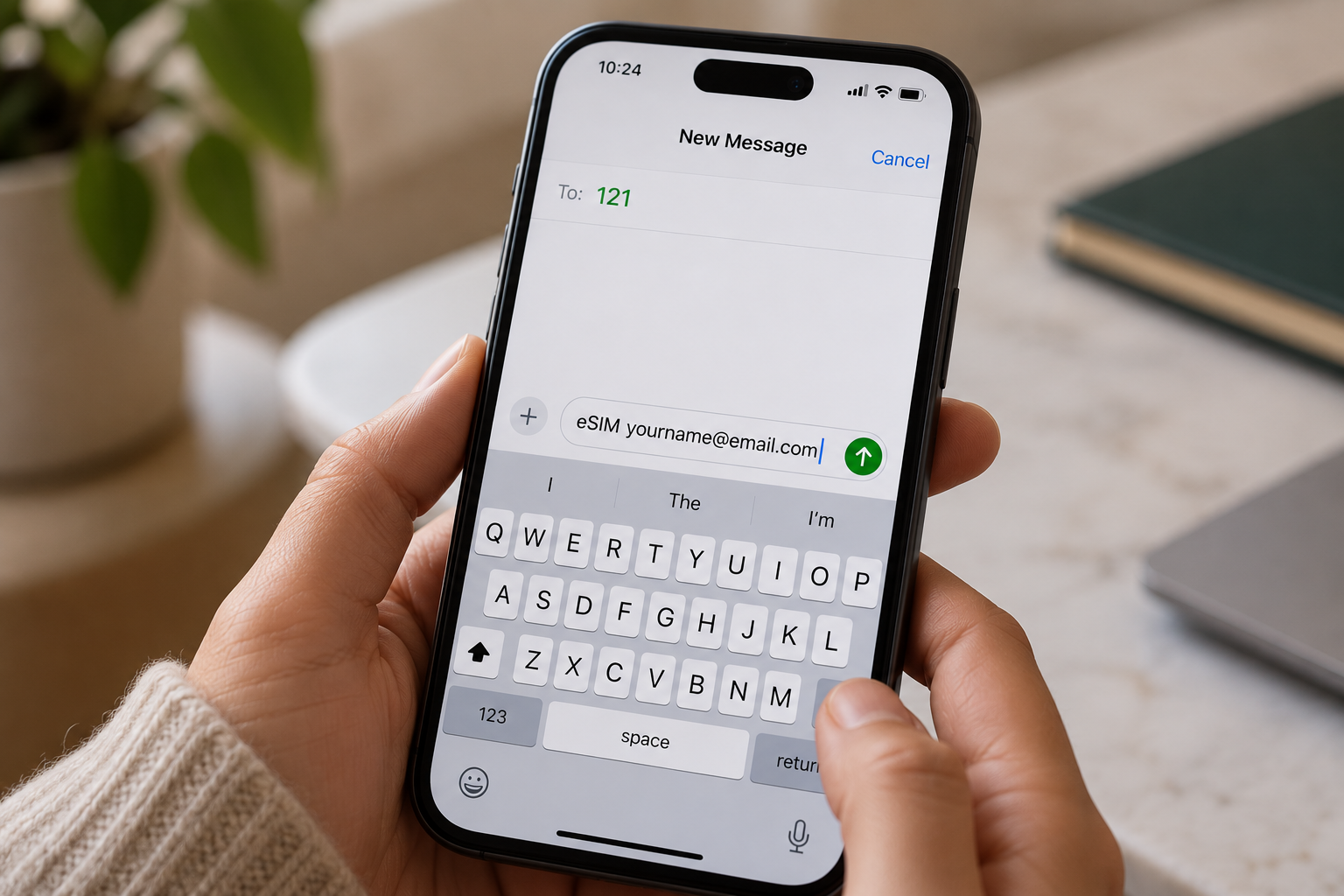
Your phone can store your card details securely in a digital wallet. Apple Pay if you’re on iPhone, Google Pay on Android, or other regional options, depending on where you are. When you pay, your phone communicates with the payment terminal via NFC (Near Field Communication), the same technology that powers contactless cards.

You authenticate the payment using Face ID, fingerprint, or a passcode, and the transaction goes through. The money comes out of whichever card or account is linked to that digital wallet. From the merchant’s perspective, it looks like a normal card payment. From your perspective, it’s faster and more convenient than fumbling for a physical card.

Online payments work similarly. When checking out, you can use Apple Pay or Google Pay instead of typing in card details. Your phone authenticates using biometrics, and the payment processes are instant. No manually entering sixteen-digit card numbers, expiry dates, or security codes.

The convenience is brilliant. But convenience doesn’t mean cost-free.

Also read: How to budget in foreign currencies using the Grey card

Paying online from anywhere in the world

I spend a lot of money online, honestly, probably more than I should, and most of it involves foreign currencies. Subscriptions to US software services. European design tools. UK-based platforms. Occasionally, buying something from an online shop halfway across the world because it’s not available locally.

For years, I paid for everything with a local bank card and didn’t think twice about it. Every transaction went through, so I assumed it was working fine. Then I started looking at my statements more carefully and realised how much I was losing.

When you pay for something online in a foreign currency using a regular bank card, three things usually happen. Your bank converts the currency at its exchange rate, which is almost always 2 - 4% worse than the real mid-market rate. They might charge a foreign transaction fee, sometimes 2 - 3% of the purchase. And if the merchant offers to convert the currency for you at checkout (something called dynamic currency conversion), that’s usually even worse.

On a $100 subscription, you might lose $5 - $7 just to fees and poor conversion rates. Multiply that across every international payment you make in a year, and it adds up fast. I calculated mine once, it was over $600 annually. Six hundred quid, gone, for no reason other than using the wrong card.

Also read: How to use your Grey card to manage all your subscriptions

Paying in physical stores globally

Paying with your phone in physical stores works the same way contactless cards do, just more conveniently. You tap your phone on the terminal, authenticate, and the payment goes through. It’s particularly useful when travelling because you don't have to worry about carrying the right physical cards or whether a shop accepts your card network.

I’ve paid for coffee in Berlin, groceries in Dubai, transport in Tokyo and dinners in Cape Town, all with my phone. It’s seamless, and merchants barely look up because contactless payments are standard nearly everywhere now.

But again, the ease of payment doesn’t mean you’re paying efficiently. Every time I tapped my phone abroad using my regular bank card, I was getting hit with foreign transaction fees and terrible exchange rates. The transaction felt instant and painless, but my bank was quietly taking 4 - 5% every time.

The worst part is you don't see it happening. The payment just says "approved." You don't get a breakdown of fees or exchange rate markups. You only notice when you check your statement later and realise that €50 dinner somehow cost you £47 instead of £43.

LDMAG1

Why your card setup matters

If you link a regular bank card with high foreign transaction fees and poor exchange rates, your mobile payments will still cost you money. The phone is just the interface. The financial infrastructure behind it, meaning the card, the account and the currency handling, is what actually matters.

I realised this after a trip to France. I’d paid for everything with my phone, felt very modern and efficient, then checked my statement and saw I’d lost nearly £80 to conversion fees and markups over one week. My phone wasn’t the problem. My card was.

That’s when I started looking for a better setup, something designed for people who regularly spend money internationally and don’t want to lose a percentage of every transaction to avoidable fees.

Also read: How tax-free shopping works for international travellers

How Grey makes global phone payments easier

Apple Pay and Google Pay are brilliant. They make payments faster and more secure. But they don’t solve the underlying problem of whether you’re paying efficiently or expensively.

Grey changed how I think about paying with my phone because it solved the card problem, not just the payment method.

When you open a Grey account, you get USD, GBP and EUR multi-currency accounts.

The Grey card connects directly to these accounts.

What really impressed me was the control. Grey lets you create multiple cards. I've got one for subscriptions, one for travel, and one for general spending. If a card is compromised or I'm worried about a particular merchant, I can instantly freeze it in the app and create a new one in seconds. I can set spending limits, track exactly where my money is going, and budget more intelligently by separating spending categories across different cards.

For someone who earns in multiple currencies or regularly spends internationally, this setup makes a material difference. I’m not losing money every time I tap my phone. I’m spending efficiently, with full visibility and control.

The right card changes everything

I love paying with my phone. It’s faster, more secure, and more convenient than carrying a wallet full of cards.

But payments are only as good as the card linked to them. If you’re paying with your phone but using a card with high fees and poor exchange rates, you’re still losing money on every transaction. The tap is convenient, but the cost is hidden.

The right card makes mobile payments genuinely efficient, not just convenient. That’s the difference between losing hundreds annually to avoidable fees and keeping the money you earn.

Get it right by opening a free Grey account today and getting the card that works globally and transparently.

Last updated:

June 15, 2026

Open a free Grey account to get startedJoin 1 million digital nomads
IF YOU ENJOYED THIS, CHECK THESE OUT

How to receive an international wire transfer: Fees, timing, and what to tell the sender

2 min read

When someone sends you money from another country, the payment usually travels through the SWIFT network, a messaging system that connects banks globally. The process is straightforward in theory: the sender's bank sends the funds, one or more intermediary banks relay them, and your bank credits your account. In practice, the fees, timing, and information requirements vary by bank and by how you choose to receive.

This guide covers what information you need to provide, what fees to expect, how long the transfer takes, and how receiving into a multi-currency account compares to receiving into a traditional bank.

What information does the sender need?

Before someone can wire you money from abroad, they need your bank's receiving details. The exact fields vary by bank, but the standard set for an international wire transfer is:

Your full legal name as it appears on your bank account. A mismatch between the name on the wire and the name on the account can cause delays or rejection.

Your bank account number. For US accounts, this is typically a 10 to 12-digit number. For UK accounts, it is the account number plus sort code. For European accounts, it is the IBAN.

Your bank's SWIFT/BIC code. This identifies the bank internationally. It is 8 or 11 characters. Your bank can provide it, or you can look it up on the SWIFT directory.

Your bank's name and address. Some sending banks require the full branch address, not just the bank name.

Your address. The address on file with your bank.

Purpose of payment (sometimes). Some countries require the sender to state the reason for the transfer. India, for example, requires an RBI purpose code on every inward remittance.

How international wire transfers work

Most international wires travel through the SWIFT network. SWIFT itself does not move money. It sends standardised messages between banks that instruct them to debit one account and credit another. The actual funds move through correspondent banking relationships.

A typical international wire transfer involves three to four parties: the sender's bank, one to three intermediary (correspondent) banks, and the recipient's bank. Each intermediary can deduct a fee from the transfer amount. This is why the amount your sender sends is sometimes more than the amount that arrives in your account.

The sender can usually choose who pays the intermediary fees by selecting a fee instruction on the wire: OUR (the sender pays all fees), SHA (fees are shared), or BEN (the recipient pays all fees). If you are receiving payment for services rendered, you may want to ask the sender to select OUR so the full invoice amount is credited to your account.

What it costs to receive an international wire transfer

Fees at major US banks

If you receive international wires into a traditional US bank account, your bank may charge a receiving fee on top of whatever intermediary banks deduct in transit.

Bank Incoming international wire fee Notes
Chase $15 per wire (standard checking) $0 for Private Client, Sapphire Banking, and Premier Plus Checking
Wells Fargo $0 (consumer accounts) Analyzed business accounts: $15. Intermediary bank fees still apply.
Bank of America Not published online Call or visit a branch for current fees. Intermediary fees apply.

These fees are for the receiving bank only. On top of this, the sender's bank charges a sending fee (typically $25 to $50 for a US outgoing wire), and one to three intermediary banks may each deduct $10 to $30 from the transfer amount. On a $500 transfer, total fees across all parties can reach $50 to $100.

There is also the exchange rate. If the sender sends in a foreign currency and your bank converts it to USD, the bank typically applies a markup over the mid-market rate. This markup is not disclosed as a "fee" but can add 1% to 4% to the cost of the transfer, depending on the bank and the currency pair.

Fees when receiving into a multi-currency account

Multi-currency accounts like Grey work differently. Instead of receiving through a correspondent banking chain, you receive using local payment rails in the currency of the payment. For USD, you receive via ACH or FedNow using US domestic routing details. For GBP, you receive via FPS using a UK sort code and account number. For EUR, you receive via SEPA using an IBAN.

This avoids the SWIFT intermediary chain entirely for most transfers, which means no intermediary deductions and faster settlement. The receiving fees are typically lower and clearly disclosed.

Currency Method Receiving fee Notes
USD ACH 0.8% (min $2, max $10) Standard for most US transfers
USD FedNow 0.8% (min $2, max $10) Instant if sending bank supports FedNow
USD Fedwire $20 flat ACH recommended for most transfers
GBP FPS 0.8% (min £2, max £10) EEA senders only. No SWIFT on GBP.
GBP BACS £15 flat EEA senders only
GBP CHAPS £25 flat EEA senders only
EUR SEPA 0.8% (min €2, max €10) Standard for EUR transfers within the SEPA network

On a $500 USD transfer received via ACH, the receiving fee is $4 (0.5%). Compare that to a traditional SWIFT wire, where the sender pays $30 to $50 to send, intermediaries deduct $10 to $30 in transit, and the receiving bank charges $0 to $15 on arrival. The total cost difference is significant, especially on regular transfers.

Also read: ACH, SWIFT, Wire and FedNow: What they are and when to use each

How long does it take to receive an international wire transfer?

Through the SWIFT network, most international wire transfers arrive within 1 to 5 business days. The range is wide because timing depends on the sending bank's processing speed, the number of intermediary banks involved, the destination country, and whether the payment is sent on a banking business day.

Through local payment rails (the route used by multi-currency accounts), transfers are typically faster because there are fewer intermediaries. ACH transfers to a Grey USD account arrive the same day. FedNow is instant. GBP via FPS is near-instant. The receiving side is fast; the main variable is how quickly the sender's bank initiates the payment.

How to receive an international payment with Grey

Instead of giving the sender your traditional bank's SWIFT details, you give them your Grey account's local receiving details. Here is the process.

1. Open your Grey account and complete identity verification. Grey provides you with dedicated account details in USD, GBP, and EUR.

2. Share your receiving details with the sender. For USD: your ACH routing number and account number. For GBP: your sort code and account number. For EUR: your IBAN and SWIFT/BIC code. These are the same details you would share from any bank account in those currencies.

3. The sender transfers using their normal banking process. From their perspective, they are making a domestic transfer (ACH in the US, FPS in the UK, SEPA in Europe), not an international wire. This is why there are no intermediary banks and no SWIFT fees on most transfers.

4. The funds arrive in your Grey account in the original currency. You can hold them in USD, GBP, or EUR, convert when you are ready, or withdraw to your local bank account.

5. Withdraw to your local bank. When you are ready to access the funds in your local currency, you can convert and withdraw them. Grey supports withdrawals to bank accounts and mobile money in Nigeria, India, Kenya, Ghana, South Africa, Egypt, and dozens of other countries.

For Indian recipients, the withdrawal generates a  (Foreign Inward Remittance Certificate) on request, which is required for tax filing and GST refund claims.

Common problems when receiving international wire transfers

The received amount is less than expected. This usually means intermediary banks deducted fees in transit. Ask the sender for the MT103 document (the SWIFT payment confirmation), which shows exactly what was sent and any deductions along the way. If the sender selected the SHA or BEN fee instructions, intermediary costs are deducted from the transfer amount.

The transfer is delayed by more than 5 business days. Common causes: incorrect SWIFT code, the sender's bank holding the payment for compliance review, a public holiday in an intermediary country, or the payment arriving after the recipient bank's daily processing cutoff. Contact your bank with the MT103 reference number to trace it.

The sender used the wrong account details. If the sender entered an incorrect account number or SWIFT code, the payment may be rejected or credited to the wrong account. Most banks will attempt to return a misdirected payment, but this can take weeks and may incur additional fees. Double-check all details before the sender initiates the wire.

Your bank asks for documentation. Some banks, especially in regulated markets, may hold incoming international wires until you provide supporting documents: an invoice, a contract, or a letter explaining the source of funds. This is a standard anti-money-laundering procedure. Having your documentation ready before the transfer arrives avoids delays.

Frequently asked questions about international wire transfers

How do I receive an international wire transfer?

Provide the sender with your bank's name and address, your account number, the bank's SWIFT/BIC code, and your full legal name. The sender initiates the wire from their bank, and it typically arrives in 1 to 5 business days through the SWIFT network. Your bank may charge a receiving fee.

How much does it cost to receive an international wire transfer?

It varies by bank. Chase charges $15 per incoming international wire on standard checking accounts. Wells Fargo charges $0 on consumer accounts. In addition, intermediary banks may deduct fees from the transfer amount in transit, and the sending bank charges the sender a separate fee. Total costs across all parties can range from $20 to over $100 on a single transfer.

How long does an international wire transfer take?

Most international wire transfers arrive within 1 to 5 business days. The timing depends on the sending bank, the number of intermediary banks, the destination country, and whether the payment is sent on a business day. Transfers through local payment rails (ACH, FPS, SEPA) are typically faster because they avoid the SWIFT intermediary chain.

Can I receive an international wire transfer without a SWIFT code?

Not through the traditional SWIFT network. However, if the sender can make a domestic transfer in the same currency (for example, a US sender making an ACH transfer to your US-denominated account), no SWIFT code is needed. Multi-currency accounts like Grey provide local account details in USD, GBP, and EUR, allowing the sender to transfer domestically.

What is an MT103 and why does it matter?

An MT103 is the SWIFT payment confirmation document. It shows the amount sent, the sender and recipient details, the intermediary banks involved, and any fees deducted along the way. If your transfer is delayed or the received amount is less than expected, the MT103 is the document you need to trace the payment and identify where fees were deducted.

Do I have to pay tax on money received from abroad?

It depends on the nature of the payment and your country of residence. In the US, personal gifts from abroad are generally not taxable to the recipient, but you may need to report gifts exceeding $100,000 (Form 3520). Payments for services are taxable income. In India, foreign remittances are documented via FIRC and may affect GST and income tax obligations. Consult a qualified tax professional for your specific situation.

Is it cheaper to receive via ACH or SWIFT?

ACH is typically cheaper because it avoids the intermediary bank fees that SWIFT transfers incur. On a Grey USD account, receiving via ACH costs 0.8% (min $2, max $10), while receiving via Fedwire costs $20 flat. For most transfers under $5,000, ACH is the better option. The sender also pays less because ACH transfers are cheaper to initiate than SWIFT wires.

Grey is a financial technology company, not a bank. Banking services are provided by licensed banking partners. Fees are subject to change. This article is general information, not financial or tax advice. Consult a qualified professional for advice specific to your situation. Bank fee data sourced from publicly available information as of September 2026; verify with your bank before relying on these figures.

How to convert and send US dollars (USD) with Grey

2 min read

As a digital nomad your finances should work as flexibly as you do. With Grey, converting and sending USD becomes effortless, no matter where you are. From managing payments with US clients to handling multiple income streams, Grey makes accessing and transferring your funds quick, affordable, and hassle-free.

In this guide, we’ll walk you through effortlessly converting and sending US dollars with Grey, revealing how to maximise savings, cut through complexity, and make global financial management a breeze.

Why Grey is perfect for sending and converting US dollars

Managing your finances can be challenging, especially when working with clients or employers in different currencies. Whether you’re based in Asia, Europe, or anywhere else, having a platform that supports multi-currency accounts and provides transparent exchange rates is essential.

Grey offers several advantages for digital nomads and remote workers:

  • Multi-currency accounts: Grey lets you hold and manage funds in multiple currencies, including USD, EUR, GBP, and more, making it easy to convert and send money.
  • Low fees and competitive rates: Grey provides low conversion fees and competitive exchange rates, ensuring that more of your earnings stay with you.
  • Global accessibility: Whether in Bali, Mexico, or Spain, Grey’s mobile app allows you to manage your finances anywhere with an internet connection.
  • Seamless transfers: Sending USD or any other currency is fast and simple. Grey allows instant transfers to various bank accounts and wallets globally.
  • Easy account integration: You can link your Grey account to platforms like Amazon, freelance job sites, and other payment systems, simplifying the process of receiving and sending payments.

Exchange rates often fluctuate for several reasons, so we’ve created a special currency converter for you.

The benefits of converting and sending USD with Grey

Before diving into the conversion and sending process, let’s take a moment to explore why Grey is a great option for converting USD into local currencies or sending it to other accounts.

  1. Competitive exchange rates

Grey offers competitive exchange rates compared to traditional banks and other payment platforms. While rates vary based on market conditions, Grey provides real-time rates with a transparent view of conversion fees.

  1. Low conversion fees

Grey’s conversion fees are designed to be transparent and affordable.

  1. Efficient cross-border transfers

Fast and secure transfers are key when working internationally. Grey enables you to send USD to international accounts almost instantly. This feature is particularly useful for remote workers who must pay international invoices or send money to family members in other countries.

Grey also allows for quick transfers between different currency accounts, so if you need to convert USD into GBP, EUR, or any other supported currency, you can do so easily.

  1. Global accessibility

Since Grey is a fully digital platform, you can access it from anywhere in the world. This is particularly advantageous for digital nomads who frequently travel or live abroad, as it provides a consistent and reliable way to manage your finances regardless of location.

Step-by-step guide: How to convert and send USD with Grey

Now that you understand the benefits of using Grey, let’s walk through the detailed process of converting USD to another currency and sending it to a recipient, whether for personal or business reasons.

Step 1: Sign up for a Grey account

If you haven’t already, the first step is to create an account with Grey. Visit Grey’s website or download the app from the App Store or Google Play. The sign-up process is straightforward and typically takes just a few minutes.

To start, you’ll need to provide personal details, verify your identity, and set up your account.

Step 2: Deposit USD into your Grey account

Once you’ve created your account, you can deposit USD into your Grey account. You can do this through several methods:

  • Bank transfer: Link your bank account to Grey and deposit funds directly into your USD account.
  • Payment platforms: If you receive payments from platforms like PayPal, Stripe, or other freelance networks, you can transfer your earnings directly to your Grey account.
  • Wire transfer: If you’re working with clients or employers who prefer wire transfers, you can provide them with your Grey account details so they can receive USD payments.

You can begin the conversion process after depositing USD into your Grey account.

Step 3: Convert USD to another currency

To convert USD into another currency, follow these steps:

  1. Open the Grey app: Log into your Grey account and navigate to the currency conversion section.
  2. Select the currencies: Choose USD as the source currency and select the destination currency (e.g., EUR, GBP, ZAR).
  3. Check the exchange rate: Grey will display the current exchange rate for the conversion, along with the conversion fees.
  4. Confirm the conversion: Once you’re satisfied with the rate and fees, confirm the transaction. Your funds will be converted and reflected in your Grey account in the new currency.

Step 4: Send USD or converted funds to a recipient

To send funds to another individual or account, you’ll need to:

1. Navigate to the Send Money section: Choose the “Send” option in the Grey app.

__wf_reserved_inherit

2. Enter the recipient’s details: Add the recipient’s bank account or wallet information. You can also send funds to another Grey user.

__wf_reserved_inherit

3. Choose the amount to send: Enter the amount in USD or your currency (e.g., EUR).

__wf_reserved_inherit

4. Review fees and exchange rates: Grey will estimate the fees and exchange rates so you know exactly how much the recipient will receive.

__wf_reserved_inherit

5. Complete the transaction: Confirm the details and authorise the payment. The recipient typically receives the funds in minutes to a few hours, depending on the payment method.

__wf_reserved_inherit

Convert and send USD: Key tips for remote workers

  1. Minimise fees: Always review Grey’s exchange rates and conversion fees before confirming any transaction. While Grey offers competitive rates, you may still want to plan your conversions to avoid unnecessary fees, especially if you’re sending large sums.
  2. Use local currency accounts: If you’re working in a country with a stable currency, consider holding a local currency account to avoid frequent conversions and fees.
  3. Monitor exchange rates: Grey updates its exchange rates in real time. If you’re converting large sums, it may be worth monitoring rates for a few days to ensure you get the best deal.
  4. Use Grey’s app for convenience: Grey’s mobile app allows you to convert and send USD or other currencies from anywhere in the world, which is a huge advantage for digital nomads who need to manage their finances on the go. Download Grey now and get started.

Simplify converting and sending USD with Grey

Converting and sending USD with Grey is an efficient and cost-effective way for remote workers and digital nomads to manage their finances. With competitive exchange rates, low fees, and the convenience of a fully digital platform, Grey provides a seamless solution for handling cross-border transactions.

Ready to start using Grey? Sign up today and take control of your global finances.

How to convert and send USD to Ugandan Shillings (UGX) online

2 min read

Managing cross-border payments doesn’t have to be complicated. Whether you’re a freelancer, remote worker, or supporting family in Uganda, converting USD to Ugandan Shilling (UGX) can be quick, secure, and hassle-free with Grey.

This guide shows you how to easily convert and send USD to UGX online, highlighting key benefits, costs, and tips for seamless transactions.

Why use Grey to convert and send USD to UGX?

Grey is a digital banking platform designed for global citizens who want to manage multiple currencies easily. Here’s why Grey is an excellent choice for converting and sending USD to UGX:

  • Competitive exchange rates: Grey offers real-time rates to ensure you get the most value when converting USD to UGX.
  • Low fees: Avoid the high conversion and transfer fees associated with traditional banks.
  • Quick transfers: Funds are processed quickly, ensuring your recipients get the money without delays.
  • User-friendly platform: Grey’s app and website are designed to make international transactions simple and accessible for everyone.

Exchange rates fluctuate for various reasons, so we’ve designed a handy, real time currency converter for you.

Also read: How to convert and send USD with Grey

How to convert and send USD to UGX with Grey

1. Create your Grey account

First, sign up for a free Grey account via the website or app, available on iOS and Android. Registration is straightforward and requires you to:

  • Provide basic personal information.
  • Verify your identity by uploading the required documents.
  • Set up your virtual wallet for multiple currencies, including USD.

2. Add USD to your Grey account

Once your account is active, deposit USD into your Grey wallet. You can do this in several ways:

  • Bank transfer: Link your USD bank account and transfer funds directly.
  • Freelance platforms: Receive payments from platforms like Upwork or Fiverr directly into your Grey USD wallet.
  • Wire transfers: Accept payments from international clients or businesses.

With USD in your account, you can convert it into UGX.

3. Convert USD to Ugandan Shilling with Grey

Follow these steps to convert your USD to UGX:

  1. Log into your account: Open the Grey app or website and sign in.
  2. Navigate to currency exchange: Select the “Convert” option from the dashboard.
  3. Choose currencies: Select USD as the source currency and UGX as the destination currency.
  4. Enter the amount: Specify the amount of USD you want to convert.
  5. Confirm the transaction: Review the exchange rate, fees, and total amount in UGX, then click “Convert.” The converted funds will appear in your UGX wallet instantly.

4. Send UGX to your recipient

Once your USD is converted to UGX, it’s time to transfer the funds to your recipient in Uganda. Here’s how:

1. Navigate to the Send Money section: Choose the “Send” option in the Grey app.

676ec441190ed0b08ba00d26 676ebd9e62b40f1197672db7 send us dollars grey 6

2. Enter the recipient’s details: Add the recipient’s bank account or wallet information. You can also send funds to another Grey user.

676ec442190ed0b08ba00d42 676ebd4d245072006253a99c send us dollars grey 4

3. Choose the amount to send: Enter the amount in USD or your currency (e.g., EUR).

676ec442190ed0b08ba00d3f 676ec3b94c9821344d4d5d63 IMG 0368

4. Review fees and exchange rates: Grey will estimate the fees and exchange rates so you know exactly how much the recipient will receive.

676ec442190ed0b08ba00d79 676ec3c426d44aa2a43d7fc8 IMG 0370

5. Complete the transaction: Confirm the details and authorise the payment. The recipient typically receives the funds in minutes to a few hours, depending on the payment method.

676ec442190ed0b08ba00d45 676ec3d1138ab1eb14571c89 IMG 0371

You may also like: How to convert and send USD to TZS online

Key tips for converting and sending USD to UGX

  1. Monitor exchange rates: Keep an eye on the exchange rate to convert your funds at the best possible time.
  2. Double-check recipient details: Ensure the accuracy of bank account or mobile wallet information to avoid delays.
  3. Use Grey’s multi-currency wallets: Store USD and UGX in your Grey account to avoid frequent conversions and save on fees.
  4. Track your transactions: Grey offers a transaction history feature to easily track conversions and transfers.

Why Grey is the best option for USD to UGX transfers

Grey stands out as a reliable and cost-effective platform for handling international payments. Here’s why it’s a top choice:

  • Speed: Transfers are processed faster than most traditional banks, so your recipients get their money quickly.
  • Savings: With low fees and competitive exchange rates, you keep more of your hard-earned money.
  • Flexibility: Manage multiple currencies from one account and send funds anytime, anywhere.
  • Security: Grey prioritises secure transactions, giving you peace of mind.

Take control of your cross-border payments with Grey

Converting and sending USD to Ugandan Shilling has never been easier. Whether supporting family, paying vendors, or managing personal finances, Grey’s seamless platform saves you time, money, and effort.

Ready to simplify your financial transactions? Sign up with Grey today and enjoy a hassle-free way to convert and send USD to UGX online.

How to receive and convert foreign currencies to USDC in Senegal

2 min read

As international payments become more common, finding an efficient way to manage foreign currencies is essential. USD Coin (USDC), a stablecoin tied to the U.S. dollar, offers a reliable solution for handling these transactions.

This guide explains how freelancers and remote workers in Senegal can seamlessly receive foreign currencies, convert them into USDC, and manage their finances with Grey.

Also read: How to receive and convert foreign currencies to USDC

Why convert foreign payments to USDC as a freelancer in Senegal?

For freelancers in Senegal working with international clients, converting foreign currencies to USDC offers several advantages:

  • Stable value: USDC is a stablecoin tied to the U.S. dollar, offering predictable value and avoiding the volatility of other cryptocurrencies.
  • Low fees: Compared to traditional bank transfers, USDC transactions come with significantly lower fees.
  • Quick access to funds: Blockchain technology ensures near-instant processing, so you get paid faster.
  • Flexible conversions: You can hold USDC until you get the most favourable exchange rate or convert it to West African CFA franc (XOF) as needed.

Also Read: Send instant USDC payouts to 40+ countries with Grey

How to receive and convert foreign currency to USDC

Grey offers a seamless way to receive and convert foreign currencies into USDC. Here's how:

Open the Grey app

Log in to your Grey account via the app or website to securely access your USD and other currency balances.

Select your USD balance

Navigate to the “Accounts” section and select your USD balance to initiate a USDC transfer.

How to receive and convert foreign currencies to USDC in Senegal

Tap “Send via crypto”

Select “Send money,” then choose “Send via crypto” to begin the process of sending USDC.

How to receive and convert foreign currencies to USDC in Senegal

Enter transaction details

Carefully input the recipient’s wallet address and choose the correct network (Solana or Binance Smart Chain) to ensure a successful transfer.

How to receive and convert foreign currencies to USDC in Senegal

Input the transfer amount and review the details

Enter the amount of USDC to send. Double-check all information, including the wallet address and network, before proceeding.

How to receive and convert foreign currencies to USDC in Senegal

Confirm and complete the transfer

Once all details are verified, tap “Send” to complete the transaction. Grey will request two-factor authentication (2FA) for added security.

Transaction success

The recipient will receive the USDC shortly after processing. They can hold it, convert it to local currency, or use it for other purposes.

Also Read: How to receive and convert foreign currencies to USDC in Angola

How to convert USDC to West African CFA franc (XOF)

To convert USDC to West African CFA franc, use a crypto exchange or local service that supports USDC-to-XOF transactions. Some platforms allow direct conversions, while others may require intermediary steps involving USD or BTC.

What are the considerations for freelancers holding and converting USDC?

While holding USDC is convenient, here are a few factors to consider:

  • Network compatibility: Ensure the network used for USDC matches your wallet and the conversion service you use.
  • Fee awareness: Although USDC transactions generally have low fees, network charges vary.
  • Tax compliance: Cryptocurrency is considered an asset in Senegal. Consult a tax advisor to ensure compliance with local regulations.

Also Read: How to receive and convert foreign currencies to USDC in Togo

Using Grey to simplify USDC management

With Grey, you can send USDC to supported wallets, easily manage funds, and take advantage of robust security measures like two-factor authentication (2FA).

Create your Grey account today to unlock the full potential of USDC as a freelancer in Senegal.

How to receive payments from Upwork in Rwanda in 2025

2 min read

Rwanda, a country known for its innovation and resilience, is rapidly becoming a hotspot for freelancers excelling in writing, design, virtual assistance, and more. Platforms like Upwork offer Rwandan freelancers a global stage to showcase their expertise and connect with clients worldwide.

However, while freelancing on Upwork is incredibly rewarding, managing international payments can often be challenging due to high fees and delays. That’s where Grey steps in, offering a simple, efficient, cost-effective way for freelancers in Rwanda to receive their earnings without hassle.

Also read: How to become a registered freelancer on Upwork

In this guide, we’ll explore how freelancers in Rwanda can use Grey to streamline Upwork payments and focus on what matters most—delivering exceptional work.

Why freelancers in Rwanda choose Upwork

Upwork has transformed freelancing for Rwandans by offering:

  • Global reach: Access to international clients in need of your skills.
  • Flexible work opportunities: Build your schedule and take charge of your career.
  • Diverse projects: From software development to digital marketing, there’s something for every skill set.

Also read: The ultimate guide to choosing the best freelancing platform in 2024

Why Grey is the ultimate solution for Rwandan freelancers

Grey simplifies payment management for freelancers by providing a modern, seamless experience tailored to their needs. Here’s why it’s the preferred choice:

  • Multi-currency accounts: Receive payments directly in USD, GBP, or EUR from Upwork.
  • Low fees: Avoid excessive charges and keep more of your earnings.
  • Fast transfers: Get paid quickly without unnecessary delays.
  • Competitive exchange rates: Convert funds to Rwandan Francs (RWF) at rates that work in your favor.

Also read: How Fiverr freelancers in Rwanda can receive payments easily in 2025

How to use Grey for Upwork payments in Rwanda

1. Create your free Grey account: Visit Grey’s website and sign up for a free account. Upon completing your KYC verification, you can request for a EU, US, or UK bank account to receive foreign payments.

2. Link your Upwork account: Log in to your Upwork account and go to the "Get Paid" section. Select "Direct to Local Bank" or "Wire Transfer" as your payment method and input your Grey account details.

3. Start receiving payments: Once verified, Upwork will deposit your earnings directly into your Grey account, allowing you to track payments in real-time.

4. Convert and withdraw funds: Use Grey to convert your USD to Rwandan Francs at competitive rates. Transfer your funds to your local bank account or mobile money wallet quickly and securely.

With Grey, managing payments becomes effortless, letting you focus on delivering outstanding work. Sign up for Grey today and experience a seamless payment solution designed for Rwandan freelancers.

How to receive and convert foreign currencies to USDC in Tanzania

2 min read

With more Tanzanians tapping into global markets, managing cross-border payments effectively has become a priority. USD Coin (USDC), a stablecoin pegged to the U.S. dollar, offers a reliable and efficient way to handle international transactions.

This guide explains how freelancers and remote workers in Tanzania can receive foreign currencies, convert them into USDC, and streamline their financial operations with Grey.

Also read: How to receive and convert foreign currencies to USDC

Why convert foreign payments to USDC as a freelancer in Tanzania?

For freelancers in Tanzania working with international clients, converting foreign currencies to USDC offers several advantages:

  • Stable value: USDC is a stablecoin tied to the U.S. dollar, offering predictable value and avoiding the volatility of other cryptocurrencies.
  • Low fees: Compared to traditional bank transfers, USDC transactions come with significantly lower fees.
  • Quick access to funds: Blockchain technology ensures near-instant processing, so you get paid faster.
  • Flexible conversions: You can hold USDC until you get the most favourable exchange rate or convert it to Tanzanian shilling (TZS) as needed.

Also Read: Send instant USDC payouts to 40+ countries with Grey

How to receive and convert foreign currency to USDC

Grey offers a seamless way to receive and convert foreign currencies into USDC. Here's how:

Open the Grey app

Log in to your Grey account via the app or website to securely access your USD and other currency balances.

Select your USD balance

Navigate to the “Accounts” section and select your USD balance to initiate a USDC transfer.

How to receive and convert foreign currencies to USDC in Tanzania

Tap “Send via crypto”

Select “Send money,” then choose “Send via crypto” to begin the process of sending USDC.

How to receive and convert foreign currencies to USDC in Tanzania

Enter transaction details

Carefully input the recipient’s wallet address and choose the correct network (Solana or Binance Smart Chain) to ensure a successful transfer.

How to receive and convert foreign currencies to USDC in Tanzania

Input the transfer amount and review the details

Enter the amount of USDC to send. Double-check all information, including the wallet address and network, before proceeding.

How to receive and convert foreign currencies to USDC in Tanzania

Confirm and complete the transfer

Once all details are verified, tap “Send” to complete the transaction. Grey will request two-factor authentication (2FA) for added security.

Transaction success

The recipient will receive the USDC shortly after processing. They can hold it, convert it to local currency, or use it for other purposes.

Also Read: How to receive and convert foreign currencies to USDC in the Angola

How to convert USDC to Tanzanian shilling (TZS)

To convert USDC to Tanzanian shilling, use a crypto exchange or local service that supports USDC-to-TZS transactions. Some platforms allow direct conversions, while others may require intermediary steps involving USD or BTC.

What are the considerations for freelancers holding and converting USDC?

While holding USDC is convenient, here are a few factors to consider:

  • Network compatibility: Ensure the network used for USDC matches your wallet and the conversion service you use.
  • Fee awareness: Although USDC transactions generally have low fees, network charges can vary.
  • Tax compliance: Cryptocurrency is considered an asset in Tanzania. Consult a tax advisor to ensure compliance with local regulations.

Also Read: How to receive and convert foreign currencies to USDC in Uganda

Using Grey to simplify USDC management

With Grey, you can send USDC to supported wallets, manage funds with ease, and take advantage of robust security measures like two-factor authentication (2FA).

Create your Grey account today to unlock the full potential of USDC as a freelancer in Tanzania.

Arrow (up)

Back to top