


11 best places to buy gift cards online
Looking for gift card deals? Compare the 11 best places to buy gift cards online, plus how to pay on international sites with ease. Read on.
Olayoyin Olorunmota
•
September 24, 2026
•
2 min read


Looking for gift card deals? Compare the 11 best places to buy gift cards online, plus how to pay on international sites with ease. Read on.
Olayoyin Olorunmota
•
September 24, 2026
•
2 min read
Gift cards are one of the most practical purchases you can make online. They’re instant, and they solve the universal problem of not knowing exactly what someone wants but still want them to know that you put in effort. But where you buy a gift card matters almost as much as which card you choose.
Some platforms offer discounts on face value. Others are the only place to buy a specific brand’s card. And if you’re shopping from outside the US, some of the most popular gift card sites will decline your local debit or bank card entirely, and you won’t know until after you’ve tried. This guide covers the 11 best places to buy gift cards online, with honest notes on what each one does well and who it suits.
Before getting into the list, these are the four most important things you should check for before choosing a platform.
Most gift cards bought online are digital and arrive by email within minutes. Physical gift cards will usually take several business days to arrive. If you need the card today, confirm delivery before you pay.
Some platforms sell gift cards at a discount, meaning you pay £45 for a £50 card. This sounds attractive, and often it is, but verify that the platform is legitimate before handing over payment details. Discounted gift cards on unverified marketplaces are one of the most common forms of online fraud.
Not all payment methods work on all platforms. US-based gift card sites often require a US-issued card. If you’re outside the US and your local card is declined, a virtual dollar card is the most practical fix.
Reputable platforms offer some form of guarantee: a refund or replacement if the card doesn’t work. Peer-to-peer marketplaces offer less protection than direct retailer sites, so factor that in when buying discounted cards.
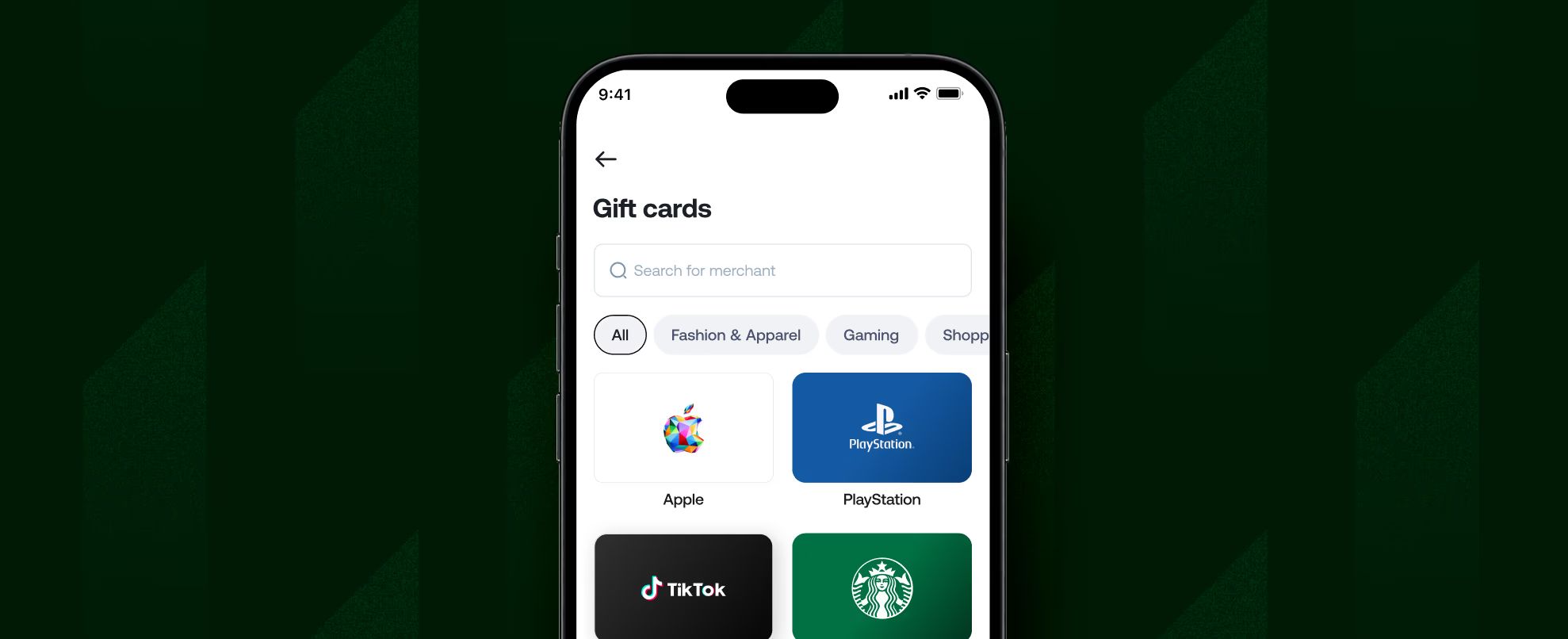
Right on the Grey app, you can shop for your favourite gift cards, including Amazon, Adidas, and Apple, all directly. You can request a virtual USD card to use on international sites that require a US-issued card, so you can pay in dollars without incurring high conversion fees.
This matters more for gift cards than for most purchases because the largest and most popular gift card catalogues, including Amazon US, iTunes, Google Play US, and major US retail brands, are primarily sold through US-based platforms that require a US card. A Grey virtual dollar card works exactly like a US-issued card from the platform’s perspective.
Beyond solving the payment problem, Grey lets you hold and spend US dollars from a multi-currency account, so you’re not paying a conversion margin every time you shop. The card creation fee is $5 with no monthly fee, and cross-border card fees (non-USD purchases on the USD card) are 2% plus $0.50.
Best for: Anyone outside the US who wants to buy gift cards on US sites without their card being declined.
Amazon sells gift cards for its own platform and, in some markets, for other retailers through its gift card store. Digital Amazon gift cards are delivered via email within minutes and can be sent directly to a recipient. Physical gift cards are available for delivery or in-store pickup, depending on your location.
Amazon gift card deals appear during major sale events. Amazon Prime Day and Black Friday occasionally feature cashback offers or small bonus credits on gift card purchases, though these promotions vary by market and year.
Best for: buying Amazon gift cards directly, with fast digital delivery and the backing of one of the most trusted retailers online.
Best Buy’s online gift card store covers a wide range of brands beyond its own: gaming cards (PlayStation, Xbox, Nintendo), streaming services (Netflix, Hulu, Disney+), and tech brands. Digital delivery is typically instant after purchase.
Best Buy occasionally offers bundle promotions on gaming gift cards, particularly around console launch periods and major gaming releases. Its broad catalogue makes it a useful single destination if you’re buying cards for a gamer who might want options.
Best for: gaming and entertainment gift cards with reliable digital delivery from an established US retailer.
Target sells digital and physical gift cards for its own store and for a selection of popular brands, including Apple, Google Play, Amazon, and various restaurant and retail chains. Target Circle members occasionally receive cashback on gift card purchases, effectively reducing the cost below face value.
Target’s gift card section is straightforward and reliable. Digital cards are delivered by email. The main advantage over other major retailers is the occasional Target Circle promotion, which can make Target the cheapest place to buy certain popular brands on specific dates.
Best for: US shoppers who are Target Circle members looking to benefit from periodic gift card promotions.
Walmart’s online gift card store covers a similar breadth to Target, with cards for major retailers, restaurants, streaming services, and gaming platforms. Digital cards are delivered within minutes. Walmart+ members occasionally receive gift card deals tied to membership benefits.
Walmart’s catalogue is large enough that it’s worth checking before going directly to a brand’s own website, particularly for everyday retail and restaurant gift cards.
Best for: a broad selection of retail and dining gift cards from a reliable retailer.
GiftCards.com is a dedicated gift card retailer rather than a general marketplace. It sells both branded gift cards (for specific retailers) and open-loop Visa and Mastercard gift cards that can be used anywhere those networks are accepted. This makes it one of the more flexible options for giving a gift card that works like cash.
Visa and Mastercard gift cards from GiftCards.com can be personalised with a custom image and a personal message, giving them a slightly more gift-like feel than a plain digital code. There are fees on open-loop cards, typically a purchase fee of $3 to $6 per card.
Best for: Visa or Mastercard gift cards that work anywhere, or personalised cards for a recipient who’d appreciate a more customised touch.
Raise is a marketplace where people sell unwanted gift cards, typically at a discount to face value. Buyers can find cards for major US retailers at 5 to 25% below face value, depending on the brand and current supply.
The discount is the main draw. The trade-off is that cards come from other users rather than directly from retailers. Raise verifies cards before listing them and offers a money-back guarantee if a card doesn’t work, which makes it more reliable than unverified peer-to-peer platforms.
Best for: US-based buyers who want discounted gift cards for major retailers and are comfortable buying from a verified secondary marketplace.
CardCash operates similarly to Raise: it buys unwanted gift cards from people and resells them at a discount. The difference is that CardCash acts as both the buyer and seller rather than a peer-to-peer marketplace, so prices are set by CardCash rather than by individual sellers.
Discounts on CardCash typically range from 3% to 15%, depending on the brand. CardCash guarantees card balances for 45 days after purchase. Digital cards are delivered within one to three business days, which is slower than major retailers but reasonable for a discounted purchase.
Best for: discounted gift cards with a platform that takes direct responsibility for the transaction rather than connecting you with an individual seller.
Gameflip is a peer-to-peer marketplace focused specifically on gaming and digital goods. It's the most established platform for discounted gaming gift cards: Steam, PlayStation Network, Xbox, Nintendo eShop, Roblox, and similar. Cards are listed by individual sellers at prices they set, usually 2 to 15% below face value.
Because the buyer base is built specifically for gaming, popular gaming cards tend to sell and be available in higher quantities than on general marketplaces. Gameflip charges a buying fee per transaction, and as with any peer-to-peer platform, buyer protection is slightly less straightforward than buying directly from a retailer.
Best for: discounted gaming and digital platform gift cards, particularly for Steam, PlayStation, and Xbox.
Google Play sells its own gift cards directly, with digital delivery to your Google account or by email code. Google Play gift cards can be used for apps, games, subscriptions (YouTube Premium, Google One), and other digital purchases on the Google Play ecosystem.
Buying directly from Google is the safest option for Google Play cards: there's no risk of a deactivated card or a balance that doesn't match what was advertised. Google occasionally offers bonus credit promotions on Play gift card purchases.
Best for: Google Play gift cards for Android users, bought directly from the source with no risk of fraud.
Apple sells App Store and iTunes gift cards directly through its website and the Apple Store app. These cards work across the Apple ecosystem: App Store purchases, Apple Music, Apple TV+, iCloud storage, and in-app purchases on iOS.
As with Google Play, buying directly from Apple eliminates fraud risk and guarantees the card balance. Digital codes are delivered immediately. Apple gift cards are among the most universally useful gift cards for anyone in the iOS ecosystem.
Best for: gift cards for iPhone and iPad users, bought directly from Apple with immediate digital delivery.
The most reliable way to find gift card deals is to time purchases around major retail events. Amazon Prime Day, Black Friday, and Cyber Monday consistently feature gift card promotions from major retailers, typically in the form of bonus credit (buy a £50 card, receive £5 in account credit) rather than discounted face value.
Secondary marketplaces like Raise and CardCash offer ongoing discounts on popular brands, with the discount percentage varying based on how many people are selling a particular card at any given time. Popular retail brands (Amazon, Target, Walmart) tend to have smaller discounts because demand is high. Niche brands sometimes have larger discounts because they’re harder to sell.
Cashback apps and browser extensions can also reduce the effective cost of a gift card purchase when buying from major retailers. These work by applying cashback to the purchase the same way they would for any other transaction.
A few rules can protect you regardless of which platform you use.
Never share a gift card code with someone who asked you to buy it. Legitimate organisations do not ask for payment in gift cards. If someone asks you to buy gift cards and send them the code, it is a scam.
Buy from platforms with verified reviews and clear return policies. Avoid buying gift cards from individuals on general classified ad sites where there’s no verification and no buyer protection.
Check the card before you hand it over as a gift. Scratch-off panels on physical cards should be intact. If the PIN area appears to have been tampered with, don’t use the card and return it to the retailer.
Keep your receipt until the card has been fully redeemed. If a card turns out to have no balance when used, a receipt is what gives you grounds for a refund.
If you’re outside the US and trying to buy from a US gift card platform, there’s a common and frustrating problem: your local bank card gets declined. This happens because many US retail and gift card sites check the card’s billing country against their supported regions. A Nigerian, Kenyan, Ghanaian, or Indian card will fail this check on many US platforms, even if you have sufficient funds.
The practical solution is a virtual dollar card that registers as a US-issued card for payment purposes. A Grey virtual card does this. It’s a virtual USD that works on international sites the same way a US card does, because it’s issued through Grey's US banking infrastructure.
You hold and spend US dollars from your Grey account, buy the gift card on the US platform, and receive the digital code exactly as a US-based buyer would. No declined transactions, no conversion fees on the purchase itself.
For US-based shoppers, buying directly from retailers (Amazon, Best Buy, Target) is the most reliable option, with guaranteed delivery and no risk of fraud. For discounted gift cards, Raise and CardCash offer below-face-value purchases with verified balances. For gaming gift cards specifically, Gameflip is the most established secondary marketplace. For shoppers outside the US who need to buy from US platforms, a Grey virtual dollar card solves the card-decline problem that affects most local bank cards.
Yes. Secondary marketplaces like Raise and CardCash sell gift cards below face value because they acquire them from people who received cards they don’t want. Discounts typically range from 3 to 25%, depending on the brand and current supply. Discounted cards from reputable, verified platforms are generally safe. Avoid buying discounted gift cards from unverified individuals on classified ad sites, where the risk of fraud is significant.
Buying from official retailer websites and verified platforms is safe. The main risks are on unverified secondary marketplaces where card codes may be invalid, partially used, or fraudulent. Platforms like Raise and CardCash verify balances before listing. Buying directly from Amazon, Google, Apple, or other major retailers eliminates most risk. The FTC advises against buying gift cards at the request of someone you don’t know, as gift card scams are among the most commonly reported forms of payment fraud.
Yes, but you may need a US-issued card to complete the purchase on some platforms. Many US gift card sites decline non-US cards. A Grey virtual dollar card is issued through the US banking infrastructure and works on US platforms the same way a US card does. Once you have the card, you can buy digital gift cards from US sites and receive the code by email the same way a US-based buyer would.
The most common reason a card is declined on a US gift card site is that the site requires a US-issued card, and your local card doesn’t pass that check. A Grey Card fixes this because it’s a virtual USD Mastercard that registers as a US-issued card for payment purposes. Create the card in the Grey app, fund it from your USD balance, and use it on the platform where your local card was declined.
In the US, federal law requires that gift cards not expire for at least five years from the date of purchase, and inactivity fees cannot be charged until the card has been inactive for 12 consecutive months. In other countries, rules vary. Some gift cards, particularly promotional or bonus cards, may have shorter expiry windows stated in the terms. Always check the expiry terms before buying, and use or gift the card well within its valid period.
eSIM vs physical SIM: see how they compare on setup, security, switching carriers and travel, and find which one suits your next trip. Read on.
Olayoyin Olorunmota
•
September 24, 2026
•
2 min read
If you’ve bought a new phone recently, you may have noticed that some models no longer have the regular SIM card slot. I was so confused the first time I saw it. These days, many phones have the option to pick whichever one you prefer.
For some, the eSIM vs physical SIM conversation has a straightforward answer, but the right choice for any individual depends on what they’re using it for. This guide covers how each works, how they compare on the things that matter most to people, and which one makes more sense depending on your situation.
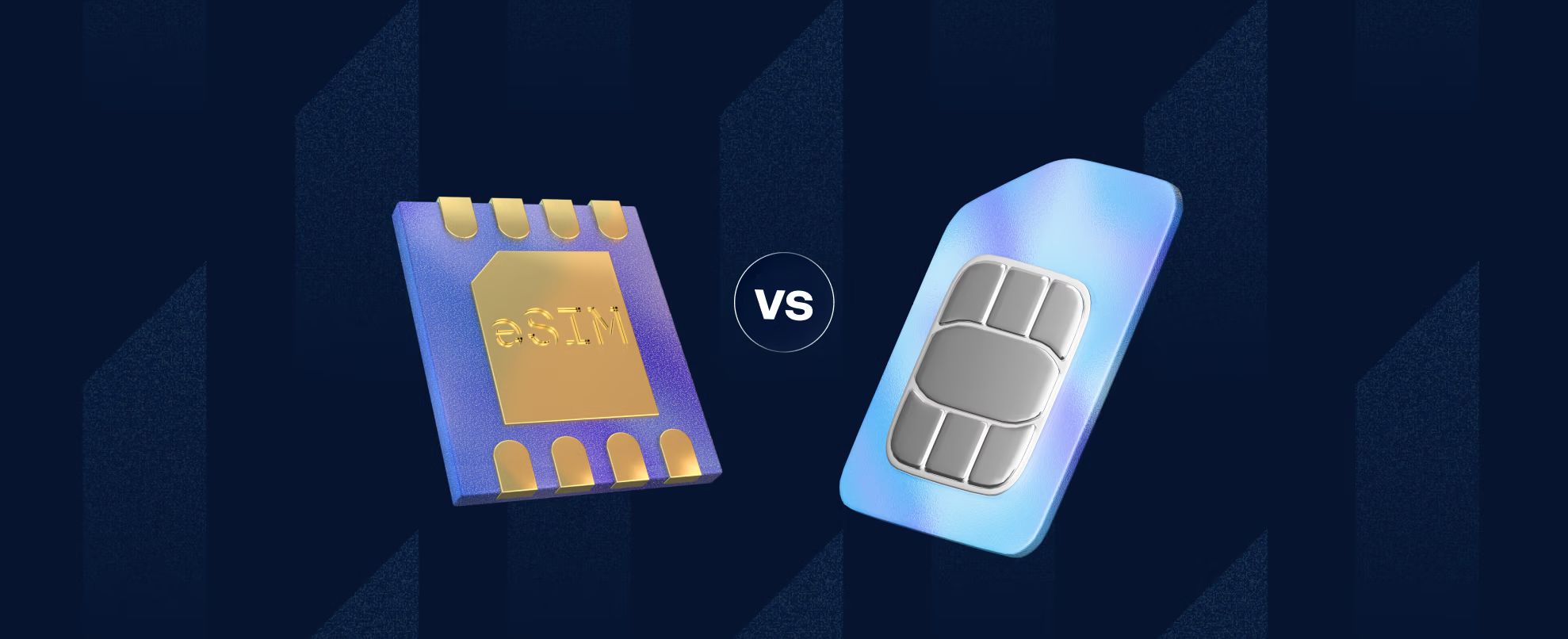
An eSIM, short for embedded SIM, is a SIM card that is built directly into your phone’s hardware rather than inserted as a removable card. It performs exactly the same function as a physical SIM, connecting your device to a mobile network, but instead of swapping a plastic card when you change carriers or add a plan, you download a profile digitally.
The GSMA, the international body that sets mobile industry standards, defines the eSIM standard and manages the specification that allows any compatible device to connect to any eSIM-compatible carrier. Because the profile is digital, you can have multiple carrier profiles stored on a single eSIM and switch between them without touching the device’s hardware.
In practical terms, this means you can add a local data plan when you land in a new country, switch back to your home plan when you return, and manage all of this from your phone’s settings rather than hunting for a SIM card slot with a pin.
Most flagship smartphones released since 2018 support eSIM, and support has expanded significantly across mid-range devices since then.
A physical SIM is the small, removable plastic card that has been the standard for connecting a phone to a mobile network since the 1990s. You insert it into a slot on your phone, it identifies you to the network, and your phone connects. When you change carriers or travel to a new country and want a local number, you remove the old card and insert a new one.
Physical SIMs come in three sizes: standard (the original, now rarely used), micro SIM, and nano SIM, which is what most modern phones use. The card contains a small chip with your subscriber identity information and the credentials your network uses to authenticate your connection.
The primary advantage of a physical SIM is universality. Almost every mobile phone ever made has a SIM card slot, including older models that predate eSIM support. If you need to move a SIM between devices, whether lending your plan to someone or transferring it to a backup phone, the SIM can be removed and reinserted. No account access required.
The limitation is the card’s physical nature. It can be lost, damaged, or stolen. Changing plans requires a new card. Travelling internationally with a local SIM requires carrying multiple cards or swapping them at each destination.
Here’s how the two options compare across the factors that matter most.
On dual SIM use: many modern phones support both an eSIM and a physical SIM simultaneously, effectively giving you two active numbers or plans on one device. This is useful for keeping a personal and work number separate, or for running a home plan alongside a travel data plan. Some newer iPhone models (specifically in the US) have removed the physical SIM slot entirely and now use dual eSIMs instead.
On security: an eSIM provides a meaningful security advantage in one specific scenario. If your phone is stolen, the thief cannot remove the SIM card and use it in another device to make calls or avoid detection. The eSIM is tied to the device hardware and requires account credentials to transfer. A physical SIM in a stolen phone can be removed and inserted into any compatible device.
The answer depends on three things: what you’re using it for, what phone you have, and whether your carrier supports eSIM.
Choose an eSIM if:
Choose a physical SIM if:
Grey now offers eSIM data plans in more than 100 countries, designed specifically for travellers who want local data rates without international roaming charges or the need to queue for a SIM card at the airport.
Just go to the lifestyle tab on your Grey app, select eSIM, choose the desired country, select the plan you want, and you’re good to go. When your trip ends, you can switch back to your regular plan from your settings.
Grey's eSIM plans are available alongside the full Grey account, which lets you hold and spend multiple currencies while travelling, convert at a rate shown before you confirm, and spend with your Grey virtual card without paying foreign transaction fees on every purchase.
The two products work naturally together for anyone who travels regularly. The eSIM keeps you connected at local rates. The Grey account keeps your money in the right currency without losing a percentage to conversion on every coffee and taxi.
Download the Grey app to get an eSIM:
App Store: https://apps.apple.com/us/app/grey-inclusive-global-banking/id1611983085
Play Store: https://play.google.com/store/apps/details?id=co.grey.mobile.android
For most people with a compatible device and a carrier that supports it, an eSIM is more convenient for everyday use and significantly more convenient for travel. You can add plans remotely, switch carriers without visiting a store, and run two numbers on one device. A physical SIM has a practical advantage if you regularly move your SIM between phones or if your carrier doesn’t yet support eSIM. Neither is universally superior: the better option depends on your specific use case and device.
In one specific scenario, yes. An eSIM cannot be physically removed from a stolen phone and inserted into another device. This reduces the risk that a stolen phone’s SIM can be used independently of the device. For most everyday security concerns, including account protection and unauthorised access, security depends on your carrier’s processes and your own account security rather than the SIM type.
Yes, if your phone supports eSIM and your carrier offers an eSIM plan. Most major carriers allow you to convert an existing physical SIM plan to an eSIM digitally, often through the carrier’s app or website. The process typically involves verifying your identity and scanning a QR code. Your number remains the same; only the physical card is replaced by a digital profile.
Yes, in two ways. First, your existing eSIM plan may include international roaming, in which case it works abroad the same way a physical SIM with roaming does. Second, you can add a separate local eSIM plan for the country you’re visiting, which connects you to a local network at local data rates without roaming charges. This second option is one of the primary practical advantages of eSIM for travellers.
Yes, on most modern smartphones. Many devices support dual SIM with one eSIM slot and one physical SIM slot. Some newer models, including certain iPhone models in the US, support dual eSIM with no physical SIM slot at all. Running both allows you to keep two active plans on one device, a useful setup for separating personal and work numbers or for running a home plan alongside a travel data plan.
An eSIM is generally more convenient for travel. You can purchase and activate a local data plan before you arrive or immediately upon landing, without needing to visit a carrier store or buy a physical SIM card. When you return home, switching back to your regular plan takes seconds from your phone’s settings. For travellers visiting multiple countries, being able to add and switch between plans digitally, rather than managing multiple physical cards, is a meaningful, practical advantage.
See how much of each paycheck to save using the 50/30/20 rule and simple targets, then automate it so saving happens before you spend. Start now.
Olayoyin Olorunmota
•
September 24, 2026
•
2 min read
There is no single correct answer to how much of each paycheck you should save. What can help, however, are guidelines and methods for determining what’s realistic for your specific income, costs, and goals.
The most common mistake in savings advice is presenting targets as fixed obligations rather than starting points. Telling someone they must save 20% of their income when their rent takes up 50% of it is great, but it isn’t always helpful. Neither is suggesting they save nothing until the perfect amount is clear. The right savings rate is the highest one you can maintain consistently, and it will change as your income and circumstances do.
This guide covers the standard guidelines, how to adapt them, and how to make saving automatic so the decision doesn’t have to happen every payday.
The most widely cited starting point is 20% of your take-home pay. This figure comes from the 50/30/20 rule, a budgeting framework that allocates income across three broad categories.
For many people in high-cost-of-living areas, or in the early stages of their careers when income is lower, and rent takes a larger share, 20% is not realistic from day one. That’s fine. The goal is to establish a consistent saving habit at whatever level is sustainable now, and increase it over time.
A more useful framing than a fixed percentage is to build an emergency fund first. Before you think about longer-term savings goals, having three months of essential expenses set aside protects you from going into debt when something unexpected happens. Once that foundation is in place, directing additional savings toward specific goals becomes the priority.
If you're starting from nothing and 20% feels out of reach, start with 5%. On a £2,000 monthly take-home, that’s £100. It won’t build wealth quickly, but it establishes the habit and the account structure that larger contributions can flow into as your income grows. Consistently saving a small amount reliably beats irregularly saving a large amount.
The 50/30/20 rule divides your take-home pay into three categories
50% for needs: Essential expenses that you can't avoid: rent or mortgage, utilities, groceries, insurance, transport to work, and minimum debt repayments. If this category is consuming more than 50% of your take-home pay, which is common in high-cost cities, the other percentages have to adjust accordingly.
30% for wants: Discretionary spending: dining out, subscriptions, entertainment, holidays, and new clothes. This is the category that can be reduced most easily if you need to redirect more toward savings.
20% for savings and debt repayment. This covers everything from an emergency fund to retirement contributions to a deposit for a flat. If you carry high-interest debt, prioritising accelerated debt repayment within this 20% makes sense before directing it all toward long-term savings.
Here’s a worked example on a take-home salary of £2,400 per month:
For someone whose needs take 60% of income, the adjusted version might look like:
The saving percentage stays the same while the wants category absorbs the adjustment.
The Consumer Financial Protection Bureau notes that the right savings rate varies significantly by household size, income level, and financial goals. Some financial planners suggest directing the first 10% of income to retirement savings before anything else, treating it as non-negotiable. Others advocate a flat 1% annual increase, so someone saving 5% today saves 6% next year, 7% the year after, and reaches 20% over time without a single dramatic change.
The common thread across all frameworks is that you should consistently save, increase it gradually, and automate it so the decision doesn’t require willpower each month.
A more reliable method than applying a percentage is working backwards from your actual goals.
List every financial goal you’re currently saving toward or know you should be: an emergency fund, a holiday, a deposit, a career break fund, or retirement. Give each one a target amount and a date. Divide each target by the number of months until the deadline. This gives you the minimum monthly contribution required for each goal.
Add the required contributions together. That’s your savings floor. It’s the minimum you need to save each month to hit every goal on the current timeline. If it’s more than you can currently direct toward savings, something has to give: a timeline extends, a target reduces, or spending in another category decreases.
For people with irregular income, freelancers, contractors, and commission-based workers, a fixed percentage works better than a fixed amount. Saving 15 or 20% of whatever comes in means savings scale with income without requiring monthly adjustments. In low-income months, contributions are lower. In high-income months, they're higher. The percentage stays consistent.
For decisions about whether to direct savings toward short-term goals or longer-term investments, see our guide on saving vs investing. The answer varies depending on your timeline and the specific goal. For people in economies where local currency devaluation is a concern, consider holding savings in a stable currency when structuring your emergency fund and medium-term savings.
The most reliable savings system is one that doesn’t require a decision each month. When saving is automatic, it happens in good months and difficult months equally, without relying on remembering or on having enough willpower to resist spending first.
The principle is called paying yourself first. Before any discretionary spending, before any non-essential transfers, a fixed amount moves from your income account to your savings account on payday. What remains in the income account is what you spend. You never see the savings as available.
Here’s how to set it up:
Step one: Decide your monthly contribution amount or percentage. Use the worked method above if the right figure isn’t clear.
Step two: Set up a standing order or automatic transfer to leave your account on the same day your salary arrives, or the day after.
Step three: Direct that transfer to a separate account or named goal, not your current account. When savings sit in the same account as spending money, they get spent. A named goal with a visible target and a separate balance is significantly harder to spend casually.
Grey's Pouch feature lets you set money aside for each financial target you're working toward. Each Pouch is named, has a target amount, and is separate from your main balance. You can also save part of it in USD if protecting against local currency depreciation is relevant to your situation. The combination of automation and separation is what makes saving consistent over time rather than occasional.
Set up a Pouch goal with Grey and move a set amount aside every payday at grey.co/pouch.
The 50/30/20 rule suggests saving 20% of take-home pay. In practice, the right amount is the highest percentage you can save consistently, given your actual income and costs. Starting at 5 to 10% is reasonable if 20% isn't currently achievable. The priority is establishing a consistent habit and increasing the percentage incrementally over time, particularly when income rises.
For most people at most stages of life, 20% is a solid savings rate that covers an emergency fund, retirement contributions, and medium-term goals if maintained consistently over time. Whether it's "enough" depends on your specific goals, your timeline, and when you start. Someone who starts saving 20% at 22 is in a very different position from someone who starts at 42. Earlier is always better, and more is always better, but 20% consistently over a long period produces substantial results.
The 50/30/20 rule is a budgeting framework that divides take-home pay into three categories: 50% for needs (rent, utilities, groceries, insurance, minimum debt payments), 30% for wants (dining out, subscriptions, entertainment), and 20% for savings and debt repayment. It's a starting structure, not a fixed rule. People in high-cost areas often need to allocate more to needs, which adjusts the other categories accordingly.
It depends on the interest rate on the debt. High-interest debt (above 7 to 8%) typically costs more than savings earn, so accelerating repayment on high-interest debt before building savings beyond an emergency fund usually makes financial sense. For low-interest debt (below 5%), it's generally reasonable to save and repay simultaneously. The exception is an emergency fund: having at least one to three months of essential expenses saved before aggressively paying down debt protects you from going further into debt if an emergency occurs during repayment.
Save less. Start with whatever is realistic, 5%, 3%, even £50 a month, and increase it gradually. A consistent small saving habit is more valuable than an inconsistent large one. Each time your income increases, direct a portion of the increase toward savings before adjusting your spending. Over several years, incremental increases compound into a meaningful savings rate without requiring a dramatic change at any single point.
How to open a USD dollar account in the UK without a US address. Best options for UK residents who earn or spend in dollars. Open yours now.
Tunde Aladeloba
•
September 24, 2026
•
2 min read
The United States is the UK’s largest trading partner, accounting for 21.8% of total UK trade in 2025. It was also the UK’s largest export market, with £202.7 billion worth of goods and services exported to the US that year. For you, that can mean more reasons to deal in dollars, whether you work with American clients, sell to US customers, or pay for services priced in USD.
The challenge starts when those dollars land in a GBP account. You may have to convert them immediately, even when you would rather keep the money in USD, and repeated conversions can leave you paying fees while dealing with changing exchange rates. A dollar account gives you somewhere to receive and hold those dollars until you actually need to use or convert them.
That is why more UK residents are looking beyond traditional banks. FinTech platforms such as Grey, Wise, and Revolut offer USD account options, while UK banks also provide foreign currency accounts with their own requirements and fees. This guide walks you through how to open one, what you need, and how the main options differ.
You can live in the UK, earn in pounds, and still have a growing number of reasons to keep money in dollars. Perhaps you freelance for a US client who pays you in USD, work remotely for an American company, or receive regular payments from customers across the Atlantic. Converting every payment to pounds as soon as it arrives may not always be convenient.
A USD account can also make sense when you want to hold dollar savings, pay for USD-denominated subscriptions, or spend money in the US without converting your pounds for every transaction. Instead, you can receive and hold dollars until you need them, giving you more control over when you exchange your money.
If you freelance for international clients, you can read how UK freelancers get paid by overseas clients.
Yes. You do not have to live in the US to hold dollars. As a UK resident, you can open a USD-denominated account through eligible FinTech platforms without a US address or Social Security Number. Some UK banks also offer dollar accounts as part of their foreign currency services.
What matters is understanding the type of account you are opening. A USD account offered by a UK bank or FinTech lets you hold, receive, and send dollars, but it is not the same as having a traditional US bank account. The account may hold USD while remaining with a provider based outside the US.
For many people, this is exactly why a foreign currency account is useful. You can manage money in dollars without needing to open a separate bank account in the country where that currency is used.
A lot of UK citizens need a dollar account for work, travel, or payments from the US. Finding the best option starts with what you need the account to do.
Also read: Best dollar accounts in the UK
Opening a USD account with Grey is an online process, so you can set it up without visiting a bank branch. Once your account is verified, you can request your US account details.
Yes. Eligible UK residents can use FinTech platforms such as Wise or Grey to access USD account details with US routing information. However, these are not necessarily traditional US bank accounts. Eligibility, features, and verification requirements vary between providers.
Yes. Some UK banks offer USD accounts that let you hold and manage dollars. However, the features differ from US banking, particularly around local US payment details and cards. Check the account’s receiving, spending, and conversion options before applying.
There is no single best USD account for every UK resident. Your choice depends on whether you need US payment details, a debit card, USD savings, or regular currency conversion. Compare fees, account features, and eligibility before choosing a provider.
Wise provides eligible customers with USD account details, including an account number and routing number, through its US banking infrastructure. These details can support receiving certain US payments, although the account is provided through Wise rather than being a traditional bank account you open directly.
A standard UK bank account generally cannot receive domestic US ACH payments because ACH uses US banking infrastructure. However, some FinTech platforms provide USD account details with US routing information, allowing eligible customers to receive supported ACH payments.
Does PayPal work in Nigeria in 2026? Current sending and withdrawal limits, workarounds that actually work, and the top alternatives. Read now.
Tunde Aladeloba
•
September 24, 2026
•
2 min read
Getting paid by a client through PayPal can seem straightforward until you are in Nigeria and then start wondering what you can do with the money once it arrives in your account. Can you receive payments? Can you withdraw them to a Nigerian bank account? And are there limits that could affect how you use the account?
PayPal works in Nigeria, but with huge restrictions. Nigerian PayPal accounts can send and receive payments, but cannot withdraw funds directly to a Nigerian bank account. Withdrawals require linking a foreign bank account or debit card. Verify the current withdrawal options directly, as PayPal has changed its Nigerian policies multiple times since 2014.
These restrictions have made the question "does PayPal work in Nigeria**"** more complicated than a simple yes or no. The answer depends on the specific PayPal features available to Nigerian users, how you intend to receive or withdraw money, and any current requirements attached to your account. This guide breaks down what you can currently do, the limitations to understand, and what to check before relying on PayPal for payments.
The changes to PayPal access have opened up more ways for Nigerians to use the platform, but not every feature available in other countries is accessible locally. Here is what you can currently do and where the restrictions remain.
Getting money out of PayPal can be more complicated for Nigerian users because the available withdrawal options differ from those in many other countries. Depending on your account and the options currently available, you may need to use an alternative route to access your funds.
One option is to link a foreign currency account, such as a Grey or Wise account, where PayPal supports the relevant account details. A Nigerian domiciliary account may also be useful where the bank and PayPal support the required withdrawal arrangement. Another option is a supported foreign debit card, while peer-to-peer exchange services offer an alternative route, though they entail additional counterparty and security considerations.
For users who can link a supported Grey USD account, the process can be more straightforward: connect the account to PayPal, withdraw the funds to your Grey balance, and then manage the USD from there, including converting or spending it where supported.
Also read: How to withdraw PayPal funds in Nigeria
The right alternative depends on how you get paid, where the money needs to land, and how much you will pay to receive and withdraw international funds.
Also read: PayPal and Payoneer alternatives for African freelancers
Nigerians can receive PayPal payments, but the features available to Nigerian accounts depend on PayPal’s current local arrangements and account requirements. Before relying on PayPal for freelance income, check which receiving and withdrawal options are available to your account, including any required linking or verification steps.
PayPal’s withdrawal options vary by country because its services are configured around local banking and regulatory arrangements. Nigerian accounts may have different withdrawal methods from accounts in other countries. Rather than assuming every Nigerian bank is supported, check PayPal’s current withdrawal options for your specific account and location.
Yes, using PayPal in Nigeria is not inherently illegal. Nigerian users can access PayPal services subject to the features, verification requirements, transaction rules, and applicable financial regulations. The important distinction is between whether PayPal can legally be used and which specific features PayPal makes available to Nigerian accounts.
The most suitable PayPal alternative depends on how you receive payments and where you need to withdraw your money. Options such as Grey, Payoneer, Wise, and Flutterwave have different receiving, withdrawal, currency, and fee structures. Compare these features against your clients’ payment methods and your preferred way of accessing your earnings.
Whether a Grey account can be linked to PayPal depends on PayPal’s current eligibility requirements and the type of Grey account details you have. Before using this method, confirm that PayPal accepts those account details for withdrawals on your Nigerian account and that Grey supports the intended transaction.

Can you cancel a wire transfer after sending? What banks can and cannot do, and how to act fast if you sent money to the wrong account. Read now.
Tunde Aladeloba
•
September 24, 2026
•
2 min read
There is a particular kind of panic that comes after sending a wire transfer and realising something is wrong. Maybe the account number was incorrect, you sent more money than you intended, or the person you were paying suddenly looks suspicious. You check the transaction again, hoping there is a button somewhere that says “cancel.”
Sometimes, there is still time. A wire transfer may be stopped before your bank processes it, which is why contacting the bank immediately matters. But once the money has left your bank, things become more complicated. Your bank may need to request a recall from the receiving bank, and getting the money back is no longer guaranteed.
For someone sending money across countries or between different banks, that uncertainty can be frightening. You may be wondering whether the recipient has received the funds, whether your bank can actually reverse the payment, or what happens if the transfer was fraudulent.
This guide explains when you can cancel a wire transfer, what happens after processing, and what to do if you need your money back.
The first few minutes after sending a wire transfer can make all the difference. You may still be able to stop the payment, but once your bank has processed it, cancelling it becomes much harder.
When you send a wire, the transaction generally moves through two stages. Initiation is when you submit the payment and your bank is still processing the instruction. During this stage, there may be a narrow window to cancel the transfer, although the exact timing varies by bank and payment method.
The second stage is settlement, when the funds move through the banking system to the recipient’s bank. Once the transfer has been processed and settled, you usually cannot simply cancel it. Your bank may instead need to request a recall, which the receiving bank may accept or refuse.
This is different from an ACH payment, so understanding the difference between ACH and wire transfer can help you know what options you have.
When a wire transfer needs to be stopped, speed matters more than almost anything else. The sooner your bank knows there is a problem, the more opportunity it may have to act before the payment is processed.
If you regularly send money internationally, the international wire transfer guide can also help you understand how these payments move between banks.
Once a wire transfer has left your bank, getting the money back becomes a different process. Instead of simply cancelling the payment, your bank may need to start a formal wire recall, asking the receiving bank to return the funds.
The request usually moves between the two banks rather than directly between you and the recipient. The receiving bank then checks whether the money is still available in the recipient’s account and whether its procedures allow the funds to be returned. In some cases, the account holder may also need to consent before the money can be released.
That is where the outcome can become uncertain. If the funds are still sitting in the account and the recipient agrees, the recall may succeed. If the money has already been withdrawn, the receiving bank may refuse the request. It is also possible for a bank not to respond to the request.
A recall can take around 7 to 14 business days, although the timeline varies between banks and circumstances. Most importantly, submitting a recall does not guarantee that your money will be returned.
A recall is not always enough to bring your money back. Once the transfer has reached the receiving bank, several things can make recovery difficult or even impossible.
The most obvious problem is that the funds have already been withdrawn from the recipient’s account. Your bank can still submit a recall request, but the receiving bank may have nothing left to return.
The process can also become more complicated if the receiving bank does not participate in the SWIFT recall process. Transfers involving a cryptocurrency exchange may present another challenge because the money can move through a platform rather than remain in a traditional bank account.
The recipient’s location can matter too. If the account is in a country with limited cooperation between financial institutions, your bank may have fewer options for recovering the funds.
This is why acting quickly matters. If you have just sent a payment and need to cancel a wire transfer, contact your bank immediately rather than waiting to see what happens.
A few minutes of checking before you send money can save you from a much bigger problem later. Start by verifying the recipient’s account details by phone, especially when you are making a payment for the first time or sending a large amount.
For larger transfers, use a confirmation call-back procedure so the payment details are confirmed through a trusted contact method rather than simply replying to an email. Then check the IBAN or account number digit by digit before authorising the transfer. One incorrect number can send the payment somewhere you did not intend.
Be especially careful when someone emails you to say their bank details have changed. Confirm the new details independently before making the payment.
These simple checks can also help you avoid some of the top money transfer scams to avoid, particularly those that rely on fake payment instructions.
A wire transfer recall can take several business days, depending on the banks involved, the payment route, and whether the receiving bank cooperates. There is no universal timeline, but international recalls can take longer because multiple institutions may need to review and process the request.
A bank may be able to stop a wire transfer before it is processed. Once the payment has been sent, however, the bank generally cannot simply reverse it. It may submit a recall request to the receiving bank, but recovery depends on the circumstances and is not guaranteed.
Contact your bank immediately and provide the transfer details and reference number. Your bank may be able to stop the payment if it is still pending or submit a recall if it has already been sent. Recovery depends on whether the funds remain available.
It depends on the payment. Some Zelle payments cannot be cancelled once they have been sent to an enrolled recipient. ACH payments may sometimes be stopped before processing, but the rules depend on the bank, payment status, and type of ACH transaction.
Start by asking for the bank’s wire transfer or fraud department and request a clear explanation of your options. If the issue remains unresolved, you can ask about the bank’s formal complaint process and the relevant financial regulator or dispute-resolution body in your country.
When a wire transfer goes wrong, acting quickly can make a real difference, but prevention is still your strongest protection. Grey gives you another way to manage international money with a multicurrency account, while the Grey virtual card lets you spend from your balances when needed. You can sign up or download the app to get started.
.jpg)
Compare the best and cheapest LLC formation services, what each includes, and how to fund your new LLC in USD once it is registered. Compare.
Tunde Aladeloba
•
September 24, 2026
•
2 min read
A business idea can be exciting until the paperwork starts. Choosing a business structure, checking your state’s requirements, paying the filing fee, and making sure everything is submitted correctly can quickly make LLC formation feel more complicated than expected.
The good news is that forming an LLC does not always require paying a company to do it for you. In many cases, you can file directly with your state and pay the required state filing fee. However, handling everything yourself means taking care of the paperwork, registered agent requirements, and other state-specific steps.
For people who prefer convenience, LLC formation services can handle much of this process for an additional fee. Some even advertise free formation, although you may still need to pay the state filing cost and may encounter additional charges for optional services.
With so many providers available, comparing the best LLC formation services means looking beyond the headline price. The registered agent cost, turnaround time, included features, renewal fees, and overall filing process can all affect what you actually pay. This guide compares your options so you can find a formation service that fits your budget and needs.
Also read: How much does it cost to start an LLC?
Starting an LLC does not have to mean paying a formation company to handle everything for you. The cheapest route is usually filing directly with your state, where your main cost is the required state filing fee. The trade-off is that you are responsible for getting the paperwork right and meeting every state requirement.
Filing yourself can be a good fit when you have a straightforward business and enough time to handle the process. You will typically need to:
Paying for a service may be worthwhile when you want someone else to handle the filing or help you avoid administrative mistakes. Some providers offer low-cost or free formation packages, although you still pay the state fee and may be charged for extras such as registered agent services or compliance support.
The right choice comes down to whether saving money or saving time matters more for your situation.
The comparison below looks at base pricing, registered agent costs, processing times, and the features that distinguish each LLC formation service.
Also read: Open a USD business account without a US address
Also read: How to File Taxes for an LLC: A Step-by-Step Guide
The cost of forming an LLC can change quite a bit depending on where you file. The formation service may advertise a $0 price, but you still have to pay the state filing fee, and some states charge annual fees that can make a cheap setup more expensive over time.
For the lowest upfront cost, look for a provider with a $0 base fee, such as Bizee or ZenBusiness, then compare the government fee and ongoing costs in your state.
Here are four states with some of the lowest government filing costs:
New Mexico and Missouri can be particularly interesting when you look beyond the initial filing cost because there is no annual report or recurring state fee listed here.
California is a good example of why the lowest filing fee does not necessarily mean the least expensive LLC to maintain.
The initial state filing fee is $70, and you must also file a Statement of Information within 90 days, which costs $20. The bigger expense is the $800 annual franchise tax. That means the ongoing cost can quickly outweigh what you saved by choosing a $0 formation service.
Before choosing a state, look at the full cost of keeping the LLC active, not just what it costs to file on day one.
A formation service can look incredibly cheap when you first land on its pricing page. The number that catches your eye may only cover basic filing, while important services are added at checkout or automatically renewed the following year. Before entering your card details, take a few minutes to check what you are actually paying for.
The cheapest price at checkout is not always the cheapest cost over the life of your LLC.
Getting your LLC approved is an important step, but there is still the practical side of running the business. Once the paperwork is done, you need a reliable way to receive payments, manage business income, and access your money when clients start paying you.
For freelancers and business owners working with US clients, a Grey USD account can give you a way to receive USD income without asking clients to deal with unfamiliar international payment processes. Funds can be managed from your Grey account, giving you a clearer way to separate business income from your personal finances.
The Grey virtual card can also help when you need to spend your business funds online or pay for services and subscriptions. Keeping your income and business spending organised from the beginning can make your finances easier to manage as the company grows.
You can sign up for Grey or download the app to get started and set up your account for international payments.
The cheapest way is usually filing the Articles of Organization yourself through your state's Secretary of State portal and paying only the mandatory state government fee. You avoid the service fee charged by formation companies, although you remain responsible for completing the paperwork and meeting all state requirements.
They can be useful if you want to save time, keep your home address off public business records where possible, or get help managing compliance requirements. The value depends on what the service includes and what you would otherwise handle yourself. Compare the upfront price with recurring fees and optional add-ons.
Absolutely. You can generally visit your state's official business registration website, complete the required formation documents, and pay the applicable state filing fee. The exact process varies by state, so check the requirements before submitting your application and make sure you understand any follow-up obligations.
What is a registered agent?
A registered agent is a person or company designated to receive legal documents, official notices, and certain government correspondence for your LLC. The agent generally needs a physical address in the state where your LLC is registered and must be available to receive documents during required business hours.
The processing time depends on the state and how you file. Online applications can sometimes be processed within a few business days, while paper filings may take longer. Some states offer expedited processing for an additional fee. Check your state's current processing times before submitting your application.
The ongoing cost depends on your state. Some states charge annual or biennial report fees, franchise taxes, or other recurring charges, while others have little or no annual upkeep. Check your state’s requirements so you know what you will pay after the initial filing.
Yes. Most states allow you to change your LLC’s legal name by filing an amendment with the appropriate state agency and paying a fee. Before making the change, check your state’s naming rules and confirm that your preferred new name is available.

Send money from Nigeria to Kenya M-Pesa instantly with Grey. $0.50 per transfer via Safaricom or Airtel, 1% conversion fee capped at $6. Step-by-step guide.
Priscila Marotti
•
September 24, 2026
•
2 min read
If you are sending money from Nigeria to someone in Kenya, there is a good chance they want it on M-Pesa. Over 30 million Kenyans use M-Pesa for everything from groceries to rent to school fees. It is less a payment app and more a financial operating system. For many recipients, getting money into their M-Pesa wallet is faster and more useful than getting it into a bank account they might not check every day.
The challenge from the Nigerian side is that most international transfer apps are built for the diaspora sending money home to Nigeria, not the other way around. But a handful of apps now support outbound transfers from Nigeria to Kenya, and some of them deliver directly to M-Pesa.
This guide covers how to send money from Nigeria to Kenya via M-Pesa using Grey, what it costs, how long it takes, and how it compares to sending via bank transfer or other apps.
M-Pesa is a mobile money service operated by Safaricom in Kenya. It launched in 2007 and has since become the most widely used payment platform in the country. Users hold a digital balance on their phone number and can send money, pay bills, buy goods, and withdraw cash at thousands of agent locations. Airtel Kenya also operates a mobile money service that works on the same principle.
For international transfers, M-Pesa matters because it is how most Kenyans prefer to receive money. A bank transfer requires the recipient to have a bank account, know their account number, and wait for the funds to clear. An M-Pesa transfer arrives instantly on their phone, and they can use it immediately or withdraw cash at any nearby agent. This is why Grey and other transfer apps offer M-Pesa as a delivery option alongside bank transfer.
When you send money from Nigeria to Kenya via Grey, you are not sending to M-Pesa directly. You are sending Kenyan Shillings through Grey's payment infrastructure, and the funds are deposited into your recipient's M-Pesa wallet through Safaricom's or Airtel's network. Your recipient sees the money arrive as a standard M-Pesa deposit.
The process takes a few minutes from your phone. Here is how to do it step by step.
1. Open the Grey app and tap Send. From your home screen, tap Send to start a new transfer.
2. Search for Kenyan Shilling. In the currency search, type "Kenyan Shilling" or "KES" and select it. This tells Grey you want to deliver funds in KES to a recipient in Kenya.
3. Tap "Add KES recipient" and choose mobile money. You will see two options: bank transfer or mobile money. Select mobile money. Grey supports two mobile money networks in Kenya: Safaricom (M-Pesa) and Airtel.
4. Enter your recipient's details. You need their full name and their mobile phone number. For Safaricom M-Pesa, this is their Safaricom number (starting with 07 or 01). For Airtel, it is their Airtel Kenya number. Make sure the number is correct, because the transfer is processed instantly and cannot be reversed once sent.
5. Enter the amount and review. Type the amount you want to send in KES or in your source currency. Grey shows the live exchange rate, the 1% conversion fee (capped at the equivalent of $6), the $0.50 M-Pesa payout fee, and exactly how much your recipient will receive. Everything is on one screen before you confirm.
6. Confirm with your PIN or 2FA code. Review the summary, confirm, and the transfer is processed. Your recipient receives the funds in their M-Pesa wallet instantly.
Your recipient does not need a Grey account. They do not need to download anything. The money arrives as a standard M-Pesa deposit on their phone, and they can spend it, transfer it, or withdraw it at any M-Pesa agent.
There are two costs: the conversion fee and the payout fee. Both are shown before you confirm the transfer.
The cap is what makes larger transfers disproportionately cheaper. At $500, you pay $5.50 in total fees. At $2,000, you still pay $6.50. The conversion fee stops scaling at $6, so every dollar above $600 is effectively free to convert.
M-Pesa is also $0.15 cheaper per transfer than a bank transfer ($0.50 versus $0.65). If you send regularly, choosing mobile money over a bank transfer saves a small amount each time.
One thing to be aware of: your recipient may pay a separate M-Pesa fee when they withdraw cash from an agent. M-Pesa withdrawal fees in Kenya are set by Safaricom, not by Grey, and range from KES 11 for small amounts up to KES 309 for amounts above KES 50,000. If your recipient spends the money directly from their M-Pesa wallet using Lipa Na M-Pesa (buy goods or pay bill), there is usually no withdrawal fee at all.
How long does the transfer take
This makes the Nigeria-to-Kenya corridor one of the fastest on Grey's network. For comparison, transfers to the US take 1 to 2 business days via ACH, and transfers to Algeria via bank take 5 business days. Kenya via M-Pesa is immediate.
For most transfers to Kenya, M-Pesa is the better option. It is cheaper ($0.50 versus $0.65), equally fast, and more convenient for the recipient. The only reason to choose bank transfer is if your recipient specifically wants the funds in their bank account rather than their M-Pesa wallet, or if they plan to hold the money rather than spend it immediately.
Grey is not the only app that supports this corridor. Here is how the main alternatives compare.
Pesa claims zero transfer fees on the Nigeria-to-Kenya corridor with instant delivery. As with all Pesa transfers, the cost is embedded in the exchange rate markup rather than shown as a visible fee. To know the true cost, compare the amount your recipient receives on Pesa versus what they would receive on Grey at the same moment.
Eversend supports the Nigeria-to-Kenya route as one of its intra-African corridors. Fees are shown in-app before you confirm, but are not published on the website. Eversend has over 1.6 million registered users and also supports stablecoin wallets.
Flutterwave Send charges 1% on all outbound transfers from Nigeria with no published cap. It supports Kenya as a destination. On a $1,000 transfer, Flutterwave charges $10 in conversion fees versus $6 on Grey.
Wise, LemFi, WorldRemit, and Remitly do not support outbound transfers from Nigeria. If you need to send money from Nigeria to Kenya or any other country, these apps will not work. For a full comparison of apps that do, see how to send money from Nigeria to any country in 2026.
Nothing. Your recipient does not need to download an app, create an account, or take any action before you send. The money arrives in their existing M-Pesa wallet the moment you confirm the transfer.
After receiving the funds, your recipient can:
Spend directly using Lipa Na M-Pesa at any till or paybill number. This is free in most cases.
Send to someone else via standard M-Pesa send money. Safaricom charges KES 0 to KES 108 depending on the amount.
Withdraw cash at any M-Pesa agent location across Kenya. Agent withdrawal fees range from KES 11 to KES 309, depending on the amount.
Transfer to a bank account via M-Pesa to bank. Some banks charge a small fee for this.
If your recipient uses Airtel Money instead of Safaricom M-Pesa, the process is the same on your end. You select Airtel as the network when adding the recipient, and the funds arrive in their Airtel Money wallet.
Also read: Cheapest way to send money from Nigeria in 2026
Yes. Grey supports sending money from Nigeria directly to M-Pesa wallets in Kenya. Both Safaricom and Airtel networks are supported. The transfer is instant and costs $0.50 per transaction plus a 1% conversion fee capped at the naira equivalent of $6.
The total cost is the conversion fee plus the payout fee. The conversion fee is 1% of the amount, capped at $6 on major currency pairs. The M-Pesa payout fee is $0.50 equivalent in KES per transaction. On a $500 transfer, the total cost is $5.50. On a $1,000 transfer, the total cost is $6.50 because the $6 cap applies.
Transfers from Nigeria to Kenya via both M-Pesa and bank transfer are instant. Once you confirm the transfer in the Grey app, your recipient's wallet or account is credited within seconds.
No. Your recipient does not need Grey or any other app. The money arrives as a standard M-Pesa deposit in their Safaricom or Airtel wallet. They can spend it, send it, or withdraw it like any other M-Pesa funds.
M-Pesa is slightly cheaper. The M-Pesa payout fee is $0.50 per transaction compared to $0.65 for a bank transfer. Both are instant. M-Pesa is also more convenient for most Kenyan recipients since over 30 million people use it daily.
Grey does not charge the recipient. However, if your recipient withdraws the funds from an M-Pesa agent, Safaricom charges a withdrawal fee that ranges from KES 11 to KES 309 depending on the amount. If they spend directly using Lipa Na M-Pesa, there is usually no fee.
You need the recipient's full name and their Safaricom or Airtel mobile phone number. Make sure the phone number is correct, as M-Pesa transfers are processed instantly and cannot be reversed once sent.
How to send money from Nigeria to any country in 2026 is the full guide covering which apps work for outbound Nigeria, fees across all providers, CBN rules, and destination coverage.
Cheapest way to send money from Nigeria in 2026 compares the exact cost of sending $500, $1,000, and $2,000 with Grey, Flutterwave Send, Pesa, and Eversend.
Fees for sending money to Kenya is Grey's support article with the official fee table for KES transfers.
Exchange rates on Grey are variable and include a margin over the mid-market rate. Always review the rate before confirming a conversion. Grey is a financial technology company, not a bank. Banking services are provided by licensed banking partners. This article is general information, not financial advice.
.jpg)
Naming your LLC? Learn the legal naming rules, practical tips, and real examples, plus how to check the name is available before you register. Start.
Tunde Aladeloba
•
September 23, 2026
•
2 min read
Naming your LLC can feel simple until you start writing down the names you like and realise you have to consider much more than whether a name sounds good. Your choice needs to fit your business, meet your state’s rules, and be available when you are ready to file.
An LLC name must include a designator such as LLC or Limited Liability Company, be unique in your state, and not imply it is a bank or government body. Check availability on your state business registry before filing. Pick a name that is clear, memorable, and works as a domain and social handle.
Before settling on one of your llc company names, think about how it will look on your website, invoices, social media pages, and future marketing. A clever name might sound great today but become limiting if your business expands into new products or services.
The safest approach is to shortlist a few names, check each one against your state’s requirements, and see whether the matching domain and social handles are available. That way, you can choose a name you are confident using long after your LLC is registered.
The name you have in mind may sound perfect, but you still need to make sure it meets your state’s naming rules before putting it on your LLC application. The exact requirements vary by state, but a few rules apply in most places.
Your business name generally needs to show that it is an LLC. Depending on your state, you may use LLC, L.L.C., or Limited Liability Company as part of the name.
Your name must usually be distinguishable from other registered businesses in the state. Search your state’s business registry before filing to see whether your preferred name, or something very similar, is already taken.
Some words may require additional paperwork, licences, or approval. Terms associated with banking, insurance, universities, or professional services can have specific restrictions depending on your state.
Your LLC name should not suggest that your business is a government agency, bank, or another organisation when it is not. Check your state’s rules before filing so you do not have to change the name later.
Once your name meets the legal requirements, the next question is whether it will actually work for your business. A name can be available and still be difficult to remember, hard to spell, or too limiting as your business grows.
Keep the name simple enough for someone to hear it once and remember it later. Avoid complicated spellings or combinations that people may struggle to pronounce or search for online.
Before you get attached to a name, search for the matching website domain and social media handles. Having an easy-to-find name online can help customers discover your business.
Think about where you want the business to be in a few years. A name tied too closely to one product, location, or service can become restrictive if you expand.
A name like “Austin Web Design LLC” may work well if you only offer web design in Austin, but it could feel limiting if you later add branding services or work with clients elsewhere.
The strongest LLC company names give you room to build, change, and grow without needing a new identity every time your business evolves.
Also read: LLC vs sole proprietorship: Which is right for you?
The right naming style often depends on what you do, so these hese LLC name ideas show how you can combine different words to create a name that fits your industry and business direction.
Also read: How to File Taxes for an LLC: A Step-by-Step Guide
Finding a name you like is only the first step. Before you pay a filing fee, take a few minutes to make sure the name is actually available and will not create problems for your business later.
Search your state’s Secretary of State or business registration website for the exact name you want. Look for businesses with identical or confusingly similar names, since your LLC generally needs to be distinguishable from existing entities.
A name being available in your state does not automatically mean you are free to use it as a brand. Search the USPTO trademark database for similar names, including different spellings and businesses offering related goods or services.
Search for the matching website domain and social media usernames before you file. A business name may be legally available but difficult to build an online presence for if someone else already controls the digital identity.
Once you have completed these checks, you can move on to comparing the best LLC formation services and choose how you want to file.
Once you have settled on a name and confirmed it is available, the next step is to get your LLC ready to operate. File your Articles of Organisation, or the equivalent formation document, with your state and pay the required filing fee. After your LLC is approved, apply for an Employer Identification Number (EIN) through the IRS. You may need an EIN for tax purposes, hiring employees, and opening business accounts.
With the legal setup out of the way, think about how clients will pay your business, especially when you work with customers outside the US. A Grey USD account lets you receive eligible USD payments and manage your international business income. You can sign up for [Grey](https://app.grey.co/auth/register?) or download the app to create your account and start receiving international payments.
Yes. Most states require your formal LLC name to include a designator such as “LLC,” “L.L.C.,” or “Limited Liability Company.” The exact naming rules vary by state, so check your state’s requirements before filing. The designator must form part of the registered legal business name.
Generally, no. Your LLC name must usually be distinguishable from other registered business entities in your state. Even small differences may not be enough if the names are considered confusingly similar. Check your state’s business registry before filing to make sure your preferred name is available.
Yes. You can generally change your LLC’s legal name after formation by filing an amendment with your state and paying the required processing fee. Before changing it, check your state’s requirements and make sure the new name is available. You may also need to update your business records.
A DBA, or “Doing Business As” name, allows your LLC to operate under a name different from its registered legal name. This can be useful when you want a more customer-friendly brand without changing the LLC’s official name. DBA registration requirements vary by state and locality.
Registering an LLC generally protects your business name only within the state where you form the company. If you want broader brand protection, you can consider applying for a federal trademark through the USPTO. Trademark rights depend on the application, registration, and how the mark is used.
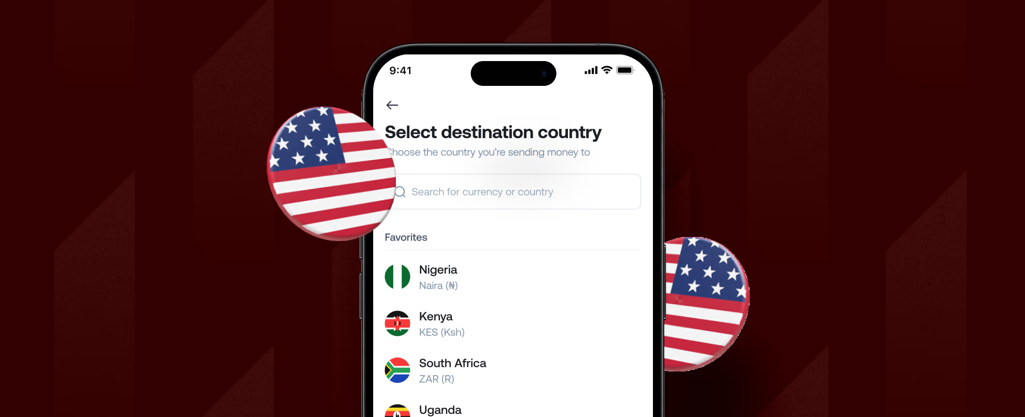
Send money from the US to Kenya, Nigeria, Ghana, South Africa, Egypt, and 40+ more African countries. Fees, speed, and delivery methods compared.
Priscila Marotti
•
September 23, 2026
•
2 min read
Africa receives more remittances from the United States than from any other single country. Nigerian Americans, Ghanaian Americans, Kenyan Americans, Ethiopian Americans, and communities from across the continent send billions of dollars home every year to support families, pay school fees, cover medical costs, and invest in property.
The challenge has always been cost. The World Bank has consistently found that sub-Saharan Africa is the most expensive region in the world to send money to, with average fees exceeding 7% of the transfer amount. Part of that cost is structural: many African recipients rely on mobile money or cash pickup rather than bank accounts, and some corridors require multiple intermediaries to complete a transfer.
A new generation of transfer apps has dramatically reduced fees across most US-to-Africa corridors. This guide covers how to send money from the US to Africa in 2026, what each major destination costs, how long transfers take, and which apps work best for different African countries.
The table below covers the most common US-to-Africa corridors on Grey. Fees shown are Grey's payout fees per transaction, on top of the standard 1% conversion fee (capped at the equivalent of $6 on major currency pairs).
Total cost on $500 = $5 conversion fee (1% of $500) + payout fee. On transfers above $600, the conversion fee is capped at the equivalent of $6, so the total cost grows only by the payout fee. Grey fee data from support.grey.co, September 2026.
A few patterns stand out. East African corridors (Kenya, Tanzania, Uganda) are the cheapest and fastest, with instant M-Pesa delivery to Kenya at just $0.50 per transfer. North African corridors (Egypt, Morocco, Algeria) carry slightly higher payout fees and, in Algeria's case, longer bank settlement times. West African corridors (Ghana, Nigeria, Senegal, Cameroon) fall in between.
On transfers above $600, the conversion fee caps at the equivalent of $6 regardless of the amount. That means a $2,000 transfer to Kenya via M-Pesa costs $6.50 total ($6 conversion + $0.50 payout), not the $20 to $40 you might pay through a bank wire or a percentage-based app.
One of the biggest differences between sending money to Africa and sending to Europe or Asia is how recipients access their funds. In much of Africa, mobile money is more widely used than traditional bank accounts.
Kenya is the most mobile-money-dominant market in the world. Over 30 million Kenyans use M-Pesa daily for everything from groceries to rent. If you are sending to Kenya, M-Pesa is almost always the right choice. It is cheaper ($0.50 versus $0.65 for bank transfer), equally fast (instant), and more convenient for your recipient. Send money from the US to Kenya.
Ghana has strong mobile money adoption through MTN Mobile Money. Grey supports mobile money delivery to Ghana at $1.00 per transfer, compared to $1.20 for a bank transfer. Both arrive on the same day. Send money from the US to Ghana.
Nigeria is primarily bank-transfer-based. Mobile money adoption is growing with platforms like OPay, but most Nigerians still receive international transfers into their bank accounts. Grey delivers to all major Nigerian banks.
Egypt supports both bank transfer and mobile money. Bank transfers settle in one business day (processed before 1 PM GMT, Sunday to Thursday). Mobile money arrives the same day.
South Africa is bank-transfer only on Grey. Transfers arrive within 1 to 2 business days.
Algeria is the exception to speed. Bank transfers take five business days due to settlement infrastructure constraints in the Algerian banking system. Mobile money via Ooredoo, Mobilis, or Djezzy is same-day. If your recipient can use mobile money, choose that option to avoid the five-day wait.
Several apps serve the US-to-Africa corridors well, but their strengths differ by country and delivery method.
The process is the same regardless of which African country you are sending to. Here is how it works.
1. Open your Grey account. Download the Grey app, sign up, and verify your identity. US residents need a government-issued ID. Grey is licensed by FinCEN as a Money Services Business.
2. Fund your account. Transfer USD from your US bank account into your Grey wallet. You can fund via ACH (free, arrives same day) or wire transfer.
3. Choose your destination. Tap Send, select the destination currency (KES for Kenya, GHS for Ghana, NGN for Nigeria, ZAR for South Africa, etc.), and choose bank transfer or mobile money.
4. Enter your recipient's details. For mobile money, you need their phone number and the network (Safaricom, Airtel, MTN, etc.). For a bank transfer, you need the bank name and account number. Grey shows the exchange rate, conversion fee, payout fee, and the exact amount your recipient will receive before you confirm.
5. Confirm and send. Review the summary and confirm with your PIN. For Kenya M-Pesa, the money arrives instantly. For most other African destinations, it arrives the same day or within 1 to 2 business days.
Your recipient does not need a Grey account. The funds arrive as a standard deposit in their bank account or mobile money wallet.
Use mobile money when available. M-Pesa in Kenya ($0.50) is cheaper than a bank transfer ($0.65). MTN Mobile Money in Ghana ($1.00) is cheaper than a bank transfer ($1.20). If your recipient can receive via mobile money, it is usually the cheaper and faster option.
Batch your transfers to benefit from the fee cap. If you send $500 monthly, you pay $5 in conversion fees each time ($60 per year). If you send $1,500 quarterly instead, you pay $6 each time ($24 per year). The cap at the equivalent of $6 rewards larger, less frequent transfers.
Avoid Algeria bank transfers if speed matters. Algerian bank transfers take five business days. If your recipient has access to Ooredoo, Mobilis, or Djezzy mobile money, use that instead for same-day delivery at the same cost.
Also read: Best apps to send money internationally from the US in 2026 for a broader comparison, including European and Asian destinations.
For transfers above $600, Grey's 1% conversion fee capped at the equivalent of $6 is the lowest published rate among apps with transparent pricing. On a $1,000 transfer to Kenya via M-Pesa, the total cost is $6.50 ($6 conversion + $0.50 payout). Apps like Sendwave charge no visible fee but embed cost in the exchange rate. Always compare the amount your recipient actually receives.
It depends on the destination and delivery method. Kenya via M-Pesa is instant. Ghana via mobile money arrives the same day. Nigeria via bank transfer is same day or next day. South Africa and Ethiopia are 1 to 2 business days. Algeria via bank transfer takes 5 business days, though mobile money is same-day.
Yes. Grey supports M-Pesa delivery to Kenya from the US via both Safaricom and Airtel. The payout fee is $0.50 per transfer and delivery is instant. Your recipient receives the money in their M-Pesa wallet and can spend, send, or withdraw it immediately.
Grey supports transfers from the US to Kenya, Nigeria, Ghana, South Africa, Egypt, Morocco, Algeria, Tanzania, Uganda, Rwanda, Senegal, Cameroon, Ethiopia, and additional African destinations. Both bank transfer and mobile money are available in most markets.
Mobile money is usually slightly cheaper. In Kenya, M-Pesa costs $0.50 per transfer versus $0.65 for bank transfer. In Ghana, mobile money costs $1.00 versus $1.20 for bank transfer. Both options are equally fast in most countries. Mobile money is also more convenient for recipients who do not use a bank account regularly.
Personal remittances sent from the US to Africa are generally not taxable for the sender. The US does not tax outgoing personal transfers. However, if you send more than $16,000 to a single individual in a calendar year, you may need to file a gift tax return (IRS Form 709), though no tax is typically owed until you exceed the lifetime exemption. Consult a tax professional for your specific situation.
Best apps to send money internationally from the US in 2026 is the broader comparison covering all destinations, not just Africa.
How to send money from Nigeria to any country in 2026 is the outbound Nigeria guide, where the competitive landscape is very different from US-to-Africa.
Exchange rates on Grey are variable and include a margin over the mid-market rate. Always review the rate before confirming a conversion. Grey is a financial technology company, not a bank. Banking services are provided by licensed banking partners. This article is general information, not financial or tax advice. Consult a qualified professional for tax questions.
Compare the best apps for sending money from the US in 2026. Wise, Grey, Remitly, WorldRemit, and Sendwave: fees, speed, and where each one works best.
Priscila Marotti
•
September 23, 2026
•
2 min read
If you send money from the United States to family, friends, or business contacts abroad, you have probably noticed that the options have multiplied. Ten years ago, it was Western Union or your bank. Now there are over a dozen apps competing for each transfer, each with a different fee structure, exchange rate approach, and set of destination countries.
The problem is not a lack of options. It is the right app that changes depending on where you are sending, how much you are sending, and how your recipient wants to receive the money. An app that is excellent for sending $500 to India via bank deposit might be a poor choice for sending $200 to Kenya via M-Pesa.
This guide covers six of the best apps for sending money internationally from the US in 2026. For each one, we explain what it actually costs, where it works best, and what to watch out for. If you are looking for a broader overview of sending money from the US with Grey, the corridor hub page covers every supported destination.
Fee ranges are illustrative and vary by corridor, amount, and payment method. Always compare the total amount your recipient receives, not just the headline fee. Last checked: September 2026.
Grey is a multi-currency account provider that supports transfers from the US to over 50 countries. It is particularly strong on African corridors, where it offers both bank transfer and mobile money delivery, including M-Pesa in Kenya, MTN Mobile Money in Ghana, and direct bank transfers across the continent.
Grey charges a 1% conversion fee on all transfers, capped at the equivalent of $6 on major currency pairs (USD, EUR, GBP). That cap is the differentiator. On a $500 transfer, the fee is $5. On a $1,000 transfer, the fee is $6. On a $5,000 transfer, the fee is still $6. Most other apps charge a percentage that scales with the amount, or a flat fee plus a rate markup that grows with volume. Grey's cap means that anyone regularly sending above $600 pays less per transfer than they would on almost any other platform. Full details on Grey's fee calculator.
On top of the conversion fee, there is a flat payout fee per destination. For the US-to-India corridor, that is $1.50. For Kenya via M-Pesa, it is $0.50. For Ghana via mobile money, it is $1.00. UK destinations carry no separate payout fee.
Grey also provides multi-currency accounts (hold USD, EUR, and GBP), a virtual Visa card for online payments, and UPI delivery to India, which arrives in minutes. The UPI support is unusual among transfer apps and makes Grey a strong option for the US-to-India corridor.
Best for: US-based senders who regularly transfer larger amounts ($600+) to Africa or India and want a transparent, capped fee structure.
Wise is widely considered the benchmark for transparent international transfers. It uses the mid-market exchange rate with no markup, and the fee is shown upfront before you confirm. For most corridors, the fee ranges from 0.41% to 1.5% of the transfer amount, depending on the destination and payment method.
The advantage of Wise is predictability. The rate you see is the rate you get, and there is no hidden margin. The disadvantage is that the fee is a straight percentage with no cap, so on large transfers, it can add up. A $5,000 transfer at 0.5% costs $25 in fees. With Grey, the same transfer costs $6 in conversion fees plus a flat payout fee that depends on the destination.
Wise supports 80+ destination countries and offers a multi-currency account with a Wise debit card. It is an excellent all-round choice for US senders, particularly for bank-to-bank transfers in Europe and Asia. Its African coverage is solid for bank transfers but less comprehensive for mobile money delivery than Grey or WorldRemit.
Best for: Senders who prioritise exchange rate transparency and send moderate amounts to a wide range of countries.
Remitly is built for family remittances. It offers two delivery speeds: Express (arrives in minutes, higher fee) and Economy (arrives in 3 to 5 business days, lower fee). The fee ranges from $0 to $4.99, depending on the corridor, payment method, and delivery speed.
Remitly's strength is its coverage of popular remittance corridors: India, the Philippines, Mexico, Pakistan, Bangladesh, Nigeria, Kenya, and Ghana are all well served. Delivery options include bank deposit, mobile wallet, cash pickup, and door-to-door delivery in some markets. First-time users often receive a promotional rate on their first transfer.
The trade-off is the exchange rate. Remitly does not use the mid-market rate. The rate includes a margin, so the headline fee may look low, but the total cost (fee plus rate) can be higher than Wise's on the same corridor. Always compare the final amount your recipient receives, not just the fee.
Best for: Frequent senders to South Asia, Southeast Asia, and Latin America who value delivery speed and flexibility (bank, wallet, or cash pickup).
WorldRemit is the strongest app for mobile money transfers to Africa. It supports M-Pesa in Kenya, MTN Mobile Money in Ghana, Airtel Money in Uganda, and mobile wallets across dozens of African countries. If your recipient does not have a bank account or prefers receiving via their phone, WorldRemit covers more African mobile money networks than any other major US-based app.
Fees range from $0 to $4.99, depending on the destination, amount, and delivery method. Like Remitly, WorldRemit includes a margin in the exchange rate, so the headline fee does not tell the full story. Cash pickup is available in some countries through partner agent networks.
WorldRemit also supports airtime top-ups, which let you add mobile credit to your recipient's phone directly. This is a niche feature, but useful for senders supporting family members who need phone credit more than cash.
Best for: Senders to sub-Saharan Africa who need mobile money delivery, particularly to countries with strong M-Pesa or MTN Mobile Money networks.
Sendwave charges no visible transfer fee. The cost is built into the exchange rate, similar to Pesa on the Nigeria corridor. The app specialises in transfers to Africa and parts of Asia, with a simple interface designed for speed.
The appeal is simplicity. You enter an amount, see what your recipient gets, and confirm. There is no fee line item to think about. But as with any zero-fee app, the total cost depends on the exchange rate markup. Compare the amount your recipient receives on Sendwave against what they would receive on Wise or Grey at the same moment to know whether the zero-fee model is actually cheaper.
Sendwave supports mobile money and bank transfer in most African markets. It is owned by WorldRemit's parent company (Zepz), but operates as a separate app with its own rates and fee structure.
Best for: Small, frequent transfers to Africa and Asia, where simplicity and speed matter more than optimising the exchange rate.
Western Union has the largest cash pickup network in the world, with over 500,000 agent locations across 200+ countries. If your recipient needs physical cash and does not have a bank account or mobile money wallet, Western Union is often the only practical option.
Fees range from $2.99 to $14.99 or more, depending on the amount, destination, and delivery method. The exchange rate includes a margin. Western Union is rarely the cheapest option for bank-to-bank transfers, but its reach is unmatched for cash pickup in remote locations.
Western Union also offers bank deposit and mobile wallet delivery in many countries, though its digital experience is less polished than purpose-built apps like Wise or Remitly.
Best for: Senders whose recipients need cash pickup at a physical agent location, particularly in countries with limited banking infrastructure.
The best app depends on three things: where your recipient is, how they want to receive the money, and how much you are sending.
If you send large amounts ($600+) regularly to Africa or India, Grey's $6 fee cap makes it the cheapest published option. On a $2,000 transfer, Grey charges $6 while Wise charges $10 to $30, depending on the corridor, and Remitly's combined fee and rate markup can exceed that.
If you prioritise exchange rate transparency, Wise is the strongest choice. The mid-market rate with no markup means you always know the true cost.
If your recipient needs mobile money in Africa, WorldRemit has the widest mobile money network. Grey covers M-Pesa (Kenya) and MTN Mobile Money (Ghana) well, but WorldRemit reaches more networks across more countries.
If your recipient needs cash pickup, Western Union's 500,000+ agent network is unmatched.
If you send small amounts frequently and want simplicity, Sendwave's zero-fee model removes the decision fatigue, though you should periodically check whether the rate is competitive.
Also read: How to send money from Nigeria to any country in 2026 covers the outbound Nigeria corridor, where the competitive landscape is very different.
It depends on the amount and destination. For transfers above $600, Grey's 1% fee capped at $6 is the lowest published rate among apps with transparent pricing. For smaller amounts, Wise's percentage-based fee (from 0.41%) or Remitly's Economy tier may be cheaper on specific corridors. Sendwave charges no visible fee but builds cost into the exchange rate. Always compare the final amount your recipient receives.
Wise is better for transparency: it uses the mid-market exchange rate with no markup, and the fee is shown upfront. Remitly is better for speed and delivery flexibility: its Express option delivers in minutes and supports bank, mobile wallet, and cash pickup. Wise is usually cheaper on total cost for bank-to-bank transfers. Remitly is stronger for mobile wallet delivery in Asia and Africa.
Yes. Grey, WorldRemit, and Sendwave all support M-Pesa delivery from the US to Kenya. Grey charges $0.50 per M-Pesa transfer plus a 1% conversion fee capped at $6. The transfer is instant.
Grey offers a $1.50 flat payout fee plus a 1% conversion fee capped at $6, with delivery via UPI in minutes. Wise charges from approximately 0.41% with delivery in 1 to 2 business days. Remitly's Economy option is often competitive for smaller amounts. On a $1,000 transfer, Grey costs $7.50 total (conversion cap + payout fee).
It depends on the destination and app. Transfers via Grey to India (UPI) and Kenya (M-Pesa) are instant. Transfers to the UK and most of Europe arrive within 1 to 2 business days. Remitly's Express option delivers in minutes on popular corridors. Bank-to-bank transfers via Wise typically take 1 to 3 business days.
Yes. Grey is licensed by FinCEN in the US as a Money Services Business. US residents can open a Grey account, hold multiple currencies, and send money to 50+ countries. Grey also provides virtual Visa cards and multi-currency accounts for receiving international payments.
How to send money from Nigeria to any country in 2026 covers the outbound Nigeria corridor, where most competitors do not operate, and Grey's positioning is very different from the US market.
Cheapest way to send money from Nigeria in 2026 compares fees across Grey, Flutterwave Send, Pesa, and Eversend for the Nigeria outbound market.
Exchange rates on Grey are variable and include a margin over the mid-market rate. Always review the rate before confirming a conversion. Grey is a financial technology company, not a bank. Banking services are provided by licensed banking partners. This article is general information, not financial advice.

Compare every app that supports outbound transfers from Nigeria. Grey, Flutterwave Send, Eversend, Pesa: fees, speed, and CBN rules.
Priscila Marotti
•
September 23, 2026
•
2 min read
Five years ago, sending money out of Nigeria meant a trip to your bank's forex desk, a stack of forms, and a 2 to 5% fee with no guarantee of when the funds would arrive. The apps everyone recommended online were built for the opposite direction: Wise, LemFi, WorldRemit, and Remitly all moved money into Nigeria, not out of it.
That has changed. A handful of fintech apps now support outbound transfers from Nigeria, and the differences between them matter. Some charge a percentage fee. Some claim zero fees but build margin into the exchange rate. Some cover 18 countries; others cover 50. If you are in Lagos, Abuja, or Port Harcourt and need to send money to someone abroad, the options are real, but they are not all the same.
This guide compares every viable option for outbound transfers from Nigeria in 2026, breaks down what each one actually costs, and covers the CBN rules that apply to money leaving the country.
Not every transfer app works in the outbound direction. Before comparing fees and features, it helps to know which apps let you initiate a transfer from inside Nigeria and which ones do not.
Grey supports outbound transfers from Nigeria to 50+ countries via bank transfer, mobile money, and UPI (India). You fund your Grey account in naira, convert to the destination currency, and send directly to your recipient's bank account or mobile wallet. Send money from Nigeria with Grey.
Flutterwave Send supports outbound from Nigeria through its Swap feature, built in partnership with Kadavra BDC and Wema Bank. You convert NGN to USD, GBP, or EUR inside the app, then send to recipients in 30+ countries. The transfer limit is $20,000 per transaction.
Eversend supports outbound from Nigeria to USD, GBP, and EUR bank accounts across 18 countries. It also supports stablecoin wallets (USDC and USDT) and offers a virtual dollar card.
Pesa (formerly Pesapeer) supports outbound from Nigeria to 50+ countries with a multi-currency wallet covering NGN, USD, GBP, EUR, CAD, and AED.
Wise does not support NGN as a sending currency. You can receive money in Nigeria through Wise, but you cannot use it to send money out of the country.
LemFi is a diaspora product. It works from the UK, US, Canada, and EU to Nigeria. If you are physically in Nigeria, LemFi does not support outbound transfers.
WorldRemit and Remitly both follow the inbound-only model. They send money to Nigeria from 50+ countries, but do not support the reverse direction.
Zelle and Venmo require both the sender and the receiver to hold US-based bank accounts. Neither works with Nigerian bank accounts in any direction.
OPay is a domestic Nigerian payments app. It handles local transfers, bill payments, and airtime top-ups within Nigeria but does not support international outbound transfers.
Afriex may also support outbound transfers from Nigeria, based on some sources, though the company's website primarily lists sending from the US, UK, Canada, and Europe to African countries. If you are considering Afriex for outbound Nigeria, confirm the available corridors directly in the app before initiating a transfer.
Understanding this split matters because search results and app store listings often recommend Wise, WorldRemit, or Remitly for "Nigerian money transfers" without specifying that they only work inbound. If you need to send money from Nigeria, the confirmed working options are Grey, Flutterwave Send, Eversend, and Pesa.
Every app handles pricing differently. Some charge a visible transfer fee. Others claim zero fees but build their margin into the exchange rate, which means you receive less at the other end without seeing a separate line item. The only honest comparison is to look at the total cost: transfer fee plus exchange rate markup combined.
Grey: 1% conversion fee, capped at the naira equivalent of $6 for major currency pairs (USD, EUR, GBP, NGN). There is also a flat payout fee that varies by destination. On a $500 transfer to the US, the conversion fee is $5, and there is no separate payout fee for USD destinations. Total visible cost: $5.00. See Grey's fee calculator for exact costs on any corridor.
Flutterwave Send: 1% of the transfer amount for all Nigerian outbound corridors. No published cap. On a $500 transfer, the fee is $5.00. On a $1,000 transfer, the fee is $10.00. On a $2,000 transfer, the fee is $20.00.
Eversend: Business accounts start from 0.49% plus a fixed fee per transfer. Personal account fees are shown in-app before you send but are not published on the website. You can see the exact cost before confirming any transfer, but there is no public fee schedule to compare against in advance.
Pesa: $0 transfer fee. Pesa does not charge a visible fee on any corridor. The cost is embedded in the exchange rate markup, which is not disclosed.
How the fee cap changes the maths on larger transfers
Eversend publishes a 0.49% + fixed fee rate for business accounts but does not publish personal transfer fees. The fee is displayed in-app before you confirm.
On a $5,000 transfer, the difference between Grey and Flutterwave Send is $44. For anyone sending tuition payments, property deposits, or supplier invoices, the cap is a significant cost advantage.
Pesa's column reads "hidden in rate" because the true cost cannot be calculated without comparing the live exchange rate Pesa offers against the mid-market rate at that moment. A $0 transfer fee does not mean a $0 cost. It means the cost is in the rate, and you need to check how much you actually receive compared to what the mid-market rate would deliver.
Grey (50+ countries): Africa (Kenya, Ghana, South Africa, Egypt, Morocco, Algeria, Tanzania, Uganda, Rwanda, Senegal, Cameroon, Ethiopia), Europe (UK, Germany, France, Netherlands, Spain, Belgium, Italy, Ireland, Poland, Austria via SEPA), Asia (India via bank and UPI, Philippines, Indonesia, Bangladesh, Malaysia, UAE, Saudi Arabia), Americas (US via ACH, Canada via bank and Interac, Mexico, Brazil, Argentina, Colombia, Chile), Oceania (Australia).
Pesa (50+ countries): Similar breadth to Grey, with multi-currency wallets supporting NGN, USD, GBP, EUR, CAD, and AED. It recently expanded to the UAE.
Flutterwave Send (30+ countries): Sends from Nigeria, Cameroon, Senegal, Ivory Coast, Ghana, Kenya, South Africa, and Ethiopia.
Eversend (18 countries): Outbound from Nigeria to USD, GBP, and EUR accounts. Narrower coverage but supports stablecoin wallets (USDC, USDT) and intra-African routes like Nigeria to Kenya and Nigeria to Ghana.
How long do transfers take?
The process is similar across all four apps. Here is how it works with Grey.
Step 1: Open and verify your account. Download the Grey app, sign up, and verify your identity with a government-issued ID (passport, national ID, or driver's licence) and your BVN. Verification typically completes within minutes.
Step 2: Fund your account. Transfer naira from your Nigerian bank account into your Grey wallet. You can hold balances in USD, EUR, and GBP and convert when the rate suits you, or convert at the time of transfer.
Step 3: Convert your currency. Grey converts your naira to the destination currency at the rate shown on the screen. The 1% conversion fee (capped at $6 on major pairs) is displayed before you confirm.
Step 4: Enter recipient details and send. Add your recipient's bank details: sort code and account number for the UK, routing number and account number for the US, UPI ID or bank account for India. Confirm the transfer. Grey processes it, and you both receive a confirmation.
The Central Bank of Nigeria regulates all foreign exchange transactions leaving the country. These limits apply regardless of which app you use.
Beyond person-to-person transfers, many Nigerians need to pay for international subscriptions, advertising platforms, software, freelancer tools, or online courses. For these recurring payments, a virtual card is more practical than initiating a transfer each time.
Grey offers a Rain card (Visa) for a one-time $4 creation fee plus a $1 funding deduction from your USD balance ($5 minimum balance required). The card works anywhere Visa is accepted online and supports Apple Pay and Google Pay. No monthly fee. For USD merchants, there is no additional charge. For non-USD merchants, a 2% + $0.50 cross-border fee applies. A fuller breakdown is in Grey charges explained.
Eversend also offers a virtual USD card at $0.99 per month or a $2.99 one-time fee, with no FX surcharge on USD transactions. Pesa offers virtual cards as well.
There is no single best app for every use case. Here is when each option makes the most sense.
Grey is best for larger transfers and wider destination coverage. The 1% fee capped at $6 means anyone sending above $600 pays less than they would on a straight-percentage platform. Grey also has the widest destination coverage (50+ countries), UPI support for India transfers, and a full-featured Visa virtual card.
Flutterwave Send is best for quick, moderate transfers within Africa. The 1% fee without a cap is competitive on smaller amounts, and the Swap integration makes currency conversion seamless.
Eversend is best for multi-currency holders and stablecoin users. If you hold USDC or USDT and want to convert and send without going through naira first, Eversend's stablecoin wallets are a genuine differentiator.
Pesa is best if you prioritise no visible fees on small transfers. The $0 transfer fee is real. But because the cost is in the exchange rate, you need to compare the rate Pesa offers against the mid-market rate to know what you are actually paying.
Also read: Cheapest way to send money from Nigeria in 2026
No. Wise does not support NGN as a sending currency. Wise suspended USD transfers to Nigeria effective November 1, 2022, and later resumed inbound naira payouts, but outbound from Nigeria remains unsupported. To send money from Nigeria, use Grey, Flutterwave Send, Eversend, or Pesa.
It depends on the amount. For smaller transfers, Pesa's zero-visible-fee model or Eversend's in-app pricing may work out cheaper depending on the exchange rate offered. For transfers above $600, Grey's 1% fee capped at the naira equivalent of $6 is the lowest published rate among platforms with transparent fee structures. On a $2,000 transfer, Grey charges $6 in conversion fees while Flutterwave Send charges $20. Always compare the total received amount, not just the headline fee.
No. OPay is a domestic Nigerian payments platform. It handles local transfers, bill payments, airtime, and betting deposits within Nigeria. OPay does not support international outbound transfers.
No. Zelle requires both the sender and the receiver to hold bank accounts at US-based financial institutions. Nigerian bank accounts are not compatible with Zelle in either direction.
You need a valid government-issued ID (international passport, national ID card, or driver's licence) and your Bank Verification Number (BVN) to verify your account. For larger transfers, you may be asked for proof of source of funds in line with CBN anti-money laundering requirements.
With Grey, transfers to India arrive the same day. Both bank transfer (up to INR 450,000) and UPI (up to INR 100,000) are supported, with a flat $1.50 payout fee. UPI transfers can arrive within minutes and are available every day, including weekends.
Most apps deliver to US bank accounts within 1-2 business days via ACH. Grey, Flutterwave Send, Eversend, and Pesa all support the Nigeria-to-US corridor with similar delivery timeframes.
No. Grey is a licensed multi-currency account provider that operates through regulated banking partners. Grey offers international transfers, multi-currency accounts, and virtual cards across 80+ countries. It is not a deposit-taking bank.
Cheapest way to send money from Nigeria in 2026 compares the exact cost of sending $500, $1,000, and $2,000 with Grey, Flutterwave Send, Pesa, and Eversend.
The easiest way for Nigerians abroad to send US dollars home covers the reverse direction: sending money to Nigeria from the UK, US, or Canada.
Exchange rates on Grey are variable and include a margin over the mid-market rate. Always review the rate before confirming a conversion. Grey is a financial technology company, not a bank. Banking services are provided by licensed banking partners. This article is general information, not financial advice.
.svg)


