


<script type="application/ld+json"> [ { "@context": "https://schema.org", "@type": "BlogPosting", "@id": "https://grey.co/blog/how-to-open-us-uk-and-euro-bank-accounts-in-switzerland#article", "headline": "How to open US, UK and Euro bank accounts in Switzerland", "description": "A step-by-step guide to opening US, Euro, and UK bank accounts for remote workers based in Slovenia.", "inLanguage": "en", "url": "https://grey.co/blog/how-to-open-us-uk-and-euro-bank-accounts-in-switzerland", "mainEntityOfPage": "https://grey.co/blog/how-to-open-us-uk-and-euro-bank-accounts-in-switzerland", "datePublished": "2024-11-28T19:14:26.609Z", "dateModified": "2026-07-08T10:40:35.738Z", "author": { "@type": "Person", "name": "Tunde Aladeloba" }, "publisher": { "@type": "Organization", "@id": "https://grey.co/#organization", "name": "Grey", "url": "https://grey.co" }, "image": "https://cdn.prod.website-files.com/636a85d290ee58e70c17e1c0/6a3018da20f2e168df5d4396_6a3018d867d82cf053c26387_how-to-open-us-uk-and-euro-bank-accounts-in-switzerland__header-image.webp" }, { "@context": "https://schema.org", "@type": "BreadcrumbList", "@id": "https://grey.co/blog/how-to-open-us-uk-and-euro-bank-accounts-in-switzerland#breadcrumb", "itemListElement": [ { "@type": "ListItem", "position": 1, "name": "Home", "item": "https://grey.co/" }, { "@type": "ListItem", "position": 2, "name": "Blog", "item": "https://grey.co/blog" }, { "@type": "ListItem", "position": 3, "name": "How to open US, UK and Euro bank accounts in Switzerland", "item": "https://grey.co/blog/how-to-open-us-uk-and-euro-bank-accounts-in-switzerland" } ] } ] </script>

How to open US, UK and Euro bank accounts in Switzerland

Tunde Aladeloba

TABLE OF CONTENT

SHARE THIS POST

For digital nomads, remote workers, and freelancers in Switzerland, Grey provides a convenient way to open foreign accounts in USD, GBP, and EU online. Whether you're working amidst the Alps or living Zurich, Grey connects you to international opportunities with Swiss-level efficiency. This guide will walk you through the simple steps to make cross-border banking seamless and accessible in Switzerland.

Why Open a US, UK, or EU bank account from Switzerland?

  • Avoid high exchange fees: The Swiss Franc (CHF) is one of the strongest currencies, but frequent conversions to USD, GBP, or EUR for international transactions can result in high costs. Opening these accounts helps you avoid unnecessary fees and keep more of your money.
  • Simplify global payments: Switzerland is a global hub for business, with over 87% of its exports going to international markets. Having US, UK, or Euro accounts allows seamless payments to clients, suppliers, and partners worldwide without delays or additional charges.
  • Access international opportunities: Switzerland’s strategic location and global trade connections mean many residents work or do business with countries in the Eurozone, the US, and the UK. These accounts ensure you can easily handle transactions and tap into new markets efficiently.

Also read: Your ultimate guide to getting an EU work visa in 2024

Who should have US, UK, and EU bank accounts in Switzerland?

  • Freelancers and remote workers: Switzerland attracts thousands of professionals working with clients and companies in the US, UK, and Eurozone. Having these accounts allows them to receive payments in the right currency, avoiding costly exchange rates and delays.
  • Business owners and entrepreneurs: Switzerland’s strong export economy, valued at over CHF 400 billion annually, makes it essential for businesses to manage global payments efficiently. US, UK, and Euro accounts enable smooth transactions with international suppliers and clients.
  • Travellers and expatriates: Switzerland is home to a large expat community and is a popular travel destination. These accounts simplify managing finances across countries, whether it’s for booking travel, paying for services abroad, or managing cross-border living expenses.

Also read: Best countries to work in Europe in 2024

How to open a Grey account

Opening a Grey account is straightforward and can be done in minutes.

  • First, visit grey.co on your browser and sign up by creating an account with your email.
https://cdn.prod.website-files.com/636a85d290ee58e70c17e1c0/671bb64c436b546c4df3ec1a_671bb482c2a42a937d97a4a2_image%2520(10).png
  • Then follow the prompts and ensure you enter your correct details for a seamless setup.
__wf_reserved_inherit
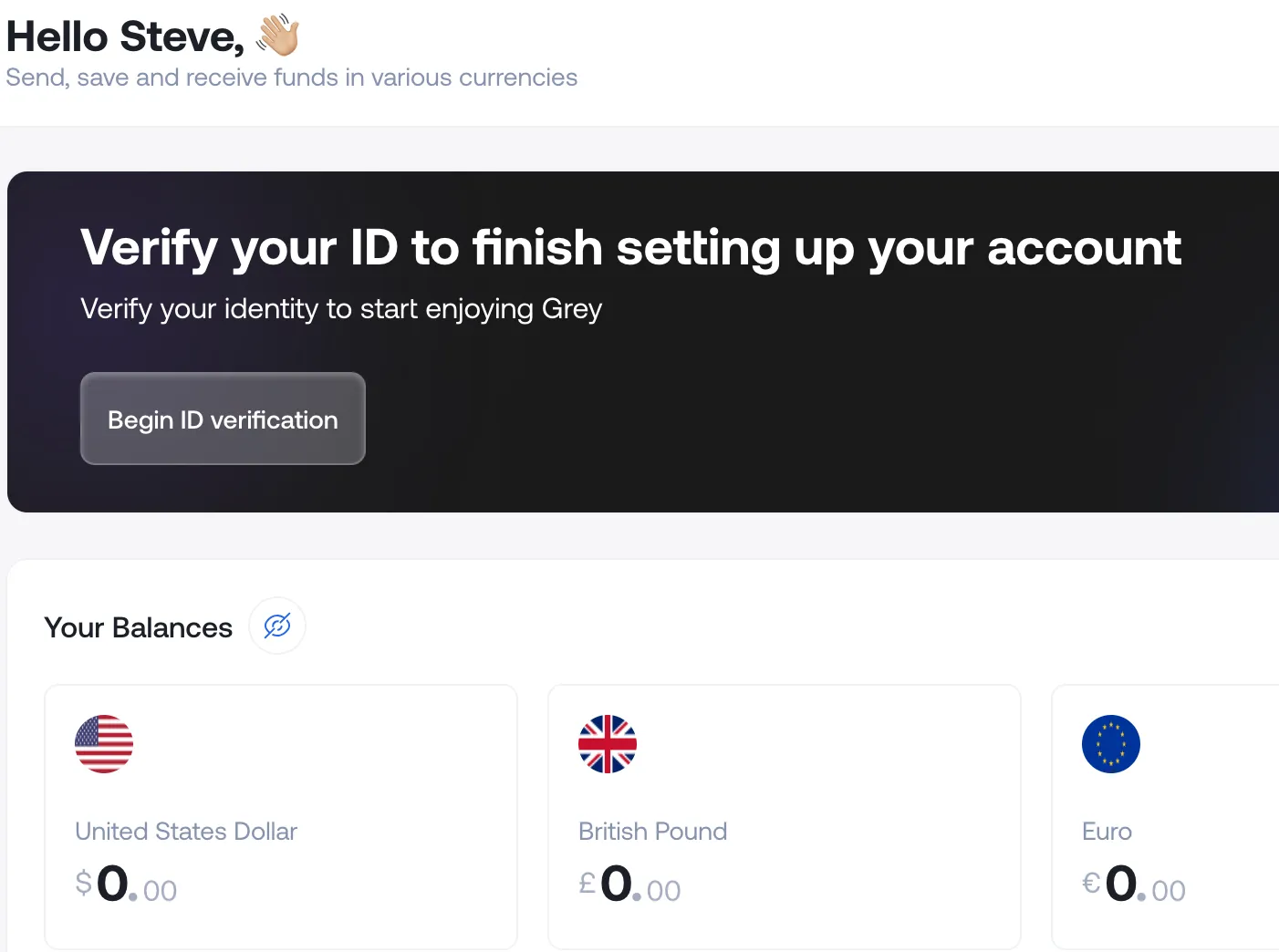
  • Next, you’ll need to verify your identity — a crucial step for meeting regulatory requirements. This process is particularly important for non-U.S. residents, as Grey specialises in providing accounts for individuals outside the United States.
https://cdn.prod.website-files.com/636a85d290ee58e70c17e1c0/671bb5e8cfb4adcce31233da_671bb5cd22040ae3a8b52355_image%2520(8).png

Verification process for Switzerland

To complete your verification with Grey, you will need to upload a valid government-issued ID (such as an international passport) and proof of address (like a utility bill or bank statement). These documents are used to confirm your identity and meet regulatory requirements in Switzerland.

Grey will review your documents within minutes to 24 hours. Submitting clear and valid documents will help speed up the approval process.

Once verified, you can log in to your Grey account, giving you access to both US and UK bank accounts.  Get started today by creating a free Grey account.

‍

Last updated:

September 18, 2026

Open a free Grey account to get startedJoin 1 million digital nomads
IF YOU ENJOYED THIS, CHECK THESE OUT

7 best AI prompt generators (free and paid)

•

•

2 min read

Most AI prompt generators are just forms. Pick a tone, pick a length, click generate, and out comes a prompt that's marginally better than what a beginner would write on their own. A few, though, do something genuinely useful: they restructure how the AI receives instructions, add constraints that prevent generic output, and let teams reuse tested prompts across dozens of projects. The gap between the best prompt generators and the worst is enormous, and most listicles rank them without ever testing the difference in output quality.

AI prompt generators help you write and refine prompts to get better results from AI tools. The best offer templates, tone controls, and prompt libraries, with free and paid tiers. Popular options include prompt-builder tools built into major AI apps and dedicated prompt marketplaces. Choose one that fits your tasks.

This guide covers 7 tools, what each actually does (not marketing claims), and which ones are worth paying for.

What is an AI prompt generator?

An AI prompt generator takes a simple idea ("write an email to my landlord about a broken pipe") and expands it into a detailed prompt that tells the AI exactly what to produce: the tone, the structure, the length, what to include, what to leave out. Think of it as an automated prompt engineer.

Some tools do this by applying prompt templates. Others optimise your existing prompt by adding structure and specificity. A few are full-featured platforms with prompt libraries, version history, and team collaboration. The simplest are just form-based interfaces that plug your inputs into a pre-written prompt skeleton.

Who needs one? Anyone who uses AI regularly and wants consistent, high-quality results without spending 10 minutes crafting each prompt manually. Freelancers producing client content, marketers running campaigns through AI tools, developers generating code, and teams building AI-powered workflows all benefit. If you write the same types of prompts repeatedly, a generator can save time and improve consistency.

Who doesn't? If you use ChatGPT once a week for casual questions, a prompt generator is overkill. You'll get more value from learning a few prompting principles than from adding another tool to your stack.

The 7 best AI prompt generators compared

Tool Best for Free tier Price (paid)
PromptPerfect Optimising prompts across multiple AI models Yes (limited) From $16.67/mo
ChatGPT (built-in) General-purpose prompt refinement Yes (GPT-4o free tier) $20/mo (Plus)
Claude Projects Reusable prompt systems with context Yes (free tier) $20/mo (Pro)
Taskade Team workflows with prompt automation Yes (limited) From $8/mo
Jotform AI Form-based prompt building for non-technical users Yes From $34/mo
AIPRM Chrome extension with prompt library for ChatGPT Yes (limited) From $9/mo
PromptBase Marketplace for buying and selling tested prompts Browse free Per-prompt ($1.99 to $9.99)

‍

1. PromptPerfect

PromptPerfect takes a prompt you've written and optimises it for a specific AI model. You paste in "write a product description for a water bottle," select your target model (GPT-4, Claude, Midjourney, Stable Diffusion), and PromptPerfect rewrites the prompt with added specificity, formatting instructions, and model-specific syntax. It's not a prompt generator from scratch. It's a prompt improver. Best for people who already write their own prompts but want them tuned for maximum output quality. Free tier is limited to a few optimisations per day.

2. ChatGPT (Built-In Prompt Refinement)

You don't always need a separate tool. ChatGPT itself can generate and refine prompts. Type "help me write a better prompt for [task]" and it'll restructure your request with role assignments, step-by-step instructions, and output formatting. The custom instructions feature lets you set default behaviour (tone, audience, format) so every conversation starts from a better baseline. GPT-4o is available on the free tier. If you're already paying for ChatGPT Plus ($20/mo), this is the zero-friction option.

3. Claude Projects

Anthropic's Claude lets you create Projects: reusable workspaces with uploaded reference documents and custom instructions that persist across conversations. This isn't a prompt generator in the traditional sense. It's a system for building reusable prompt environments. Upload your brand guidelines, your writing samples, and your formatting rules into a Project, and every conversation inside it uses those as context. Best for freelancers and teams who need consistent output across dozens of similar tasks.

4. Taskade

Taskade combines AI prompts with project management. You create AI-powered workflows where each step runs a prompt automatically. For example: step 1 generates a blog outline, step 2 writes the draft, and step 3 creates social media posts from the draft. Each step uses a pre-built or custom prompt. It's more of a workflow automation tool than a standalone prompt generator, but the prompt-building interface is solid. Best for teams that want to chain multiple AI steps into repeatable processes. Free tier covers basic usage. Paid starts at $8/mo.

5. Jotform AI

Jotform built an AI agent system that generates prompts through a form-like interface. You fill in fields (topic, audience, tone, length, format) and it constructs a prompt from your inputs. The output is visible and editable before you run it. It's the most accessible option for people who find writing prompts intimidating. No prompt-engineering knowledge required. The free tier is generous. Paid plans start at $34/mo but include Jotform's full form-building suite, not just the AI features.

6. AIPRM

AIPRM is a Chrome extension that adds a prompt library directly to the ChatGPT interface. It gives you thousands of community-contributed prompt templates organised by category: marketing, coding, writing, SEO, HR. Click a template, fill in the variables, and it inserts the prompt into ChatGPT. The value is the library, not the technology. You're browsing other people's tested prompts rather than writing your own. Quality varies. The best templates are excellent. The worst are no better than what you'd write yourself. The free tier gives limited access. Premium starts at $9/mo.

7. PromptBase

PromptBase is a marketplace, not a generator. People sell tested prompts for $1.99 to $9.99 each. Categories cover GPT, DALL-E, Midjourney, Stable Diffusion, and Claude. The idea is that someone else has already spent hours refining a prompt for a specific use case (say, generating real estate listing photos in Midjourney), and you buy the result instead of building it from scratch. Best for image generation prompts where the right phrasing makes a dramatic difference in output quality. Browsing is free. You pay per prompt.

Free vs paid: What you get

Free tiers are enough for most individual users. ChatGPT's built-in prompt refinement costs nothing. AIPRM's free library covers the most popular categories. PromptPerfect gives you a few optimisations per day for free. If you write fewer than 10 prompts a week, you probably don't need to pay.

Paid plans add three things: volume (more optimisations, more templates, more storage), team features (shared prompt libraries, role-based access, workflow automation), and model support (PromptPerfect's paid plans cover Midjourney, Stable Diffusion, and other image models that the free tier limits).

When to pay: if you're a freelancer or agency producing AI-assisted content daily, the time savings from a paid plan justify the cost. If AI prompting is part of your job, $9 to $20 per month for a prompt tool is a reasonable productivity investment. If you're using AI casually, stick with free.

How to choose the right one

Start with what you're actually doing:

Writing content (blogs, emails, copy)? ChatGPT's built-in features or Claude Projects. Both are free or included in your existing subscription. Build custom instructions once and reuse them across conversations.

Generating images (Midjourney, DALL-E, Stable Diffusion)? PromptPerfect or PromptBase. Image prompts are highly model-specific. The right phrasing can be the difference between a professional result and a blurry mess. Either optimise your own prompts (PromptPerfect) or buy proven ones (PromptBase).

Running team workflows? Taskade. Chain multiple prompts into automated sequences that your whole team can run. The project management layer means prompts live alongside tasks, not in a separate tool.

Just starting out? Jotform AI or AIPRM. Jotform's form interface removes the blank-page problem. AIPRM's template library lets you learn by example. Both are good training wheels that you'll probably outgrow within a few months.

Don't stack multiple prompt tools. Pick one that fits your primary use case and learn it well. A prompt generator is only useful if you use it consistently enough to build muscle memory around how it structures prompts.

Paying for AI tools and getting paid for AI work

Most AI tools are billed in USD. ChatGPT Plus is $20/mo. Midjourney is $10 to $60/mo. Claude Pro is $20/mo. If you're outside the US, your bank's foreign transaction fee (1.5 to 3%) adds a hidden cost to every subscription payment. Over a year, that's $15 to $40 in fees on a single $20/mo subscription.

Pay for AI tools billed in USD with a Grey virtual card. Your subscriptions pull from your USD balance with no per-transaction conversion.

On the earning side: prompt engineering, AI content creation, and AI consulting are growing freelance categories. If you're doing AI work for international clients, you need a way to receive payments in their currency. Get paid for AI work from anywhere with Grey's multi-currency accounts: a US routing number for USD clients, a UK sort code for GBP clients, an IBAN for European clients.

If you're thinking about going full-time freelance as an AI specialist, you'll also need invoicing. See the best free invoicing tools for options that integrate with your payment workflow.

Working with AI tools? Pay for USD-billed subscriptions on a Grey virtual card and get paid by clients anywhere.

Frequently asked questions about AI prompt generators

What is the best AI prompt generator?

It depends on what you're doing. For optimising text prompts across multiple AI models, PromptPerfect is the most focused tool. For general prompt refinement without a separate app, ChatGPT's built-in features are free and effective. For reusable prompt systems with uploaded context, Claude Projects is the strongest option. For team workflows, Taskade chains multiple prompts into automated sequences.

Are there free AI prompt generators?

Yes. ChatGPT (free tier with GPT-4o) can refine prompts in conversation. AIPRM offers a free Chrome extension with limited access to community prompt templates. Jotform AI has a generous free tier with form-based prompt building. PromptPerfect offers a few free optimisations per day. For most individual users, free tiers are sufficient.

Do I need an AI prompt generator?

If you use AI tools daily for work and want consistent results, a prompt generator saves time and improves output quality. If you use AI casually for occasional questions, you don't need one. Learning a few prompting principles (be specific, assign a role, define the output format) will get you most of the way without adding another tool.

Can ChatGPT generate prompts for other AI tools?

Yes. You can ask ChatGPT to write prompts for Midjourney, Stable Diffusion, Claude, or any other AI tool. Describe what you want the output to look like and which tool you're using, and ChatGPT will format the prompt with the right syntax and keywords. This is free and works on the basic tier.

What is the difference between a prompt generator and a prompt marketplace?

A prompt generator creates or optimises prompts from your inputs (PromptPerfect, Taskade, Jotform). A prompt marketplace sells pre-made prompts that other people have tested and refined (PromptBase). Generators are for people who want custom prompts. Marketplaces are for people who want proven prompts without the trial-and-error.

How much do AI prompt generators cost?

Free tiers cover basic individual use. Paid plans range from $8/mo (Taskade) to $34/mo (Jotform, which includes the full form suite). PromptPerfect Pro is $16.67/mo. AIPRM Premium is $9/mo. PromptBase charges per prompt ($1.99 to $9.99) with no subscription. Most freelancers can stay under $20/mo for prompt tooling.

Working with AI tools? Pay for USD-billed subscriptions on a Grey virtual card and get paid by clients anywhere.

Disclaimer: Pricing and features are accurate as of the date of writing and may change. Grey isn't a bank. We're a licensed financial services provider offering multi-currency accounts and virtual cards.

How to send money from Nigeria to a US bank account in 2026

•

•

2 min read

Sending money from Nigeria to someone in the United States used to mean a trip to your bank's forex desk, SWIFT transfer paperwork, fees that ran anywhere from 2% to 5%, and a wait of several business days with no clear tracking. For a lot of people, the alternative was to ask someone travelling to carry cash, which came with its own risks.

That has changed. A few fintech apps now let you send money from Nigeria directly to a US bank account from your phone, with the total cost and delivery time shown before you confirm. No branch visit, no SWIFT form, no intermediary banks taking a cut along the way.

This guide walks through how to send money from Nigeria to the United States using Grey, what it costs, how long it takes, which US banks are supported, and how the main alternatives compare.

What you need before you start

On your side (the sender in Nigeria), you need a verified Grey account. Verification requires a government-issued ID (international passport, national ID card, or driver's licence) and your Bank Verification Number (BVN). Most accounts are verified within minutes.

On your recipient's side (the person in the US), you need their US bank account details: the bank name, the ACH routing number (9 digits), and the account number. Your recipient does not need a Grey account. The money lands directly in their US bank account.

Grey supports all major US banks, including Wells Fargo, Bank of America, Chase, Citibank, and every other institution that accepts ACH deposits. If your recipient has a US bank account with a routing number, Grey can deliver to it.

How to fund your Grey account for a US transfer

Before you can send USD, you need naira in your Grey wallet. Transfer naira from your Nigerian bank account into Grey via a standard bank transfer. Grey does not charge a fee to receive naira deposits. Once your naira balance is in the app, you can convert to USD at the live rate and send immediately, or hold the naira and convert later when the rate suits you.

If you already hold a USD, EUR, or GBP balance in your Grey account from a previous deposit or an incoming payment, you can send directly from that balance without converting from naira first. This is useful if you receive international payments into your Grey account and want to forward them to a US recipient without a double conversion.

How to send money from Nigeria to the US: step by step

1. Open the Grey app and tap Send. From the home screen, tap Send to start a new transfer.

2. Select US Dollar (USD). Search for "US Dollar" or "USD" in the currency list and select it.

3. Add a USD recipient. Tap "Add USD recipient" and choose bank transfer. Enter your recipient's full name, their ACH routing number, and their account number. Double-check these details, because ACH transfers cannot be recalled once processed.

4. Enter the amount. Type the amount you want to send in USD or in your source currency (NGN, EUR, or GBP). Grey shows the live exchange rate, the conversion fee, and exactly how many dollars your recipient will receive, all on one screen.

5. Review and confirm. Check the summary. The total cost is the conversion fee (1% capped at the equivalent of $6) plus any payout fee. For USD transfers to the US, there is no separate payout fee. Confirm with your PIN or 2FA code.

That is it. The transfer is submitted and your recipient's US bank account is credited within 1 to 2 business days via ACH.

What it costs

Transfer amount Conversion fee Payout fee (US) Total cost
$200 $2.00 (1%) $0 $2.00
$500 $5.00 (1%) $0 $5.00
$1,000 $6.00 (cap applies) $0 $6.00
$2,000 $6.00 (cap applies) $0 $6.00
$5,000 $6.00 (cap applies) $0 $6.00

‍

Conversion fee is 1% of the amount, capped at the naira equivalent of $6 for Group A currency pairs (USD, EUR, GBP, NGN). There is no separate payout fee for USD transfers to the US. Grey fee data from support.grey.co, September 2026.

The fee cap is what makes this corridor particularly cost-effective for larger transfers. At $500, you pay $5. At $5,000, you still pay $6. Compare that to a typical Nigerian bank SWIFT transfer, where fees can run $25 to $50 or more on the same amount, plus a less favourable exchange rate.

There is no monthly fee, no account maintenance charge, and no minimum balance requirement. You pay only when you send.

Understanding the exchange rate

The conversion fee is only one part of the total cost. The other part is the exchange rate itself. Grey shows the live NGN-to-USD rate on the same screen as the fee before you confirm. The rate includes a margin over the mid-market rate, which is standard across all transfer platforms and is how Grey generates revenue alongside the capped fee.

You can check the mid-market rate on xe.com or Google at the time of your transfer and compare it to the rate Grey is offering. The difference between the two is the effective rate margin. On most transfers, the combination of Grey's capped fee plus the rate margin is still significantly cheaper than a Nigerian bank SWIFT transfer, where both the fee and the rate margin are typically wider.

If the rate is not where you want it, you do not have to send it immediately. You can fund your Grey account with naira and wait. When the rate moves in your favour, convert and send. Grey does not charge you for holding a naira balance.

How long it takes

Weekends and US public holidays are not business days. If you send on a Friday evening, the transfer will typically arrive on Monday or Tuesday. If you need funds to arrive on a specific date, send at least two business days in advance.

Grey does not currently offer instant or same-day delivery to US bank accounts. If your recipient needs funds faster, they may want to consider receiving via GreyTag, which allows direct transfers between Grey accounts.

How Grey compares to other options for Nigeria to the US

Grey: 1% capped at the equivalent of $6. No payout fee on USD. 1-2 business days via ACH. No branch visit. Transparent rate shown before you confirm.

Flutterwave Send: 1% with no cap. On a $2,000 transfer, Flutterwave charges $20 versus Grey's $6. Both deliver to US bank accounts.

Pesa: $0 visible fee. Cost is in the exchange rate markup. You need to compare the final received amount to know the true cost. Claims instant delivery on some corridors.

Eversend: Fee shown in-app but not published. Supports the Nigeria-to-US corridor. Also offers USDC/USDT stablecoin wallets for users who hold crypto.

Nigerian bank SWIFT: Fees typically 2-5% plus flat charges ($25-$50+). Requires a branch visit and forex desk approval. Takes 3-5 business days. The exchange rate includes a bank margin. The only advantage is that some recipients or institutions may specifically require a wire transfer rather than ACH.

For a full comparison of all apps that support outbound transfers from Nigeria, see how to send money from Nigeria to any country in 2026.

What your recipient sees in the US

Your recipient receives a standard ACH deposit in their US bank account. It appears as a standard domestic deposit. There are no intermediary bank deductions and no additional fee charged to the recipient.

The deposit shows the amount in USD that you confirmed before sending. What you see on the confirmation screen is what your recipient gets. Grey does not route through the SWIFT network, which means there are no correspondent bank fees deducted from the transfer amount.

What to do if the transfer does not arrive

ACH transfers are reliable, but occasionally there are delays. If your recipient has not received the funds after 2 business days, here is what to do.

Check the transfer status in the Grey app. Open the app, go to your transaction history, and check whether the transfer shows as completed, pending, or failed. If it shows as completed, the funds have left Grey and are in the ACH system.

Ask your recipient to check with their bank. Some US banks hold incoming ACH deposits for review, particularly if the account is new or if the deposit amount is unusually large. Your recipient should call their bank and ask whether a deposit is being held.

Contact Grey support. If the transfer shows as completed but your recipient's bank has no record of it, reach out to Grey support with the transaction ID. They can provide the transfer reference details that the recipient's bank can use to trace the deposit.

Also read: Cheapest way to send money from Nigeria in 2026

Frequently asked questions

How much does it cost to send money from Nigeria to the US?

Grey charges a 1% conversion fee capped at the naira equivalent of $6 on major currency pairs. There is no separate payout fee for USD transfers to the US. On a $1,000 transfer, the total cost is $6. On a $500 transfer, the total cost is $5.

How long does it take to send money from Nigeria to a US bank account?

Transfers arrive within 1 to 2 business days via ACH. Weekends and US public holidays are not counted. If you send on a Friday, expect delivery on Monday or Tuesday.

Which US banks does Grey support?

Grey delivers to any US bank account that accepts ACH deposits. This includes Wells Fargo, Bank of America, Chase, Citibank, and all other major US banks and credit unions.

Does my recipient in the US need a Grey account?

No. Your recipient does not need Grey or any other app. The money arrives as a standard ACH deposit in their US bank account. They do not need to take any action to receive it.

Can I send money from Nigeria to a US savings account or only a checking account?

Grey delivers via ACH, which works with both checking and savings accounts in the US. As long as your recipient provides a valid routing number and account number, the deposit will go through regardless of the account type.

What happens if I enter the wrong account number?

If the account number does not match a valid account at the receiving bank, the ACH transfer will be returned to Grey, and the funds will be credited back to your Grey balance. This process can take 3 to 5 business days. If the account number matches a different valid account, the funds may be deposited into the wrong account. Always double-check the routing number and account number before confirming.

Can I send money from Nigeria to the US without going to a bank?

Yes. Grey handles the entire transfer from your phone. You fund your Grey account from your Nigerian bank account, convert to USD, and send to your recipient's US bank details. No branch visit, no SWIFT form, and no forex desk queue.

Is it cheaper to use Grey or a Nigerian bank to send money to the US?

Grey is significantly cheaper for most transfer amounts. A $1,000 transfer costs $6 on Grey versus $25 to $50 or more through a typical Nigerian bank SWIFT transfer. Grey also shows the exchange rate upfront, while banks often apply a less transparent rate with a wider margin.

‍

Related reading

How to send money from Nigeria to any country in 2026 covers the full range of outbound Nigeria options, including which apps work and which do not.

Cheapest way to send money from Nigeria in 2026 compares fees at $500, $1,000, and $2,000 across Grey, Flutterwave Send, Pesa, and Eversend.

Paying US school fees from Nigeria covers how to handle tuition payments specifically, including timing and payment office requirements.

Exchange rates on Grey are variable and include a margin over the mid-market rate. Always review the rate before confirming a conversion. Grey is a financial technology company, not a bank. Banking services are provided by licensed banking partners. This article is general information, not financial advice.

Wells Fargo routing number: All states listed

•

•

2 min read

A payment is ready to go, but the form asks for one more detail: your Wells Fargo routing number. You know your account number and which Wells Fargo branch you use, but finding the right nine-digit number can be less obvious than expected. And getting it wrong can delay the payment or send you back to the form to start again.

Wells Fargo uses different routing numbers depending on the state where the account was opened. The most commonly used numbers are 121042882 for California ACH, 082900736 for the South, and 121000248 for domestic wire transfers across all states. Always confirm your specific routing number in the Wells Fargo app or by calling the number on the back of your card.

Knowing which Wells Fargo routing number to use matters when setting up direct deposits, receiving ACH payments, or sending a domestic wire. The right number depends on the transaction, so checking before submitting your payment details can help you avoid unnecessary delays.

Also read: How to open a Wells Fargo account from outside the US

Wells Fargo ACH Routing Numbers by state

The Wells Fargo routing number you need depends on the state where your account was opened. While some states share the same number, others have their own ACH routing number. The table below lists the routing numbers provided for each state, including the specific number shown for El Paso, Texas. Before using any of these numbers for a payment or direct deposit, check your Wells Fargo account details to confirm that you have the correct routing number for your transaction.

State ACH Routing Number State ACH Routing Number
Alabama 062000080 Montana 092905278
Alaska 125200057 Nebraska 104000058
Arizona 122105278 Nevada 321270742
Arkansas 111900659 New Hampshire 121042882
California 121042882 New Jersey 021200025
Colorado 102000076 New Mexico 107002192
Connecticut 021101108 New York 026012881
Delaware 031100869 North Carolina 053000219
Florida 063107513 North Dakota 091300010
Georgia 061000227 Ohio 041215537
Hawaii 121042882 Oklahoma 121042882
Idaho 124103799 Oregon 123006800
Illinois 071101307 Pennsylvania 031000503
Indiana 074900275 Rhode Island 121042882
Iowa 073000228 South Carolina 053207766
Kansas 101089292 South Dakota 091400046
Kentucky 121042882 Tennessee 064003768
Louisiana 121042882 Texas 111900659 (El Paso: 112000066)
Maine 121042882 Utah 124002971
Maryland 055003201 Vermont 121042882
Massachusetts 121042882 Virginia 051400549
Michigan 091101455 Washington 125008547
Minnesota 091000019 West Virginia 121042882
Mississippi 062203751 Wisconsin 075911988
Missouri 113105449 Wyoming 102301092

Wells Fargo wire transfer Routing number

When you send a domestic wire transfer from your Wells Fargo account, you use a single nationwide routing number rather than a state-specific number. The routing number for domestic wires is 121000248, so you do not need to search for a different number based on where your account was opened.

For an international inbound wire, you will need the Wells Fargo SWIFT code instead. The primary SWIFT code is WFBNDDNYXXXX, which helps identify Wells Fargo when money is being sent internationally. Understanding the difference between a SWIFT code and a routing number becomes important here because each one identifies your bank for a different type of payment.

The same distinction helps when looking at ACH vs wire transfers. ACH payments move through delayed electronic batches using state-specific regional clearinghouses, while wire transfers are processed individually in real time. When you send a wire, the transaction is settled directly through the Federal Reserve system rather than waiting for an ACH batch. That difference in processing is why the correct routing or SWIFT details matter when sending money to your Wells Fargo account.

Where to find your Wells Fargo routing number

Finding your Wells Fargo routing number is usually straightforward, and the quickest method depends on whether you have access to the mobile app, a cheque or online banking.

Check the Wells Fargo mobile app

Open the Wells Fargo app and sign in to your account. Select the account you need, then look for Account Details. Your routing number should appear alongside your account number and other account information.

Look at a Wells Fargo cheque

A Wells Fargo cheque also shows the routing number. Turn the cheque over to the bottom-left section of the front. The first nine-digit number in the sequence is the routing number, followed by your account number and cheque number.

Find it through Wells Fargo online banking

Sign in through the Wells Fargo website and select the relevant account. Open the account details or information section to view the routing number associated with that account. Make sure you are checking the correct account before sharing the details.

Need a USD account without Wells Fargo?

Getting paid by a US client can become frustrating when the payment requires US banking details that you do not have. Opening a traditional US bank account may not be practical either, especially when you live abroad and do not have a US residential address or the documents a local bank expects.

Grey gives eligible users access to USD account details that can be used to receive supported ACH and wire transfers, without requiring a US residential address. So when a client or employer asks for US banking details, you can provide the relevant information without opening a traditional Wells Fargo account.

Once your account is approved, the USD account details are available digitally, giving you a simpler way to receive eligible payments and manage the money online. Sign up for Grey or download the app to get started.

Frequently asked questions about Wells Fargo routing numbers

What is Wells Fargo's routing number for direct deposit?

The routing number for Wells Fargo direct deposit depends on the type of account and payment. Unlike domestic wire transfers, direct deposits use the ACH routing number associated with your account. Check your Wells Fargo account details or cheque rather than assuming the wire routing number applies.

Is the Wells Fargo ACH number different from the wire number?

Yes. ACH payments and domestic wire transfers can use different routing numbers. Wells Fargo uses 121000248 for domestic wire transfers, while your ACH routing number may differ. Checking the payment instructions before sending or receiving money helps ensure the transaction reaches the correct account without unnecessary delays.

Does Wells Fargo have one routing number for all states?

Wells Fargo uses a single routing number for domestic wire transfers nationwide: 121000248. However, ACH routing numbers can vary depending on where your account was opened. That means the answer depends on the type of payment you are making and the specific Wells Fargo account involved.

Where is the routing number on a Wells Fargo cheque?

Your Wells Fargo routing number appears along the bottom of the cheque. It is the first nine-digit number in the sequence, followed by your account number and cheque number. Looking at the bottom-left corner of the cheque makes it easy to identify the routing number quickly.

Can I use my Wells Fargo routing number for international transfers?

A routing number alone is generally not enough for an international wire transfer. International payments usually require Wells Fargo’s SWIFT code, along with your account details. For inbound international wires, Wells Fargo’s primary SWIFT code is WFBNDDNYXXXX, while domestic wires use the routing number.

Virtual Dollar Cards in the UAE: How to Get One

•

•

2 min read

A virtual dollar card can make international spending easier, especially when your regular UAE card is not the most convenient option for dollar payments. Instead of carrying a physical card, you get digital card details that can be used for eligible online purchases, subscriptions, advertising platforms and international shopping. Some providers link the card directly to a USD balance, while others convert your funds when you make a payment.

For UAE residents looking for a virtual dollar card UAE option, the important thing is not simply whether the card is available. You should also check how you fund it, the exchange rate, card issuance fees, transaction limits and where the card can be used. Some providers offer USD cards linked to multi-currency balances, while others require specific funding methods.

This guide explains how to get a virtual dollar card in the UAE, what you can use it for, and the costs to check before signing up.

Also read: 7 best virtual cards in the UK (2026)

What is a virtual dollar card?

In simple terms, a virtual dollar card is a digital payment card designed for online transactions in US dollars. It gives you card details such as a number, expiry date and security code, but there is no physical card to carry. You can use it for eligible subscriptions, online services, advertising and international purchases.

The key difference for UAE residents is the currency behind the payment. Most local UAE cards are connected to AED accounts, meaning a purchase priced in USD may require the bank to convert your dirhams into dollars before the payment goes through. The provider may also add a foreign transaction fee or exchange-rate markup.

USD billing can be more convenient when most of your online expenses are priced in dollars. With a virtual dollar card linked to a USD balance, you can pay in the same currency rather than converting AED for every transaction. This can make international spending easier to track and manage.

It also helps to understand what a virtual wallet is and how it stores balances separately from your bank card. You can also compare virtual and physical card use cases to decide whether you only need card details for online USD payments or you also want a physical card later.

How to get a virtual dollar card in the UAE

Getting a virtual dollar card in the UAE does not usually require opening a US bank account. The main requirement is finding a provider that accepts UAE customers and can give you access to a USD balance for online payments. From there, the process is fairly simple, although each provider has its own verification and funding requirements.

After choosing a provider, create an account and complete the identity checks. This may involve providing your personal details and a government-issued ID. Once your account has been approved, the next step is getting money into it. If your funds are in AED or another currency, you may need to convert them to USD before using the card. Check the exchange rate and any funding or conversion fees at this stage.

Once the USD balance is ready, you can generate the virtual card from the provider’s app or online account. Your card details can then be used for eligible USD payments, such as subscriptions, software, advertising and international shopping.

Grey also offers a virtual Visa card for eligible customers, combining international card payments with access to supported currency balances. Availability and requirements depend on the country where you live, so UAE residents should check the latest eligibility before signing up.

Also read: Debit card vs Credit card: What is the difference?

What can you use a virtual dollar card for?

A virtual dollar card can cover many everyday international payments, particularly when the merchant charges in USD.

  • Subscriptions: Pay for streaming services, software, cloud storage, AI tools and other subscriptions that bill in US dollars. Using a card designed for USD payments can make recurring charges easier to manage.
  • Online advertising: Businesses, freelancers and creators can use virtual dollar cards to pay for advertising on platforms that accept international cards, including campaigns billed in USD.
  • Online shopping: Use the card for purchases on international websites that accept Visa or Mastercard. It can be useful when a local UAE card creates additional conversion costs or payment restrictions.
  • Travel: A virtual dollar card can also help with travel-related online payments, such as booking flights, hotels, transport and other services priced in USD. However, check the provider's country restrictions and card acceptance before relying on it while travelling.

Fees and limits to check before choosing a virtual dollar card

The real cost can appear when you fund the card, convert currencies, or reach a spending limit. Checking these charges before signing up can help you avoid unpleasant surprises later.

  • Issuance fee: Some providers charge a one-off fee when you create a virtual dollar card, while others offer card creation for free. Check this before opening an account.
  • Funding fees: Adding money may attract a fixed fee or percentage charge, depending on how you fund the card. Compare the available funding methods and their costs.
  • FX fees: Converting AED or another currency into USD can involve an exchange-rate markup or separate conversion fee. Check the rate you receive, especially when funding larger amounts.
  • Spending limits: Virtual dollar cards may have daily, monthly or per-transaction spending limits. Make sure the limits are high enough for your subscriptions, advertising payments, shopping and other regular expenses.

With Grey, you can open an account, create a virtual Mastercard, and use it for eligible dollar payments like subscriptions and online services, all from one place.

Frequently asked questions

Can I get a dollar card in the UAE?

Yes, UAE residents can access USD-denominated virtual cards, although eligibility depends on the provider. Some UAE-based services offer virtual cards linked to your account, while international providers may have separate residency requirements. Always check the provider’s current UAE availability, verification requirements, and regulatory status before signing up.

How do I fund a virtual dollar card?

Funding depends on the provider. You may be able to transfer money from a bank account, add funds through a supported payment method or fund the card from an existing USD wallet. Some providers only allow specific funding sources, so check the available options and any conversion or funding fees first.

Is a virtual dollar card safe?

A virtual card can add protection by keeping your main bank card details separate from online payments. However, safety also depends on the provider’s security controls, regulations, and how you protect your account. Choose a reputable provider, enable available security features and never share your card details or login information.

Can I use a virtual dollar card for subscriptions?

Yes, many virtual dollar cards are designed for online payments such as streaming services, software, advertising platforms and other subscriptions billed in USD. Before subscribing, check that the merchant accepts your card network and that the provider supports recurring payments.

Can I use a virtual dollar card outside the UAE?

You can often use a virtual dollar card for international online payments, but acceptance depends on the card network, provider restrictions and the merchant. Check supported countries and transaction limits before relying on the card for important payments abroad.

Free virtual dollar cards: Best options and what they cost

•

•

2 min read

Paying for a US subscription, online service, or digital product can be frustrating when your local card comes with extra charges or simply does not work. A free virtual dollar card can give you a USD card number for online payments without the cost of ordering a physical card, making it useful for everything from software subscriptions to international shopping.

A free virtual dollar card is a USD card number issued at no cost, used for online payments and subscriptions billed in dollars. "Free" usually means no issuance fee, but check for funding, FX, and maintenance costs. The best options combine no issuance fee with fair rates and reliable acceptance.

In this guide, we look at the best free virtual dollar card options, what each one costs to use and the fees worth checking before you sign up. The aim is to help you find a card that is genuinely affordable, not simply free at first glance.

What is a free virtual dollar card?

A free virtual dollar card is a digital payment card that gives you USD card details without charging a fee to issue it. You do not receive a plastic card in the post. Instead, the card number, expiry date and security code are provided digitally and can be used for eligible online payments, particularly with merchants that charge in US dollars.

When a provider says a virtual dollar card is free, it usually refers to the cost of creating or issuing the card. It does not necessarily mean that every transaction is free. You may still pay a fee when adding money, converting another currency into USD, making certain transactions or keeping the account active. Some providers may also apply spending limits or other conditions to their free cards.

So, when comparing a free virtual dollar card, look beyond the word “free”. Check the full fee structure, how you fund the card, the exchange rate you receive and where the card can be used before choosing an option.

Free virtual dollar cards worth considering

Looking for a free virtual dollar card? Here’s how popular options compare on upfront cost, monthly fees, currencies and everyday use.

Provider Card issuance fee Monthly maintenance Supported currencies Best use case
Revolut (Standard) Free $0 30+ fiat currencies Online shopping and managing digital spending
N26 (Standard) Free $0 EUR and other supported currencies European and international travel
Zil US Free $0 USD US invoicing and dollar subscriptions
Skrill Free for the first card $0 if active Major global currencies Digital commerce and online payments
Openbank Free $0 EUR Everyday spending and online payments

‍

What does a free virtual dollar card really cost?

A free virtual dollar card may cost nothing to create, but that does not always mean you can use it without paying anything.

Funding fees: Adding local fiat currency to your wallet may incur a processing fee, with some providers charging between 1% and 3% of the deposit amount. This means the amount available to spend can be lower than the amount you initially add.

Foreign exchange (FX) margins: When you convert money into USD, the provider may add a markup to the exchange rate rather than using the interbank rate. These markups can range from 1.5% to 4.5% on some cross-border transactions, increasing the cost of international spending.

Decline fees: An empty card can become costly if a subscription repeatedly attempts to charge it. Some providers may charge around $0.10 to $0.50 for each declined payment, particularly when recurring payments continue after your balance runs out.

Inactivity fees: Leaving a card unused for six to 12 months may trigger an inactivity charge with some providers, potentially costing $1 to $3 per month while the card remains dormant. Check the terms if you plan to keep the card as a backup.

How to choose and get a virtual dollar card

Choosing a virtual dollar card is about more than finding one that costs nothing to create. Look at what happens when a payment fails, how much the provider charges when you spend in another currency and whether the card runs on a widely accepted network such as Visa or Mastercard.

A provider with zero decline fees and low FX markups can save you more over time than a card advertised as “free”. It is also worth checking whether the card can be added to Apple Pay or Google Wallet, especially if you want to use it across different online and contactless payment services.

How to sign up and fund

  • Download the provider's official app.
  • Create an account and complete the required KYC verification with a government-issued ID.
  • Link your local debit card or bank account to fund your wallet.
  • Convert your funds into USD where supported.
  • Once funded, your virtual card is ready to use.

Grey is an ideal option for eligible users who need a virtual dollar card linked to their multi-currency account. You can hold supported currencies, create multiple virtual cards and use your available balance for eligible online payments.

Frequently asked questions about free virtual dollar cards

Which virtual dollar card is free?

Some providers offer virtual cards with no issuance fee, including Revolut Standard, N26 Standard, Zil US and Openbank for eligible users. However, a free card does not always mean free transactions. Depending on the provider, you may still pay for funding, currency conversion, declined payments or inactivity, so it’s worth comparing the total cost before choosing one.

Are free virtual cards safe?

Yes, virtual cards can be a secure way to make online payments. Look for providers that use security features such as 3D Secure, transaction alerts and card controls. Disposable card details can also provide additional protection by making the original card information harder to reuse.

Can I use one for subscriptions?

Yes, virtual cards can be used for subscriptions such as Netflix, Spotify and other digital services where the card network is accepted. However, keep enough money available for recurring payments. If a payment fails because of insufficient funds, some providers may charge a decline fee.

How do I fund it?

Link your local bank account or debit card where the provider supports it. Complete your identity verification, transfer money into your wallet and convert your local currency into USD if needed. The exact funding options and conversion fees depend on the provider you choose.

Can I use a virtual dollar card abroad?

Yes, you can use a virtual dollar card abroad for eligible online payments where Visa or Mastercard is accepted. However, check the provider's foreign exchange fees before spending in another currency. A card that supports multiple currencies can also make international spending easier to manage.

Virtual card vs physical card: Which do you need?

•

•

2 min read

A card no longer has to be a piece of plastic in your wallet. Virtual cards have made it possible to get card details quickly and use them for online purchases or through supported mobile wallets, often without waiting for a physical card to arrive. Physical cards, however, remain useful when you need to pay in shops, withdraw cash or use a card reader.

The difference between a virtual card vs physical card comes down to how and where you plan to use it. Virtual cards are convenient for online spending and can offer an extra layer of security by keeping your physical card details separate. Physical cards are more versatile for everyday spending, especially when cash withdrawals or in-person payments are involved.

This guide explains how virtual and physical cards work, where each one can be used, their main advantages and limitations, and which option may suit your spending habits.

Virtual card vs physical card: how each one works

The easiest way to understand the difference is to look at where the card exists and what you can do with it. A virtual card lives digitally. Instead of waiting for a card to arrive, you receive card details such as the card number, expiry date and security code, which can then be used for eligible online payments.

A physical card works much the same way, but it's a tangible card you can carry in your wallet. It can usually be inserted into a card reader, tapped at a contactless terminal or used at an ATM, depending on the card and provider.

Both cards can be linked to the same account, but their everyday uses are different. A virtual card is useful for online subscriptions, shopping, and mobile wallet payments, while a physical card is better suited to in-person purchases and cash withdrawals. The right option depends on how you normally spend and where you need to use your card.

Also read: How to spend globally with the new Grey Virtual Card

Security and fraud protection: why virtual cards can be safer online

When a card is used online, the biggest concern is often what happens if the card details are exposed. This is where the virtual card vs physical card difference becomes useful. A virtual card can give you separate card details for online purchases, so your main physical card details do not have to be shared with every website or merchant.

Many virtual cards also give you more control over how the card is used. If you notice a suspicious transaction or no longer trust a merchant, you may be able to freeze the card immediately through your banking app. Some providers also offer single-use virtual cards, which generate new details for individual purchases and can reduce the risk of the same card details being reused.

Physical cards can still have strong security features, including contactless limits, transaction alerts and the ability to freeze the card. However, once physical card details are copied, replacing the card may be necessary. A virtual card can often be frozen or replaced digitally, making it a convenient option for online spending.

When should you use a virtual or physical card?

The best choice depends on where you spend, whether you need cash, and how useful your card will be when travelling.

Feature Virtual card Physical card
Online shopping Instant and convenient for online purchases. Some providers offer virtual card numbers that can be frozen or replaced if compromised. Works for online purchases too, but you use the card details printed on the physical card.
In-store shopping Works through supported mobile wallets such as Apple Pay or Google Wallet, where contactless payments are accepted. More widely accepted. You can tap, insert the chip or swipe the card at checkout.
ATM access Limited. Some virtual cards can work at contactless ATMs, but availability depends on the provider and ATM. Better for cash withdrawals, provided the card supports ATM use in the country you are visiting.
Travel Useful for booking flights, hotels and other online services, and makes a handy backup card. More practical when a hotel, car rental company or other business requires a physical card for a deposit or verification.

‍

Also read: How to shop in the US or Europe with your Grey card

Which card fits the way you spend?

Choosing between a virtual card vs physical card is less about picking the “better” option and more about how you use your money. The card that works perfectly for someone who shops online every week may not be enough for someone who travels often or regularly needs cash.

For online shoppers

A virtual card can make sense if most of your spending happens online. It is convenient for subscriptions, online shops and digital services, while features such as freezing or replacing the card can add protection if your details are exposed.

Frequent travellers

A physical card is often the safer choice for travel because it can be used at more payment terminals and ATMs. Keeping a virtual card as a backup can also help if your physical card is lost or blocked.

Cash users

If cash withdrawals are part of your normal spending, a physical card is usually the practical option. Virtual cards are better suited to digital payments, while physical cards give you broader access to ATMs and in-person purchases.

For many people, having both provides the most flexibility: use the virtual card for online spending and keep the physical card for everyday purchases, travel and cash.

Get a virtual card with Grey

Grey’s virtual card gives you a simple way to pay online using the money you already have in your Grey account. Grey’s multi-currency account lets you receive and hold funds in supported currencies, giving you one place to manage money from different parts of the world. Once your account is funded, you can use your available balance to make eligible payments without first moving the money to another service.

The card is useful for online shopping, subscriptions and other digital payments where Visa is accepted. You can also create multiple virtual cards to keep different expenses separate or have another card available when needed. If you regularly receive or spend money internationally, download the Grey app to manage your currencies and get access to your virtual Visa card.

Frequently asked questions

Is a virtual card safer than a physical card?

A virtual card can be safer for online payments because you do not have to share your physical card details with every website. Some providers also let you freeze or replace virtual cards quickly. Single-use virtual cards can offer even more protection when shopping with unfamiliar merchants.

Can I use a virtual card in stores?

Yes, but it depends on the virtual card and whether your provider supports a mobile wallet such as Apple Pay or Google Wallet. If the card is added to a supported wallet, you can usually tap your phone at contactless terminals. Otherwise, you may need a physical card.

Do I need both a virtual and a physical card?

Having both can give you more flexibility. A virtual card works well for online shopping, subscriptions and digital payments, while a physical card is useful in shops, ATMs and places that require a physical card. You can use each one for situations where it works best.

Can I use a virtual card when travelling?

A virtual card can be useful when travelling, especially for booking flights, hotels, transport and other services online. It can also serve as a backup if your physical card is lost. However, carrying a physical card is still sensible because some merchants and ATMs may not accept virtual cards.

What happens if my virtual card details are compromised?

If your virtual card details are exposed, you may be able to freeze the card and request new details through your provider's app. This can be quicker than replacing a physical card. Check your transactions regularly and report anything suspicious as soon as you notice it.

Arrow (up)

Back to top

