


I’ve always loved feeling independent, the kind of person who can move through the world without needing to stop and sort out a dozen little hassles. Maybe that’s why tapping my phone to pay has become one of my favourite tiny freedoms.
If you’re anything like me, you know those moments well. Rushing through an airport with no hands to spare. Grabbing breakfast from a food stall because you’re curious about how the locals eat. Signing up for an online tool at midnight because the timing just felt right.
That’s exactly why learning how to use Google Pay worldwide with your Grey virtual card makes such a difference. Once your card sits snugly inside Google Pay, every payment becomes smoother. No digging through bags, topping up a card before paying, and no declines. Just a quick tap and the quiet satisfaction of knowing you’ve sorted it.
And now that the Grey virtual card has officially landed, this is the perfect time to explore everything it can do to keep your days light, easy, and wonderfully yours.
If you’re looking for a simple, reliable way to use Google Pay worldwide, the Grey virtual card makes the process smoother than ever. With our upgraded virtual card experience now live, Google Pay becomes more than a convenient feature. It becomes the easiest way to spend your foreign currency and crypto balances across countries, platforms, and everyday transactions.
Here’s why using Google Pay with your Grey virtual card is such a seamless match:
Your Grey virtual card connects directly to any balance you choose, including USD, GBP, EUR, or crypto like USDC, USDT, or BTC. No manual top-ups. No switching between wallets. Just direct, instant spending power everywhere Google Pay is accepted.
Many people switching to the Grey virtual card do so after dealing with cards that fail on international platforms. This upgraded virtual card was designed to remove that frustration. You get fewer random declines, clearer communication, and fast support whenever you need it, making global payments feel more predictable.
When you combine Google Pay’s tap-to-pay simplicity with Grey’s global card functionality, you get fast, contactless payments across countries, currencies, and online merchants. Whether you’re shopping locally or paying for international services, everything works with a tap.
The Grey virtual card supports 3D Secure (3DS), giving you added protection during online and in-store transactions. It’s a safer way to shop, travel, and pay globally.
If you’ve been searching for a reliable virtual card that works with Google Pay worldwide, this duo is designed exactly for the way modern global citizens live, earn, and spend.
Once your Grey virtual card is added to Google Pay, you can tap your way through airports, metros, cafés, supermarkets, and co-working spaces, anywhere contactless payments are accepted.
If you hold or earn in crypto, Google Pay becomes your gateway to everyday fiat spending. Link your Grey virtual card to your crypto balances and pay like a local in any country.
Whether you earn in USD, work with clients in Europe, or pay for tools hosted abroad, Google Pay + Grey card gives you a consistent and flexible way to manage global payments without failed transactions or confusing restrictions.
Running ads on Meta, TikTok, or X? Paying for global subscriptions and software? Your Grey virtual card helps every payment go through smoothly, without hidden fees or last-minute surprises.
If you’re learning how to use Google Pay with your Grey virtual card, the setup takes just a few seconds:
Tap to create your Grey card in the app.
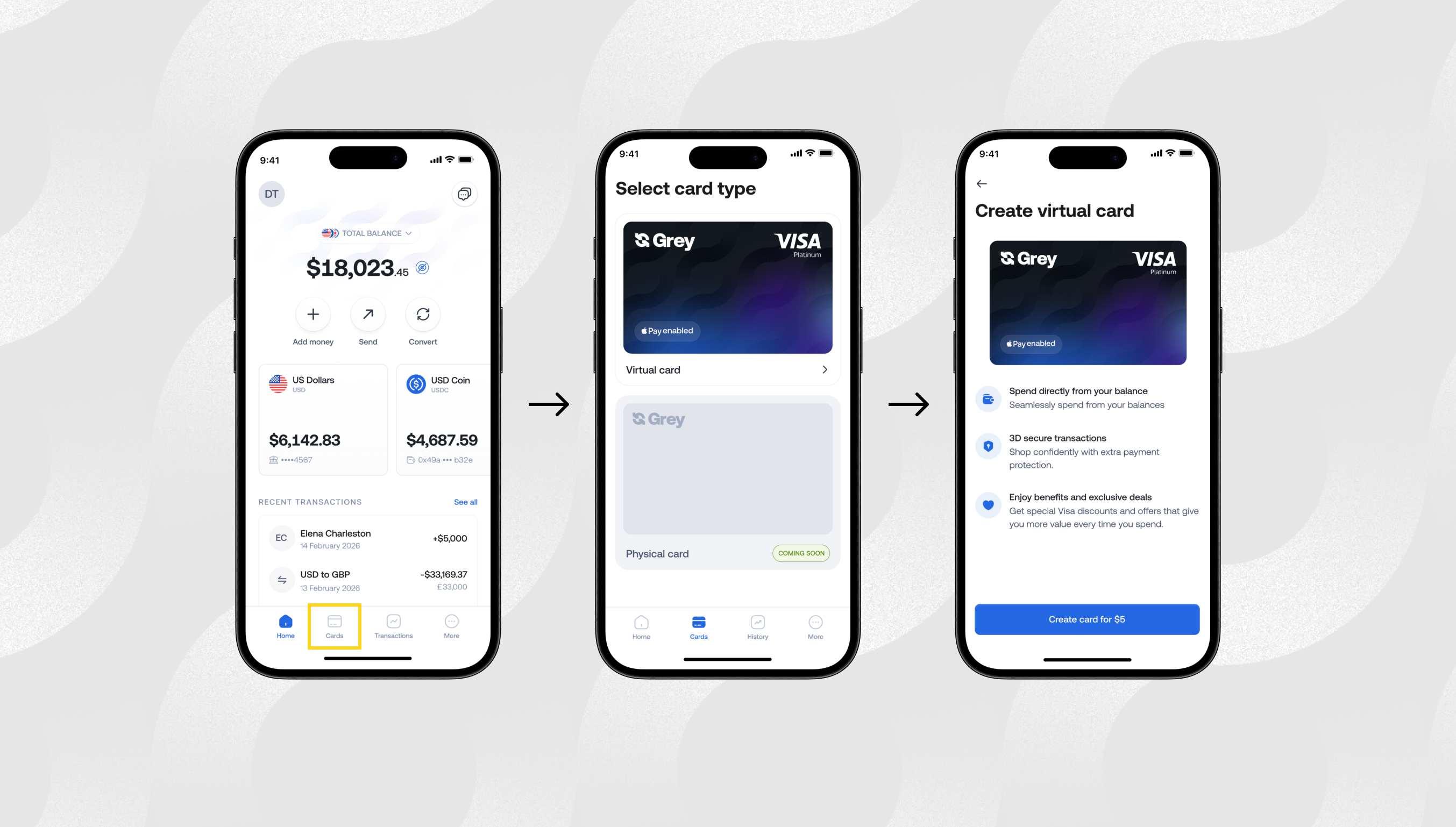
Follow the verification steps.
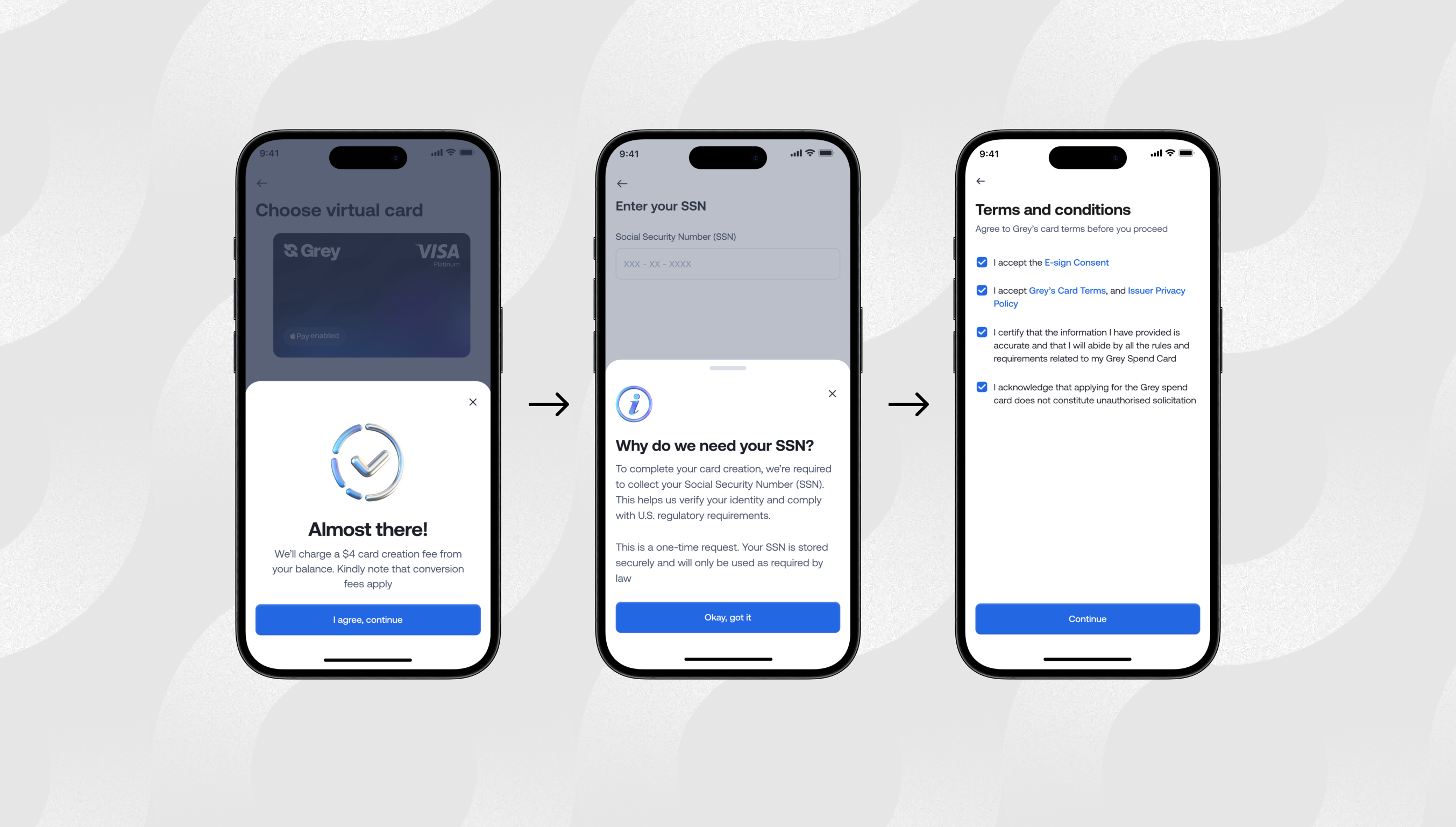
It usually takes a few hours for the card to be created.
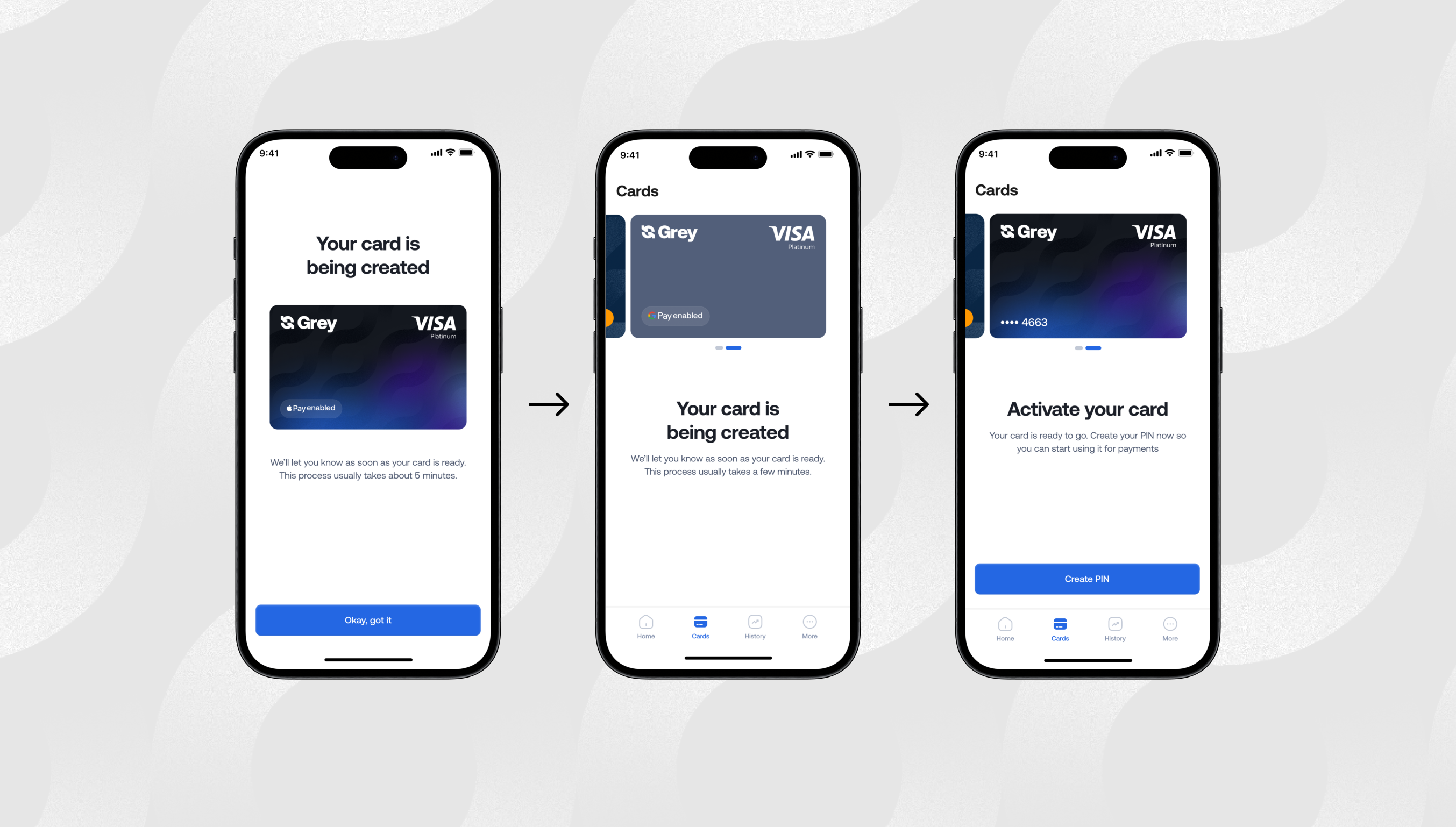
Once your Grey virtual card is ready, you can follow the steps to add it to Google Pay.
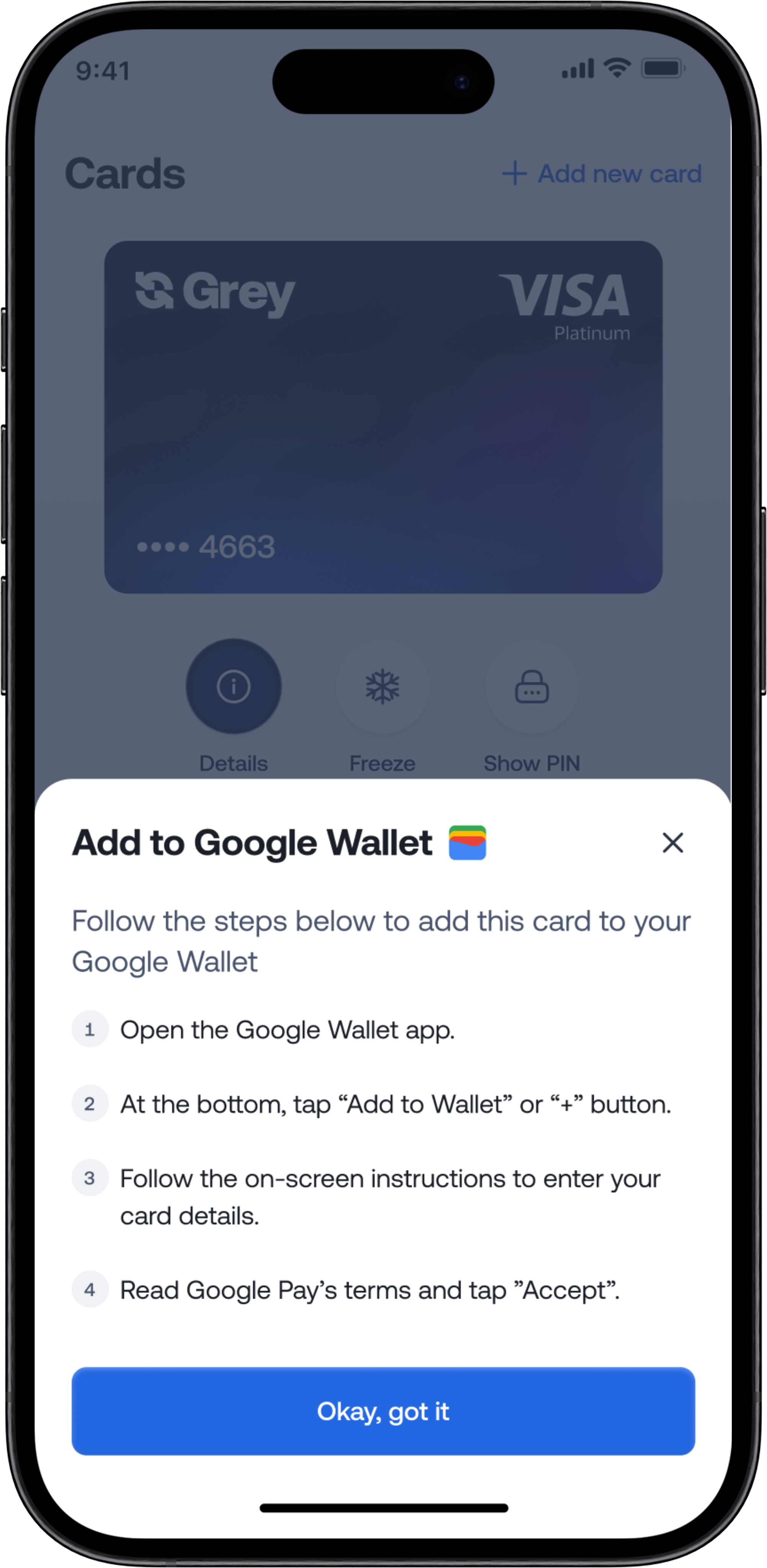
Once added, you can use Google Pay for contactless payments, online checkouts, in-app purchases, public transport, and global merchants that support Google Pay.
Google Pay works in dozens of countries and millions of merchant locations. With the Grey virtual card connected, you can:
Your Grey Visa card selects the right balance automatically, while Google Pay makes each payment instant and contactless.
For years, users dealt with failed payments, poor international compatibility, and unclear card restrictions. The new Grey virtual card was built to fix these problems and make global payments through Google Pay easier than ever.
This upgrade helps you:
It’s all part of our goal to make international spending feel as easy as local shopping.
If you live or work globally, you deserve a payment setup that travels with you. Google Pay paired with the Grey virtual card removes friction from your everyday life so you can focus on what actually matters.
Ready to tap and go anywhere in the world?
Open your Grey app, get your Grey virtual card, and start using Google Pay wherever life takes you.




.svg)
Back to top
