


<script type="application/ld+json">[{"@context":"https://schema.org","@type":"BlogPosting","@id":"https://grey.co/blog/how-to-open-us-uk-and-euro-bank-accounts-in-luxembourg#article","headline":"How to open US, UK and Euro bank accounts in Luxembourg","description":"Discover how to open US, UK, and Euro bank accounts in Luxembourg. This guide outlines the steps and benefits of accessing global financial services remotely through platforms like Grey.","inLanguage":"en","url":"https://grey.co/blog/how-to-open-us-uk-and-euro-bank-accounts-in-luxembourg","mainEntityOfPage":"https://grey.co/blog/how-to-open-us-uk-and-euro-bank-accounts-in-luxembourg","datePublished":"2024-11-29T16:15:11.822Z","dateModified":"2026-06-15T17:34:57.202Z","author":{"@type":"Person","name":"Adeolu Titus Adekunle"},"publisher":{"@type":"Organization","@id":"https://grey.co/#organization","name":"Grey","url":"https://grey.co"},"image":"https://cdn.prod.website-files.com/636a85d290ee58e70c17e1c0/6a30180a1d9ad575b4c90a11_6a301809db4d5cc29b3c716b_how-to-open-us-uk-and-euro-bank-accounts-in-luxembourg__header-image.webp"},{"@context":"https://schema.org","@type":"BreadcrumbList","@id":"https://grey.co/blog/how-to-open-us-uk-and-euro-bank-accounts-in-luxembourg#breadcrumb","itemListElement":[{"@type":"ListItem","position":1,"name":"Home","item":"https://grey.co/"},{"@type":"ListItem","position":2,"name":"Blog","item":"https://grey.co/blog"},{"@type":"ListItem","position":3,"name":"How to open US, UK and Euro bank accounts in Luxembourg","item":"https://grey.co/blog/how-to-open-us-uk-and-euro-bank-accounts-in-luxembourg"}]}]</script>

How to open US, UK and Euro bank accounts in Luxembourg

Adeolu Titus Adekunle

TABLE OF CONTENT

SHARE THIS POST

Luxembourg is a small landlocked country known for its advanced financial sector, impressive economy, and strategic location in Europe. These factors make Luxembourg a popular destination for business owners and expats. Opening US, UK, and Euro bank accounts can simplify your international transactions. Digital platforms like Grey make it easy to manage multiple currencies from Luxembourg.

This article shares the simple steps to open US, UK and Euro bank accounts in Luxembourg.

Read also: Essential checklist for house hunting in Europe in 2024

Why open US, UK, and Euro bank accounts in Luxembourg?

Seamless cross-border transactions: With access to US, UK, and Euro accounts, you can send and receive payments across different regions without currency hassles or delays.

Reduced fees: Holding accounts in multiple currencies helps avoid conversion charges and unfavourable exchange rates.

Access to global platforms: Many international payment services and platforms, such as PayPal, Stripe, and Amazon, require accounts in specific currencies for smooth integration.

Financial flexibility: Managing funds in USD, GBP, and EUR allows for monetary flexibility in travel, business, and investment purposes.

Steps to open US, UK, and Euro accounts in Luxembourg

Opening multi-currency accounts through Grey is straightforward and involves two key steps.

Step 1: Signing up

Visit Grey’s official website or install the application on your mobile phone and follow these steps:

__wf_reserved_inherit
  • Click on “Get started – it’s free.”
  • Choose Luxembourg as your country of residence.
  • Fill in your personal details, including your name, email, and phone number.

Create a secure password: Ensure your password meets the security requirements, which is a combination of uppercase and lowercase letters, numbers, and symbols. Accept the terms and conditions to proceed.

__wf_reserved_inherit

Verify your email: A verification code will be sent to your email. Enter the code to confirm your account.

Thereafter, you will be asked to select how you plan to use Grey. Select all the options applicable to you.

__wf_reserved_inherit

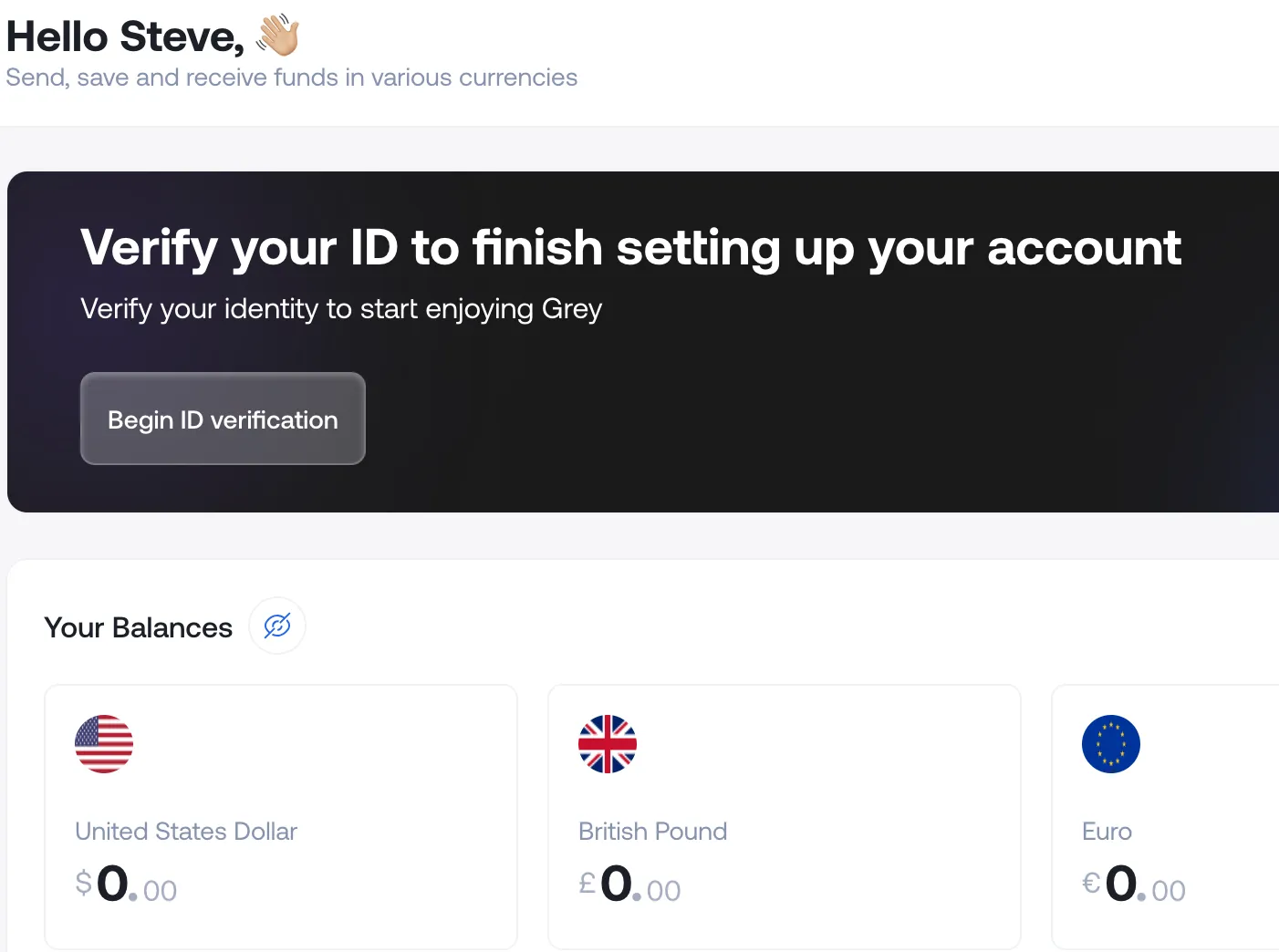
Step 2: Verifying your identity

Grey requires identity verification to comply with financial regulations. This involves submitting the following documents to complete the Know Your Customer (KYC) process:

__wf_reserved_inherit
  • Identification documents: You can upload any valid government ID, including a passport, national ID card or driver’s licence.
  • Proof of address: Submit a document that confirms your Luxembourg residence. You can use a recent utility bill, bank statement or your house lease agreement.
  • Photo verification: Take a quality selfie that shows your full face and upload it for additional security checks.
  • Complete the KYC form

Once verified, you can request US, UK, and Euro account details from your Grey dashboard. With these accounts, you can immediately receive payments in different currencies, send funds domestically and internationally and manage finances effectively across borders.

Tips for account holders in Luxembourg

Here are some extra information you should note as you open a multi-currency account in Luxembourg.

Understand tax implications: If you earn income through these accounts, be aware of tax obligations in Luxembourg and other jurisdictions. Consult a financial advisor for guidance.

Use multi-currency management features: Grey offers tools to manage funds in different currencies, helping you optimise your financial strategy.

Stay compliant with regulations: Stay updated on any changes to banking regulations that may affect your account usage.

Who benefits from multi-currency accounts in Luxembourg?

  • Freelancers and remote workers: Receive payments in USD, GBP, and EUR.
  • Entrepreneurs and business owners: Manage international transactions with ease.
  • Expatriates and travellers: Hold funds in multiple currencies for travel and personal use.
  • Students: Pay tuition fees and handle expenses in different countries.

Final thoughts

Opening US, UK, and Euro bank accounts in Luxembourg is now easier than ever with platforms like Grey. By following the steps above, you can access global banking services and manage your finances across multiple currencies. Ready to expand your financial horizons? Sign up on Grey today and enjoy the benefits of global banking!

‍

Last updated:

September 17, 2026

Open a free Grey account to get startedJoin 1 million digital nomads
IF YOU ENJOYED THIS, CHECK THESE OUT

What is the currency of China? Yuan symbol and code

•

•

2 min read

You might hear “yuan” a lot, but when you search for China's official currency, you will probably see “renminbi”. And this causes a lot of confusion.

China's official currency is the renminbi (RMB), and the yuan is its main unit, so prices are quoted in yuan. The currency code is CNY, and the symbol is the yuan sign. One US dollar is worth several yuan, though the exact rate moves daily. Renminbi means the money itself; yuan is what you count. People use "yuan" and "renminbi" interchangeably in casual conversation.

But that is not the only source of confusion with the Chinese currency. The yuan is written with the symbol ¥ (a Y with two horizontal bars). The same symbol is used for the Japanese yen. And that's why the currency code CNH provides better context when dealing with Chinese money outside mainland China. Read on to learn about China’s currency, the denominations, the conversion rate, and how to send money to China.

What is the currency of China?

China's official currency is the renminbi, abbreviated as RMB. It translates literally as "the people's currency." It is issued and managed by the People's Bank of China (PBOC), the country's central bank. PBOC controls currency's exchange rate and manages the monetary policy.

The unit for counting renminbi is the yuan. This means that when you see a price in China, it will be in yuan, but the underlying currency is the renminbi. Understanding this difference basically clears out all the confusion.

Yuan vs renminbi: what is the difference?

The relationship between the yuan and the renminbi is best understood through an analogy to British currency. Sterling is the name of the currency issued by the United Kingdom, and the pound is the unit in which sterling is counted and spent. You would say "the exchange rate for sterling," but "this costs five pounds," not the other way around.

The same structure applies to Chinese currency. Renminbi is the name of the currency system, similar to sterling. Yuan is the unit, similar to the pound. In practice, this means:

  • "The renminbi has strengthened against the dollar this year" is correct usage.
  • "This meal costs 80 yuan" is correct usage.
  • "The yuan has strengthened" is also commonly used and generally accepted in everyday English, even though it technically blends the two terms.

In everyday spoken Chinese, people commonly use "kuai" (块) as a colloquial term for yuan, similar to how English speakers say "bucks" for dollars. You will hear "kuai" far more often than "yuan" in casual conversation in China.

The yuan symbol and code

The yuan is represented by the symbol ¥, which is also used for the Japanese yen. And this is a problem that causes confusion in the international space. If you find ¥ on a receipt, invoice, or a currency converter without any further details, you cannot tell whether it is the Japanese yen or the Chinese yuan.

To avoid confusion, the ISO 4217 currency code CNY is used to denote the Chinese yuan (renminbi) in international finance, banking, and forex markets. This distinguishes it from JPY, the code for the Japanese yen.

How prices are typically written:

  • ¥100 (in a Chinese context, this means 100 yuan)
  • CNY 100 (unambiguous international format)
  • 元 (the Chinese character for yuan, used alongside or instead of the ¥ symbol on many receipts and price tags in China)

When converting currency or checking exchange rates online, always confirm you are looking at CNY specifically, and not JPY, especially if the source uses only the ¥ symbol without further labelling.

Chinese banknotes and coins

The renminbi comes in both banknotes and coins.

Denomination Type
1 yuan Coin or banknote
5 yuan Banknote
10 yuan Banknote
20 yuan Banknote
50 yuan Banknote
100 yuan Banknote (most common large note)
1 jiao (0.1 yuan) Coin or banknote
5 jiao (0.5 yuan) Coin or banknote

‍

The yuan is divided into jiao (角) and fen (分), similar to how a dollar is subdivided into cents. In practice, fen coins are rarely used in modern transactions due to their negligible value, and most everyday transactions round to the nearest yuan or jiao.

CNH: The offshore yuan

You may also come across CNH, which refers to renminbi traded outside mainland China, particularly in Hong Kong.

China has capital controls that limit how freely its currency can move across its borders. As a result, the offshore renminbi (CNH) can sometimes have a slightly different exchange rate from the onshore renminbi (CNY).

This difference is mainly important for businesses, investors, and financial institutions that deal with Chinese currency internationally. Most travellers and everyday consumers will not need to worry about it.

Yuan to dollar: the exchange rate

The yuan-to-dollar exchange rate does not function like a fully floating currency, such as the euro or the US dollar. The People's Bank of China controls the renminbi's value against a basket of currencies. It sets a daily reference rate and allows the yuan to move within a set range around that rate. This is called a managed float.

This means the yuan's value in the foreign exchange market is influenced by both market conditions and Chinese authorities' decisions.

The exchange rate also fluctuates regularly, so there is no single rate you should rely on. If you need to know how much yuan you can get for your dollars, check a live currency converter or financial data provider.

For context on how the yuan compares to other global currencies in terms of value, see our guide to the least valuable currencies in the world.

Spending and sending money involving China

Card acceptance in China

International Visa and Mastercard cards are not accepted as widely in mainland China as they are in many European or US cities. Mobile payment platforms such as Alipay and WeChat Pay are widely used for everyday purchases.

Major international hotels and some larger shops accept international cards, but you should not assume that every restaurant, shop, or local business will accept one. If you are visiting China, setting up a supported mobile payment app before your trip can make everyday spending much easier.

Sending money internationally

If you need to send money to or from China for business, education expenses, or family support, the transfer cost is an important consideration.  Traditional banks may add fees and exchange-rate margins that are not always obvious upfront.

You can send money internationally with Grey with the fees shown before you confirm the transfer. This makes it easier to understand the total cost before you send.

Avoiding fees when travelling

Foreign transaction fees can also add to the cost of travelling abroad. Your travel prep should include setting up a widely accepted payment option in China that minimises foreign transaction fees.

Learn more about avoiding foreign transaction fees

Grey offers multicurrency accounts supporting USD, EUR, and GBP transactions. A Grey virtual card is directly linked to a foreign currency balance and can help reduce costs when spending abroad. Sending money from the US or any other country is straightforward through the same platform.

Send money internationally with Grey with transparent fees shown before you confirm, and access a Grey virtual card for your online payment.

Frequently asked questions about China’s currency

Is the yuan the same as the renminbi?

Not exactly, though the terms are commonly used interchangeably. Renminbi is the official name of China's currency. It means "the people's currency." Yuan is the unit in which the renminbi is counted and priced. The relationship is similar to sterling and the pound in British currency. Renminbi is the currency, and yuan is the unit.

What is the symbol for the yuan?

The yuan symbol is ¥, the same symbol used for the Japanese yen. Because of this overlap, the ISO currency code CNY is used in international finance and banking to unambiguously refer to the Chinese yuan, distinct from JPY for the Japanese yen.

How much is 1 dollar in yuan?

The exchange rate between the US dollar and the Chinese yuan changes daily and should be checked against a live financial data source rather than a fixed figure, since the rate is not static. China's central bank manages the exchange rate within a controlled band, meaning the rate reflects both market movements and policy decisions.

What is CNH vs CNY?

CNY refers to the onshore renminbi traded within mainland China, subject to China's capital controls. CNH refers to the offshore renminbi traded outside mainland China, primarily in Hong Kong, which is not subject to the same capital controls and can trade at a slightly different rate. This difference is more relevant to businesses, investors, and financial institutions than to individual consumers or travellers.

Can I use my card in China?

International card acceptance in mainland China is more limited than in many other major economies. Major hotels and some large retailers accept international Visa and Mastercard, but mobile payment platforms Alipay and WeChat Pay are more popular in everyday transactions. Some of these apps now allow linking foreign cards for visitors, which is worth setting up before your trip if you plan to travel extensively within China.

How do I send money internationally involving China?

Grey provides international money transfers with transparent fees shown before you confirm the transaction, avoiding the unclear conversion margins that many traditional banks apply. Whether you are supporting family, paying for education, or managing business operations connected to China, checking the total cost upfront before committing to a transfer method is the most reliable way to avoid overpaying.

How to convert US dollars to Philippine pesos

•

•

2 min read

High fees, confusing exchange rates and slow transfers are major roadblocks for people converting USD to PHP. But with an emerging reliable fintech solution like Grey, converting USD to PHPb is now easier than ever.

Whether you’re a traveller, freelancer, online shopper, or international businessperson, understanding how to make this conversion seamlessly can save you time and money. Here’s a step-by-step guide on how to convert USD  to PHP online.

Why use Grey for USD to PHP transfers?

Grey makes cross-border payments hassle-free. Here’s why it’s the ideal choice for converting and sending USD  to PHP:

  • Fair exchange rates: Access live rates with full transparency and no hidden charges.
  • Low fees: Enjoy minimal transaction costs, keeping more money in your pocket.
  • Quick transfers: Send funds without delays, ensuring timely delivery to your recipient.
  • Simple interface: Grey’s app and website are user-friendly, making transactions smooth and stress-free.

Also read: The best digital nomad jobs in the Philippines

How to convert and send USD to PHP with Grey

1. Sign up for a Grey account

Begin by creating a free Grey account on the website or downloading the app (available on IOS and Android). The process is straightforward:

  • Fill in your details.
  • Verify your identity by uploading the necessary documents.
  • Manage multiple currencies in one account, including USD, EUR, and GBP.

2. Deposit funds into your Grey USD bank account

Fund your Grey account using any of these methods:

  • Bank transfers: Link your USD bank account for convenient deposits.
  • Freelance earnings: Receive payments directly from platforms like Upwork or Fiverr.
  • International transfers: Accept payments from global businesses or individuals.

Also read: How to receive payments from Guru in the Philippines in 2025

3. Exchange USD to Philippine Peso (PHP)

Once your USD  account is funded, follow these steps to convert your money:

  • Log in to your Grey account via the app or website.
  • Navigate to the “Convert” option on your dashboard.
  • Select USD as the source currency and PHP as the target currency.
  • Enter the amount to exchange and confirm the transaction.
  • The converted PHP amount will instantly be reflected in your account.

4. Transfer PHP to your recipient

After converting your funds, it’s time to transfer them to your recipient in the Philippines. Here’s how:

  • Click on “Send money” in your dashboard.
  • Input the recipient’s details, such as their PHP bank account.
  • Specify the amount to transfer in PHP.
  • Double-check the transfer details and confirm.
  • Your recipient will receive the funds.

Also read: How to receive payments from Upwork in the Philippines in 2025

Tips for successful transfers

  • Track exchange rates: Use Grey’s currency converter to exchange at favourable rates.
  • Check recipient details: Verify all information to avoid errors or delays.
  • Store multiple currencies in your Grey US, UK, and Euro bank accounts to reduce conversion costs and save on frequent exchanges.
  • Monitor transactions: Grey helps you keep records of your payment history within the app for easy reference.

Why Grey is the smart choice for international payments

Grey simplifies global transactions with features designed to save you time and money:

  • Fast processing: Get your transfers done quickly and efficiently.
  • Affordable rates: Take advantage of competitive fees and transparent pricing.
  • Multi-currency flexibility: Manage multiple currencies in one account for added convenience.
  • Top-notch security: Grey prioritises the safety of your funds and personal information.

Also read: How to open US and UK bank accounts in the Philippines

Start converting USD to PHP with Grey today.

Sending money abroad doesn’t have to be complicated. Grey offers an easy, affordable way to handle your international transactions.

Sign up with Grey now and enjoy a better way to convert and transfer money globally.

‍

‍

The best way to send money to Egypt from the UK

•

•

2 min read

If you need to send money to Egypt from the United Kingdom, there are several options available. Whether you need to send money to friends or family, pay specific bills, or make a business transaction, choosing a safe and reliable method that offers competitive rates and fast transfer times is essential.

With Grey, sending GBP to EGP is simple, fast, and affordable. This blog post will explore the most reliable way to send GBP to EGP. With this information, you can make an informed decision and confidently send money to Egypt.

Also read: Egypt visa requirements for UK citizens

The best way to send money to Egypt from the UK

Money transfer services are often better than other transfer options because they typically offer faster transfer times, competitive exchange rates, and lower fees. They usually have better customer service and provide more security for your money during the transfer process.

There are many reputable money transfer service providers like Western Union. However, many of them can be pretty slow and expensive. This is why we recommend using Grey. Aside from being a reputable and reliable money transfer app, you can track your transaction in real time and be sure it’ll be delivered quickly to your recipient in Egypt.

Also read: Best way to transfer money from Egypt to Europe

Why should I use Grey to send money to Egypt?

If you’re still uncertain about whether Grey is an ideal option for your cross-border money transfers, here are a few reasons why you should choose Grey:

  • 100% digital transfers: Rather than queuing up at the bank, you can transfer pounds from your UK bank account, swap to EGP and send it to your recipient - all on your mobile device.
  • The best exchange rates and transfer fees: You get transparent exchange rates that are highly competitive with the current market rates. We also don’t charge any hidden fees. What you see upfront is what you pay for.
  • Speedy transactions: For starters, converting currencies on Grey is instant. So you immediately get the equivalent in your EGP balance. Our transfers are also fast and prompt. This means when you transfer your EGP balance to your Egypt recipient, they’ll get it in a few minutes.
  • Free P2P transfers: Skip the currency conversions if your recipient has a Grey account. You can send them pounds directly, and they’ll receive it instantly. There are also zero transfer charges when you send money using Grey’s P2P.
  • Instant transfer notifications: You will be notified of every transaction you make on Grey. This way, you can account for your expenses, cash outflow, and other financial statements.

Also read: Secure ways to receive international payments in Egypt

How long does it take to transfer to Egypt from the UK?

If you’re sending payments into your Grey UK bank account, it can take up to three business days, depending on the payment scheme the sending bank uses. Our GBP accounts are addressable in Faster Payments (FPS), BACS, and CHAPS.

Once you have the funds in your Grey account, conversions are instant, and transfers to Egyptian accounts only take a few minutes. As mentioned, P2P transfers from your Grey UK bank accounts are also instant.

How to send money to Egypt with Grey

1. Sign up for a Grey account

Begin by creating a free Grey account on the website or downloading the app (available on IOS and Android). The process is straightforward:

  • Fill in your details.
  • Verify your identity by uploading the necessary documents.
  • Manage multiple currencies in one account, including USD, EUR, and GBP.

2. Deposit funds into your Grey GBP bank account

Fund your Grey account using any of these methods:

  • Bank transfers: Link your EUR bank account for convenient deposits.
  • Freelance earnings: Receive payments directly from platforms like PeoplePerHour or Fiverr.
  • International transfers: Accept payments from global businesses or individuals.

3. Exchange GBP to EGP

Once your GBP account is funded, follow these steps to convert your money:

  • Log in to your Grey account via the app or website.
  • Navigate to the “Convert” option on your dashboard.
  • Select GBP as the source currency and EGP as the target currency.
  • Enter the amount to exchange and confirm the transaction.
  • The converted EGP amount will instantly be reflected in your account.

4. Transfer EGP to your recipient

After converting your funds, it’s time to transfer them to your recipient in Egypt. Here’s how:

  • Click on “Send money” in your dashboard.
  • Input the recipient’s details, such as their EGP bank account.
  • Specify the amount to transfer in EGP.
  • Double-check the transfer details and confirm.
  • Your recipient will receive the funds.

Also read: Best virtual Mastercards for online payments in Egypt

Start converting GBP to EGP with Grey today.

Sending money abroad doesn’t have to be complicated. Grey offers an easy, affordable way to handle your international transactions.

**Sign up with Grey** now and enjoy a better way to convert and transfer money globally.

‍

How to convert Euros to Indian Rupees easily

•

•

2 min read

Sending money to India shouldn’t be complicated. However, whether you support your family and relatives, invest in property and business, or make charitable contributions, dealing with exchange and fees can feel difficult.

With Grey, converting EUR to INR is simple, fast, and affordable. This guide will show you how to easily control your international transfers.

Why use Grey for EUR to INR transfers?

Grey makes cross-border payments hassle-free. Here’s why it’s the ideal choice for converting and sending EUR to INR:

  • Fair exchange rates: Access live rates with full transparency and no hidden charges.
  • Low fees: Enjoy minimal transaction costs, keeping more money in your pocket.
  • Quick transfers: Send funds without delays, ensuring timely delivery to your recipient.
  • Simple interface: Grey’s app and website are user-friendly, making transactions smooth and stress-free.

Also read: How to get an instant USD debit card in India

How to convert and send EUR to INR with Grey

1. Sign up for a Grey account

Begin by creating a free Grey account on the website or downloading the app (available on IOS and Android). The process is straightforward:

  • Fill in your details.
  • Verify your identity by uploading the necessary documents.
  • Manage multiple currencies in one account, including USD, EUR, and GBP.

2. Deposit funds into your Grey EUR bank account

Fund your Grey account using any of these methods:

  • Bank transfers: Link your EUR bank account for convenient deposits.
  • Freelance earnings: Receive payments directly from platforms like Upwork or Fiverr.
  • International transfers: Accept payments from global businesses or individuals.

Also read: India visa requirements for EU citizens

3. Exchange EUR to Euro INR

Once your EUR  account is funded, follow these steps to convert your money:

  • Log in to your Grey account via the app or website.
  • Navigate to the “Convert” option on your dashboard.
  • Select EUR as the source currency and INR as the target currency.
  • Enter the amount to exchange and confirm the transaction.
  • The converted INR amount will instantly be reflected in your account.

Also read: Best summer destinations in India for international travellers

4. Transfer INR to your recipient

After converting your funds, it’s time to transfer them to your recipient in India. Here's how:

  • Click on “Send money” in your dashboard.
  • Input the recipient’s details, such as their INR bank account.
  • Specify the amount to transfer in INR.
  • Double-check the transfer details and confirm.
  • Your recipient will receive the funds.

Also read: How to receive payments from Upwork in India in 2025

Tips for successful transfers

  • Track exchange rates: Use Grey’s currency converter to exchange at favourable rates.
  • Check recipient details: Verify all information to avoid errors or delays.
  • Store multiple currencies in your Grey US, UK, and Euro bank accounts to reduce conversion costs and save on frequent exchanges.
  • Monitor transactions: Grey helps you keep records of your payment history within the app for easy reference.

Also read: How to avoid scams when sending money to India

Why Grey is the smart choice for international payments

Grey simplifies global transactions with features designed to save you time and money:

  • Fast processing: Get your transfers done quickly and efficiently.
  • Affordable rates: Take advantage of competitive fees and transparent pricing.
  • Multi-currency flexibility: Manage multiple currencies in one account for added convenience.
  • Top-notch security: Grey prioritises the safety of your funds and personal information.

Start converting EUR to INR with Grey today.

Sending money abroad doesn’t have to be complicated. Grey offers an easy, affordable way to handle your international transactions.

Sign up with Grey now and enjoy a better way to convert and transfer money globally.

‍

Cheapest way to send money from South Africa to the USA

•

•

2 min read

As South Africa continues to deepen its global connections, especially through remote work, cross-border payments have quietly become a part of everyday life.

But let’s be honest — traditional banks and remittance providers? They’re slow, expensive, and often come with surprise fees that eat into your funds.

If you’re looking for the cheapest, fastest way to send money from South Africa to the United States, there’s one modern solution built for this exact need: Grey.

Why South Africans are sending money to the USA more than ever

Globalisation is how we live. And with globalisation comes exchange. In this case, money. South Africans today are:

  • Studying in U.S. universities
  • Running businesses with American suppliers or clients
  • Freelancing for international brands
  • Supporting family members abroad

With all that comes the need to send USD quickly, securely, and affordably — without outrageous bank charges or sluggish turnaround times.

Also read: How to avoid high fees when receiving international payments

Why is Grey the cheapest way to send money from South Africa to the USA?

Grey is a modern financial platform that lets you send, receive, and convert foreign currencies directly from your device. It was built specifically for people navigating the global economy, especially freelancers, digital nomads and remote workers. It’s a smarter alternative to legacy banks and clunky remittance apps.

With Grey, you can:

  • Convert South African Rand (ZAR) to US Dollars (USD) at competitive, transparent rates
  • Send USD directly to U.S. bank accounts
  • Hold multi-currency wallets (USD, EUR, GBP, etc.)
  • Receive payments from international clients or platforms

Everything happens in one sleek app (yeah, the app is surprisingly good-looking). If you asked a genie for the perfect cross-border payment platform, this would be it.

Also read: Best virtual dollar accounts for remote workers in Africa

How to send USD from South Africa to the USA using Grey

Getting started with Grey is easy. Here’s how to go from signup to successful transfer in just a few steps:

  1. Create a Grey account
  2. Visit grey.co and sign up with your email. You can also download the mobile app for iOS or Android.
  3. Verify your identity
  4. Upload a valid South African ID and proof of address to complete KYC.
  5. Top up your ZAR account
  6. Use your local bank card or account to fund your Grey account in South African Rand.
  7. Send USD to the USA
  8. Enter the recipient’s U.S. bank details and hit send. Your money will arrive in no time.

That’s it. No queues, no outrageous fees, and no headaches.

Also read: How to receive payments on Etsy as a seller in South Africa

Why Grey is the most affordable option for South Africans

Let’s break it down:

  • Low fees that are always transparent: You see exactly what you’ll pay before you hit send. No surprises.
  • Fair exchange rates: No hidden margins; just honest currency conversion.
  • Fast processing: Transfers to U.S. accounts are fast, reliable, and trackable.
  • Built for you: Unlike generic apps, Grey understands the challenges faced by South African professionals and makes it easy to go global.

You can also receive USD like a local

Grey also gives you your own U.S. account details. If you freelance or work for international clients, they can pay you in USD, just like they would for any U.S.-based contractor. You can learn how to do that here.

Also read: How South African freelancers can receive payments from the US, UK & EU clients

As the remote work and gig economy grow in South Africa, the need for smart and affordable money transfer solutions remains clear.

Create your Grey account today or download the app to enjoy inclusive global banking, designed to carry your dreams across borders.

‍

How to convert MXN to USD without hidden fees

•

•

2 min read

Whether you're a freelancer paid in Mexican Pesos (MXN), a remote worker handling international clients, or someone simply looking to manage cross-border finances, converting your money without hidden fees is essential. This guide walks you through how to easily convert MXN to US Dollars (USD) using Grey, a reliable, transparent, and secure platform built for global earners.

Also read: How to convert and send USD to Mexican pesos online

Who needs to convert MXN to USD?

  1. Freelancers and remote workers: Many freelancers in Mexico work with clients in the United States and get paid in USD. Being able to convert MXN to USD or receive USD directly is essential for managing international payments, savings, or online purchases.
  2. Online business owners: E-commerce sellers or digital entrepreneurs often need to pay for services or subscriptions in USD. A smooth conversion process ensures they can manage costs and keep track of expenses effectively.
  3. Travellers and international students: Those planning trips abroad or studying in the United States benefit from early currency conversions to avoid high rates and charges at airport exchanges or local banks.
  4. Investors: If you’re looking to save or invest in USD due to currency fluctuations or financial planning, having a platform that gives fair exchange rates and clear fees is vital.

Also read: How freelancers in Mexico can receive payments from the US, UK & EU clients

Where can you convert MXN to USD?

  1. Grey (recommended): Grey offers a seamless, digital platform to convert MXN to USD at competitive exchange rates. With no hidden fees, instant processing, and a virtual USD account, it’s ideal for those earning internationally or making global payments.
  2. Traditional banks: Major Mexican banks like BBVA and Banorte offer currency conversion services, but often with less favourable exchange rates and added service charges. Processing times may also be slower.
  3. Currency exchange bureaus: Physical exchange offices in cities or airports can convert MXN to USD. However, they typically charge higher margins and may not be ideal for large conversions or regular use.

Also read: How to manage multiple currencies as an expatriate in Mexico using Grey

Why Grey is the best for MXN to USD exchange

  1. Instant currency conversions: Easily convert Mexican Pesos (MXN) to US Dollars (USD) and back in minutes, directly from your phone or computer. Fast, simple, and accessible wherever you are.
  2. Best exchange rates: Grey offers highly competitive mid-market exchange rates, helping you avoid the inflated margins often used by banks and local exchange shops.
  3. Safe & secure: Your transactions are protected. Grey is fully regulated and uses encrypted technology to ensure your money stays secure throughout the exchange process.
  4. No hidden fees: With Grey, what you see is what you get. There are no hidden charges or surprise deductions — just transparent, fair currency conversion every time.

Steps to convert MXN to USD on Grey

Sign up

Start by visiting Grey’s website or downloading the Grey mobile app to create an account using your name and email address. Complete the KYC verification using a valid government-issued ID. Already have an account? Simply log in.

Navigate to currency exchange

Once you're on your dashboard, head to the "Convert" section. This is where you’ll manage all your currency swaps.

Select 'Convert MXN to USD'

Choose MXN (Mexican Peso) as your source currency and USD (US Dollar) as your target currency. Grey will show you the live exchange rate and the exact amount you’ll receive in USD with no surprises.

USD reflected in your wallet

After confirming the transaction, the converted USD amount will instantly appear in your Grey US wallet. You can hold it, transfer it to someone, or withdraw it to a local or international account.

Seamless money conversion with Grey

Grey is a reliable solution for converting Mexican Pesos (MXN) to US Dollars (USD). With real-time rates, low fees, and an intuitive interface, it simplifies the currency exchange process. Whether you're working with international clients, travelling, or saving in foreign currency, Grey gives you control and clarity without the hidden charges.

Start using Grey today for your currency exchange needs and enjoy a hassle-free experience.

‍

Arrow (up)

Back to top