


You set up your Google Ads account. You build the campaign, write the ad copy, and set the budget. Google asks for a payment method. You enter your GTBank Mastercard. Declined. Access Bank Visa. Declined. You check your balance. The money is there. Google gives you nothing useful, just "Your payment method was declined. Please update your billing information."
This is the single most common barrier Nigerian advertisers hit on Google Ads. Unlike Facebook, which offers naira billing via local payment processors, Google Ads does not accept naira payments from Nigeria. Your billing currency must be USD. Every Nigerian advertiser on Google Ads needs a dollar-denominated card, and most Nigerian bank cards cannot reliably process international USD charges.
This guide covers why your card keeps getting declined, every payment method that works in 2026, how Google Ads billing actually works (threshold charges, spending limits, verification holds), and a week-by-week ramp-up plan for new accounts. There is also a section for agencies and creators managing campaigns across multiple platforms and clients.
Why your Nigerian bank card gets declined on Google Ads
Google Ads processes all payments as international USD transactions, with no local billing option for Nigeria. When you add a Nigerian bank card, the charge is processed by your bank as a foreign merchant's request for dollars. Three layers of failure can block it.
Your bank's international transaction policy. Nigerian banks resumed international naira card transactions in July 2025 after blocking them for nearly three years. GTBank, UBA, Access Bank, First Bank, Zenith, and Wema/ALAT are all back online. But the CBN still enforces a $ 20-per-month cap on international naira card spending. A single week of Google Ads budget can exceed that. If you have used any of that $20 elsewhere (Netflix, Spotify, an app store purchase), there is nothing left for Google.
Google's payment processor. Google uses its own payment infrastructure with additional risk checks on cards from certain regions. New cards from unfamiliar issuers, cards with billing addresses that do not match the account's country setting, and cards that have previously been declined on Google all face higher rejection rates. Google's system learns from failures. A card that gets declined three times in a row may be flagged permanently for that account.
The $20 ceiling is the real problem. Even if your bank permits international transactions and Google's system accepts your card, the $20 monthly cap means your campaigns die mid-month the moment your cumulative charges cross that threshold. For any advertiser spending more than $20 per month on Google Ads (which is essentially all of them), a naira bank card is not a viable payment method.
Payment methods that work for Google Ads in Nigeria
Since Google Ads requires USD billing, your options are limited to dollar-denominated cards. These three methods work reliably in 2026.
1. Virtual dollar card (recommended)
A virtual dollar card is a USD-denominated Visa or Mastercard issued by a fintech app. You fund it with naira, the app converts to dollars, and the card balance is in USD. When Google charges the card, it is a standard USD transaction. No international gateway friction, no CBN cap, no bank-level blocks.
This is the method most Nigerian digital marketers use in 2026. The card is created in minutes, funded from any Nigerian bank account, and starts working on Google Ads immediately. It also works on Facebook Ads, TikTok Ads, and every other platform that accepts Visa, which means one card covers all your ad platforms.
2. Domiciliary account card
A domiciliary account is a USD-denominated bank account at a Nigerian commercial bank. It comes with a physical USD Visa or Mastercard that Google Ads accepts without international transaction issues.
| Bank | Min. Balance | Card Type | Notes |
|---|---|---|---|
| GTBank | $100 | Visa | Most commonly used dom account for ads; online banking available |
| Zenith Bank | $100 | Visa/Mastercard | Good card acceptance rate; branch setup required |
| UBA | $100 | Visa | Africard prepaid also available as a lighter option |
| Access Bank | $100 | Visa | Online and mobile banking support |
The advantage: no per-transaction conversion fees. The balance is already in dollars. The disadvantage: funding it. You need actual dollars. If you do not receive USD income directly, you buy forex at market rates through your bank, which typically adds a 1% to 3% spread and requires a visit to a branch. Opening the account takes 1 to 3 business days, including paperwork, ID verification, and a minimum deposit.
As of May 2026, the CBN requires all international money transfer operators to pay remittances in naira at the official rate, which further tightens dollar availability for individuals. For established businesses with regular USD income, a domiciliary account works well. For freelancers and creators who earn in naira, a virtual card is faster and cheaper to set up.
3. Bank-issued USD prepaid card
UBA Africard, Wema/ALAT dollar card, and Zenith USD prepaid cards can be loaded with dollars and used online. They work on Google Ads because they are USD-denominated. The catch: funding them often requires visiting a branch, minimum load amounts apply, and some cards have monthly spending caps lower than what active advertisers need. These work as a backup but not as a primary payment method for scaling campaigns.
How to set up a Grey virtual card for Google Ads
With Grey, the setup takes about 10 minutes:
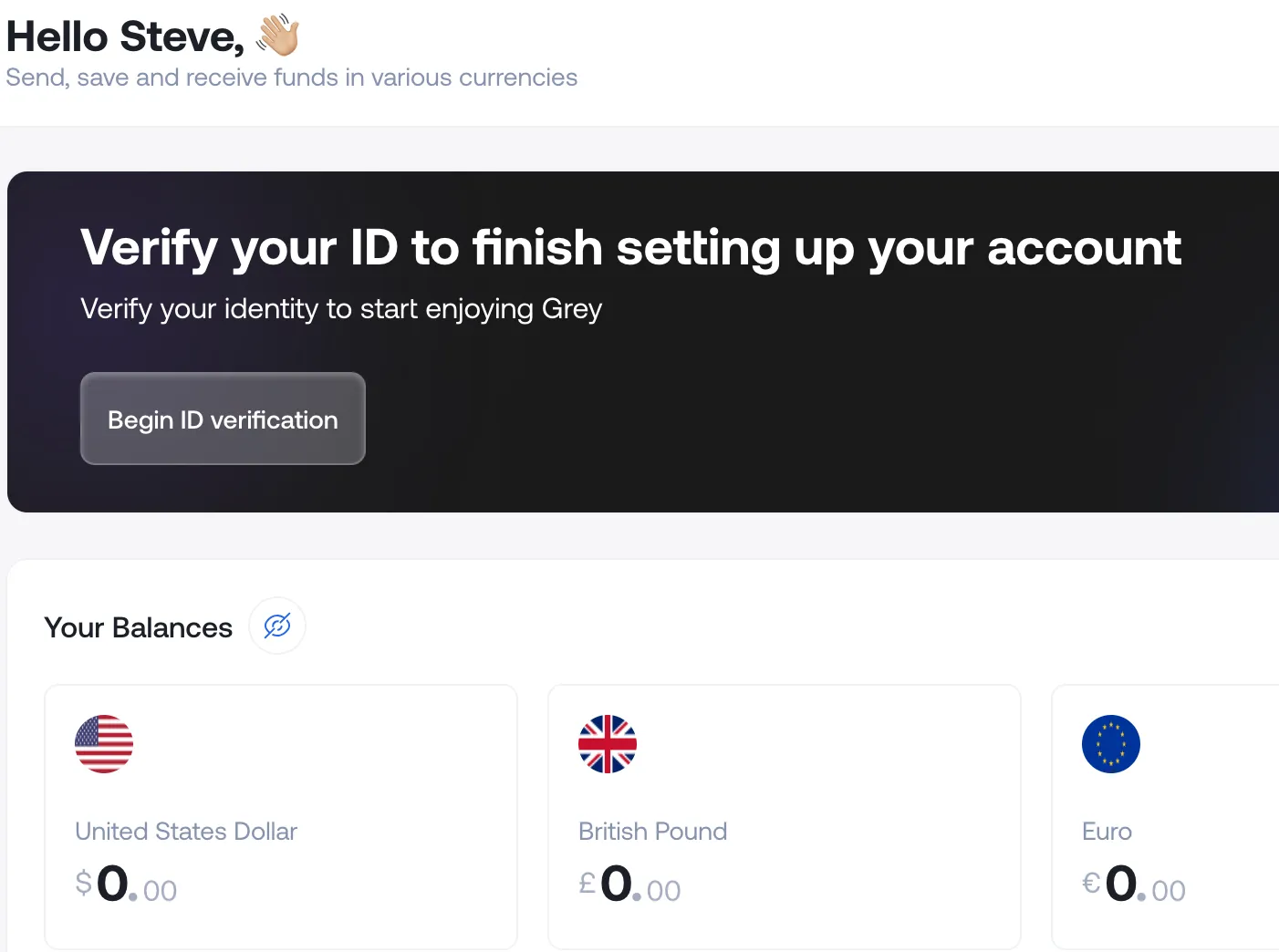
Step 1: Create your Grey account. Download the Grey app or go to grey.co. Sign up with your email and phone number, then verify your identity with your NIN. Grey is a licensed financial services provider, not a bank.
Step 2: Convert naira to USD. Transfer naira from your bank to your Grey account, then convert to dollars inside the app. Grey deducts a 1% conversion fee from the naira amount before converting. The fee is capped at the naira equivalent of $6, so on larger conversions, you never pay more than $6, regardless of the amount.
Here is what the conversion looks like on N100,000:
| Step | Amount |
|---|---|
| Naira you enter | N100,000 |
| Grey conversion fee (1%) | - N1,000 |
| Amount that gets converted | N99,000 |
| Multiplied by today's rate (check the app) | x rate shown at time of conversion |
| USD you receive | Displayed before you confirm |
You see the rate and the exact USD output on screen before confirming. If the rate moves between opening the screen and tapping Convert, the app updates it.
Step 3: Create your virtual card. Go to Cards in the Grey app and create a new virtual card. It costs $4 to create, with a $1 funding deduction from your USD balance. You need at least $5 USD when creating the card. It’s a one-time cost, no monthly or annual fee.
Step 4: Add the card to Google Ads. In your Google Ads account:
- Click the tools icon in the top navigation bar.
- Under Billing, select Payment Methods.
- Click Add Payment Method.
- Select Credit or Debit Card.
- Enter the card number, expiration date, and CVV from your Grey app.
- Confirm your billing currency is set to USD (it should be by default for Nigerian accounts).
- Save.
Google will send a small verification charge to your card (usually $0.00 to $1.00). This is not an actual charge. It is a test to confirm the card is valid. The hold drops off within a few days. Do not worry if you see a small pending transaction immediately after adding the card.
Step 5: Run your campaigns. Google charges your card when you hit a billing threshold or at the end of the month. The card works like any standard Visa.
For a detailed explanation of how threshold billing works, how to find your invoices, and how to reconcile Google Ads spend with your naira-denominated business accounts, see Google Ads Billing and Invoices for Nigerian Businesses.
Since both your Google Ads billing and your Grey virtual card are in USD, the transaction is a domestic USD charge. Grey's 2% + $0.50 cross-border fee only applies to non-USD merchant charges. For standard Google Ads payments billed in USD, you pay the ad cost and nothing else beyond your initial naira-to-dollar conversion.
How Google Ads billing works
Google Ads uses threshold billing, and understanding it prevents the most common payment surprises.
When you create your account, Google sets a billing threshold, typically $50. Every time your ad spend reaches that threshold, Google charges your card. If you spend $50 in three days, you get charged on day three. If it takes two weeks to spend $50, you get charged at the two-week mark. At the end of each month, Google also charges any remaining balance below the threshold.
As your account builds payment history, Google raises the threshold automatically:
| Threshold Level | Typical Amount | When It Increases |
|---|---|---|
| Starting | $50 | Set when account is created |
| Second | $200 | After several successful payments at $50 |
| Third | $350 | After consistent payment history |
| Fourth | $500 | Established accounts with no payment issues |
Higher thresholds mean fewer charges, but larger individual amounts hitting your card. A $20/day advertiser with a $200 threshold gets charged roughly $200 every 10 days, not $20 per day. If your Grey virtual card has $150 when a $200 threshold charge hits, the payment fails, and campaigns pause.
How to check your current threshold and payment history: In Google Ads, click the tools icon, go to Billing, then Summary. Your current threshold is shown under How you pay. Your full transaction history, including pending charges and completed payments, is listed under Transactions. You can download invoices from here as PDFs for accounting purposes.
Switching your payment method: To replace one card with another, go to Payment Methods, click Manage next to your current card, and select Remove. Then add your new card. Google does not support multiple active payment cards. Only one card can be the primary payment method at a time.
New account ramp-up: the week-by-week plan
Google restricts new accounts to a low daily spend limit, typically $50 per day or less. This is separate from the billing threshold. Even if your Grey virtual card has $1,000, Google will not let a brand-new account spend $500 on day one.
Most Nigerian advertisers who hit "payment declined" on a new account are actually hitting the spending limit, not a card problem. Here is the ramp-up plan that avoids both payment declines and account flags:
| Timeline | Action | Daily Budget | Grey Balance Needed |
|---|---|---|---|
| Day 1 | Create account, add Grey card, launch first campaign with a low budget. Google sends a verification hold ($0-$1). | $10-15/day | $30 minimum ($5 card + $25 budget) |
| Day 3-4 | First threshold charge hits (~$30-50). Confirm it has been processed. If it did, your card is verified with Google. | $10-15/day | Top up if balance dropped below $50 |
| Day 7 | Increase daily budget. Google's system has seen a successful payment cycle. | $20-30/day | $100+ recommended |
| Day 14 | Increase again if performance justifies it. Google may raise your threshold from $50 to $200 around this time. | $30-50/day | $200+ to cover new threshold |
| Day 30 | Account is established. Spending limits are significantly higher. Scale to your target budget. | Your target | Keep 2x your threshold as buffer |
The key principle: Google rewards patience and consistency. A new account that spends $15/day for two weeks with zero payment failures has more credibility than one that tries to spend $200 on day one and gets declined three times. Those three declines can flag your card on that account permanently.
When Google charges you in a currency that is not USD
When you run Google Ads campaigns targeting audiences outside Nigeria, Google may bill some charges in the target country's local currency rather than your account's billing currency. Campaigns targeting Brazilian audiences may generate charges in BRL. UK campaigns may bill in GBP. European campaigns in EUR. Indian campaigns in INR. This happens because Google prices some ad inventory in the local currency of the market you are targeting, regardless of what your billing currency is set to.
When any of these non-USD charges hit your Grey virtual card, the 2% + $0.50 cross-border fee applies to that specific charge. The fee is per transaction and applies only to the non-USD portion. If you spend $100 across campaigns and $50 is billed in a foreign currency, the cross-border fee applies to the $50 foreign-currency portion only. Your USD-billed charges are unaffected.
If you run campaigns targeting multiple countries, budget an extra 2%-3% on top of your ad spend for non-USD markets. For campaigns targeting Nigeria, the US, or any other market where Google bills in USD, no cross-border fee applies.
YouTube Ads and Google Shopping
Both YouTube Ads and Google Shopping campaigns run through the same Google Ads account and use the same payment method. If your Grey virtual card is set up for Google Search campaigns, it automatically works for YouTube and Shopping with no additional configuration.
YouTube Ads for creators
Nigerian creators promoting their YouTube channels use Google Ads to run video discovery campaigns and in-stream ads. Billing works the same way as search campaigns: USD threshold billing is charged to your Grey virtual card. YouTube ad costs in Nigeria are lower than in many other markets, typically $0.01 to $0.05 per view for well-targeted campaigns. A $10/day budget can generate 200 to 1,000 views depending on your targeting and creative.
One thing to note: YouTube ad campaigns cannot be created from the YouTube app. You must use Google Ads (ads.google.com) to set up and manage YouTube campaigns. The payment method is the one attached to your Google Ads account, not any payment method linked to your YouTube channel.
Google Shopping for e-commerce
Nigerian e-commerce businesses using Google Shopping (Performance Max or standard Shopping campaigns) face the same payment setup. Connect your Google Merchant Center to your Google Ads account, and Shopping campaigns bill through the same Grey virtual card. No separate payment method needed. Product feed issues are more common than payment issues for Shopping campaigns, so if your Shopping ads are not running, check Merchant Center diagnostics before assuming it is a billing problem.
How to calculate your actual cost
Google Ads from Nigeria has one path: USD. Here is the cost formula:
Your cost = (ad budget in USD x Grey app's naira-to-USD rate) + 1% conversion fee (capped at ~$6) + $5 one-time card creation (first time only).
On a $100 campaign: open the Grey app, check the conversion rate, and multiply. If the rate gives you $1 for every N1,415, you deposit approximately N141,500. Grey takes 1% (N1,415) as the conversion fee, converts the remaining N140,085, and you receive roughly $99. Add $5 for card creation on your first campaign. Second campaign onward: just the deposit plus the 1% fee.
| Grey Virtual Card | Domiciliary Account | Ad Reseller | |
|---|---|---|---|
| Conversion fee | 1% (capped at ~$6) | Bank forex spread (1-3%) | 5%-15% markup |
| Card/setup cost | $5 one-time | $100+ minimum deposit + branch visit | None |
| Cross-border fee | None on USD charges | None on USD charges | N/A |
| Funding speed | Minutes (bank transfer to Grey) | Days (forex purchase + branch) | Hours to days |
| Time to first campaign | 10 minutes | 1-3 business days | Depends on reseller |
| Works on Facebook/TikTok? | Yes, same card | Yes, same card | Depends on reseller |
| Exchange rate visibility | Shown before you confirm | Bank-set, may vary | Hidden |
For agencies: Manager accounts and multi-client billing
If you run a digital marketing agency or manage Google Ads for multiple clients, Google's Manager account (MCC) lets you oversee all client ad accounts from one dashboard. The billing question: can one Grey virtual card pay for multiple client accounts?
Yes, but with a structured decision. Google offers two billing models for Manager accounts:
Per-account billing: Each client ad account has its own payment method. You add your Grey virtual card (or the client's card) to each account individually. Charges appear separately per account in your Grey transaction history. This is the cleanest setup for reconciliation because each charge maps to one client.
Consolidated billing (Manager account pays): The Manager account's payment method covers all linked client accounts. One Grey virtual card, one set of charges. Google consolidates the billing, and you receive a single invoice covering all accounts. This is simpler to manage but harder to reconcile per-client spend. You need to cross-reference Google Ads reporting with your Grey transaction history to allocate costs.
For most Nigerian agencies, per-account billing is the better choice. If a client's campaigns overspend or a client's account gets flagged, it does not affect billing on your other accounts. One Grey card can be added to multiple Google Ads accounts. The card number is the same across accounts.
Google Ads promotional credits
Google frequently offers promotional credits to new Nigerian advertisers. These typically follow a "spend X, get X free" format: spend N10,000 in ad budget and Google adds N10,000 in free credits to your account. The exact offer varies by promotion and changes regularly.
A few things to know about how credits interact with virtual cards:
Credits apply after your real spend. You need to fund and then spend the qualifying amount. Google bills your Grey card for the qualifying spend, then adds the promotional credit to your account. The credit burns down on subsequent ad spend before Google charges your card again.
Credits are denominated in your billing currency. Since your account is in USD, credits appear as dollar amounts. If you received the promotion through a naira-denominated landing page, Google converts it to your billing currency.
Credits expire. Most promotional credits expire 60 to 90 days after being applied. If you do not use them within that window, they disappear. Plan your campaign spend accordingly.
Credits do not change your billing setup. You still need a valid payment method (your Grey virtual card) attached to the account, even if your current spend is covered by credits. Google will not run campaigns without a backup payment method on file.
Troubleshooting: common issues
"Payment method declined" on first attempt
Start small. Add $10 to $20 to your Grey virtual card and let Google process the first charge. Google flags new cards from unfamiliar issuers more aggressively. Once the first payment clears, increase your budget over the first week.
Small $0.50 or $1.00 charge you did not expect
This is Google's card verification hold. When you add a new payment method, Google sends a small temporary charge to confirm the card is valid. It is not a real charge and drops off within 3 to 5 business days. Do not remove your card or dispute the charge. It resolves itself.
Card worked before but now fails
Check two things. First, your Grey USD balance: Google charges at billing thresholds, not daily. A $200 threshold charge, with a $150 balance, will fail. Second, whether Google raised your threshold recently. If it jumped from $50 to $200, your next charge is significantly larger than the previous ones. Keep at least 2x your current threshold in your Grey wallet.
"This card has been declined too many times"
Google tracks the decline history per card. After multiple failures, Google may permanently flag that card number. Remove the card from Payment Methods, then re-add it. If the card number changed (Grey occasionally rotates numbers for security), update with the current details from the app. If the same number still gets rejected, contact Google Ads support to clear the decline flag.
Charged in a non-USD currency unexpectedly
Check your campaign targeting settings. Google bills some ad inventory in the target country's local currency (BRL for Brazil, GBP for the UK, EUR for Europe, INR for India, and others). This is normal. The cross-border fee on your Grey virtual card applies to these non-USD charges. To avoid it, restrict targeting to USD-billed markets, though this limits your reach.
Google suspended my account after payment failure
Google suspends accounts with unpaid balances. Go to Billing & Payments and resolve the outstanding balance with your Grey virtual card. Suspension lifts within 24 hours in most cases. Do not create a new account to bypass it. Google links accounts by payment method, device, and IP address. A second account with the same card gets suspended immediately.
Ads approved but not spending
If your ads are approved but show zero impressions, the issue is usually the new account spending limit, not your payment method. Google has approved your ads but is throttling delivery because the account is new. Follow the ramp-up plan above. Wait 3 to 5 days for delivery to start, then check again. If it persists for more than a week with a $10-$20 daily budget, contact Google support.
Using the same card for Facebook Ads and TikTok
If you are already running Google Ads with a Grey card, adding it to other platforms takes seconds. The same card works on Meta Ads Manager (Facebook and Instagram), TikTok Ads, Amazon Advertising, LinkedIn Ads, Twitter/X Ads, and any platform that accepts Visa.
For Nigerian creators and agencies managing spend across multiple platforms, the main advantage is this: one USD balance, one card, one transaction history. If you are also paying for subscriptions (ChatGPT Plus, Canva Pro, Shopify, and domain renewals), the same card covers those as well.
For the Facebook-specific guide, including the naira billing path that Google does not offer, see How to Pay for Facebook Ads in Nigeria.
Frequently asked questions
Can I pay for Google Ads with naira?
No. Google Ads does not offer naira billing for Nigerian accounts. Your billing currency must be USD. You need a dollar-denominated card.
Can I use my GTBank or Access Bank naira card for Google Ads?
Unlikely for sustained use. Nigerian banks resumed international card transactions in July 2025, but the CBN caps international naira card spending at $20 per month. Any advertiser spending more than $20 per month needs a virtual dollar card or domiciliary account card.
What is the minimum amount to start Google Ads from Nigeria?
Google does not enforce a strict minimum, but realistic testing starts at $5 to $10 per day. You need at least $5 USD to create a Grey virtual card, plus your ad budget. A practical starting point: $30 in your Grey wallet ($5 for the card, $25 for your first few days).
How often does Google charge my card?
Google uses threshold billing. New accounts start at $50. When your spend reaches the threshold, Google charges your card. The threshold increases over time ($50, $200, $350, $500). Google also charges any remaining balance at the end of the month.
Will my Google Ads stop if my Grey card runs out of funds?
Yes. Failed threshold charges pause your campaigns. Google retries within 24 hours. Top up your Grey balance and campaigns resume on the next successful charge.
What is the small $0.50 charge after I added my card?
Google's verification hold. It confirms your card is valid and drops off within 3 to 5 business days. It is not a real charge.
Can I use one Grey virtual card for multiple Google Ads accounts?
Yes. The same card number can be added as a payment method on multiple Google Ads accounts, including accounts linked under a Manager (MCC) account.
Is a virtual dollar card safe for Google Ads?
Yes. Google uses PCI-DSS payment security. Your Grey card details are encrypted and tokenised. You can freeze or delete the card from the Grey app at any time.
Can I get a refund from Google Ads to my Grey card?
Yes. Overpayments, paused campaigns with unused balance, or account closure trigger refunds to the card on file. Refunds typically take 5 to 15 business days to appear in Grey.
My Google Ads account got suspended. Can I create a new one with the same Grey card?
Do not bypass a suspension by creating a new account. Google links accounts by payment method, device, and IP address. Resolve the suspension through the original account first. Billing-related suspensions usually clear within 24 hours once the outstanding balance is paid.
Related reading
How to Pay for Facebook Ads in Nigeria (2026) covers naira and USD payment paths for Meta Ads, including bank-by-bank card compatibility.
Google Ads Billing, Invoices and Payments for Nigerian Businesses covers threshold billing, VAT invoices, reconciliation, and month-end accounting for established advertisers.
Best Virtual Dollar Cards in Nigeria (2026) compares virtual card options for all international payments.
How to Pay for ChatGPT Plus from Nigeria covers subscription payments using the same Grey card setup.
Alternatives to Domiciliary Accounts in Nigeria compares Grey to traditional bank-issued dollar accounts.



